
(C1) About Assessments
Find out what Assessments are, how to log in, and how to attempt them on SLS.
(C1) About Assessments
Assessments are Assignments with a special setting that teachers can use for better control. In an Assessment, you can only access external links if they have been whitelisted for use in the assessment's network.
Logging in for E-Assessments
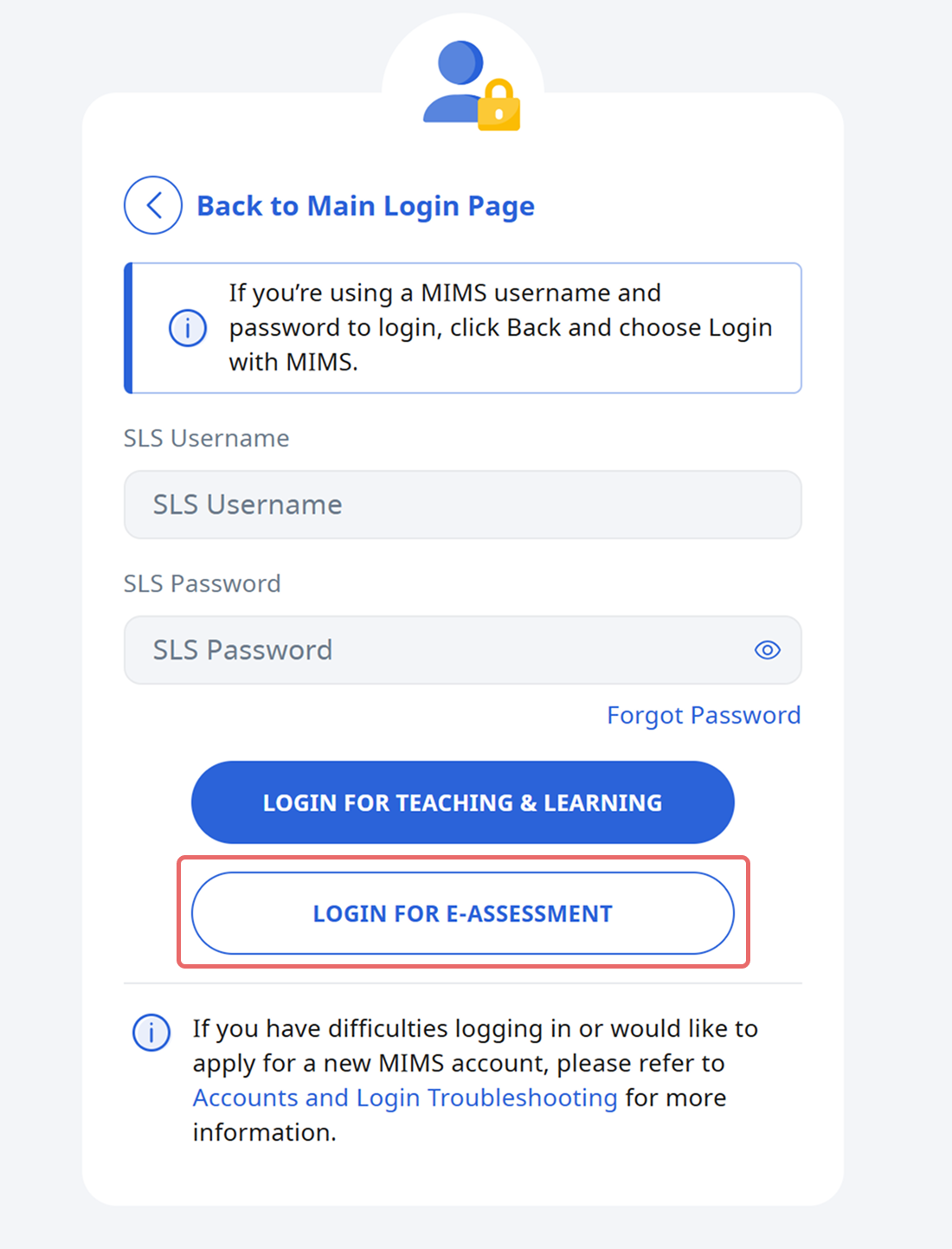
On the main login page, select your preferred login method.
If you had selected Login with SLS, select Login for E-Assessment.
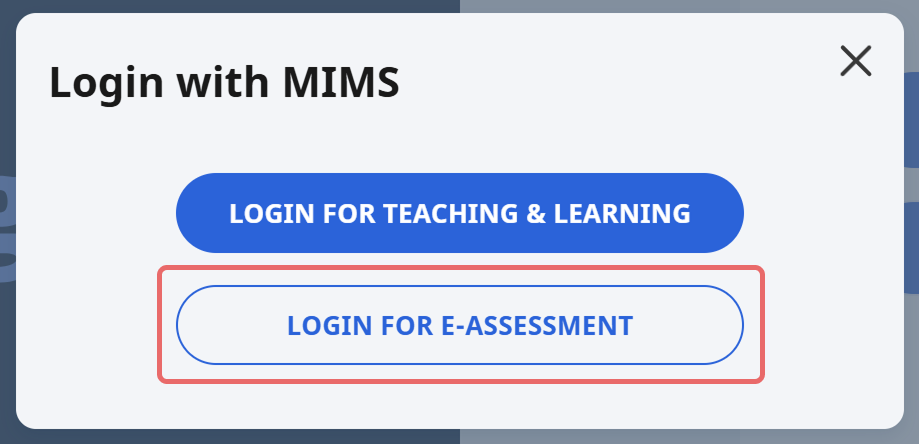
Alternatively, you may Login with MIMS and select Login for E-Assessment.
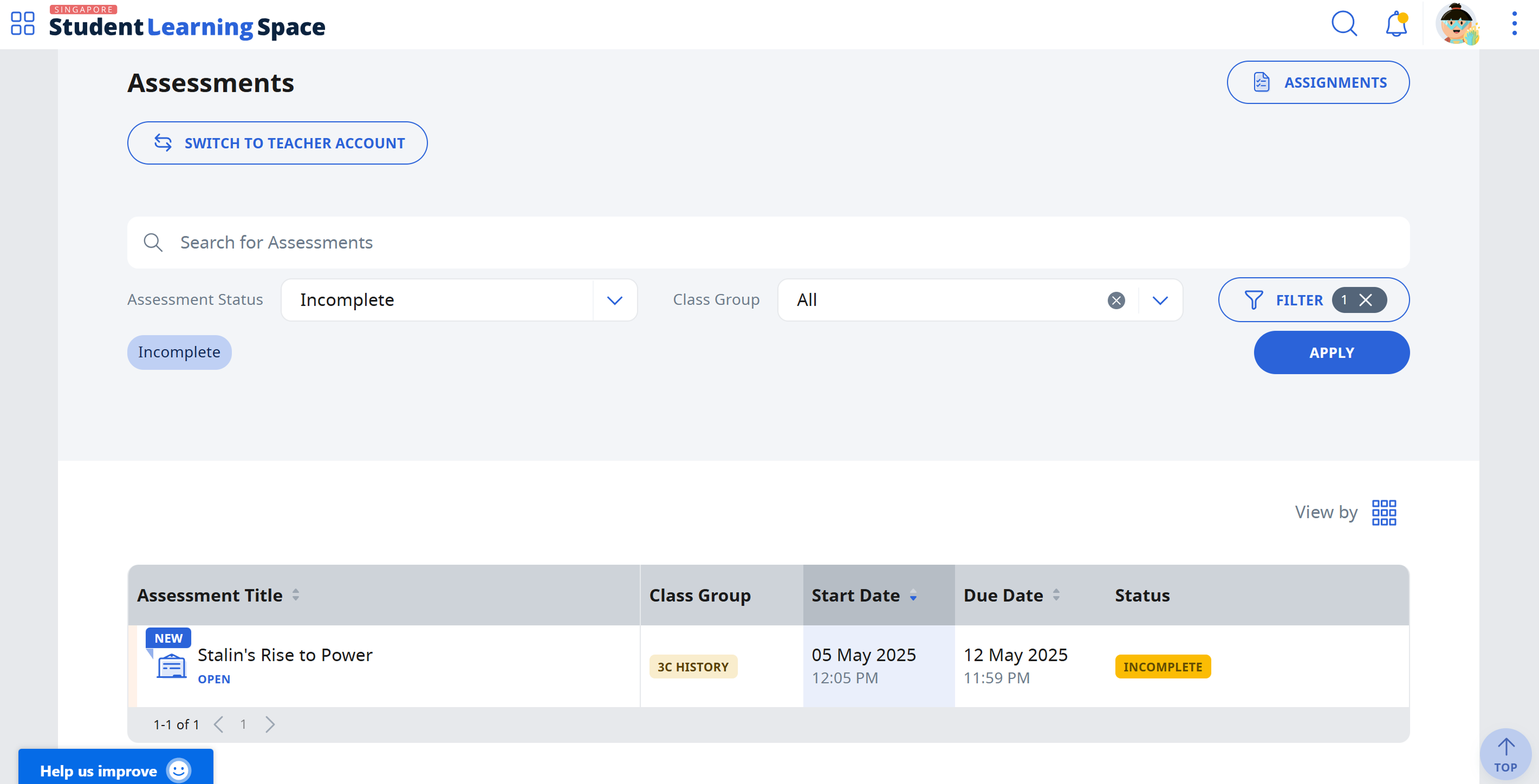
Once you have logged in, you will see a list of Assessments that have been assigned to you. If your teacher has set an Access Code for the Assessment, you will be required to enter the Access Code (case-sensitive) in order to access the Assessment.
Viewing Assessments
Assessments can only be accessed from this Assessment List.
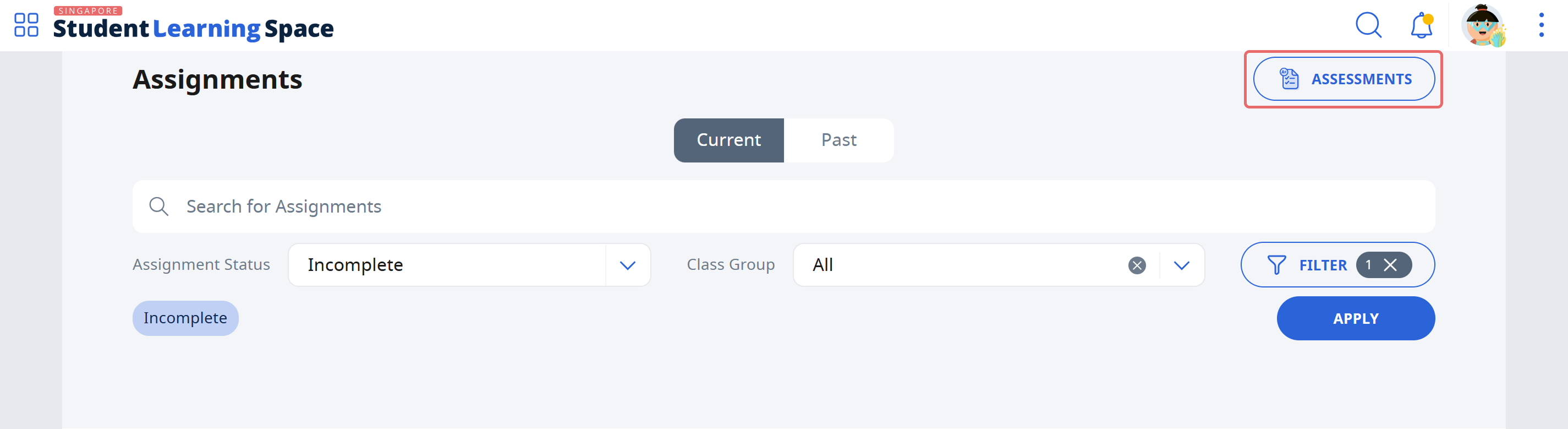
You can view assessments directly by logging in for e-assessments or by clicking on the Assessments button at the top right corner in the Assignment List.
If your teacher has set an Access Code for the Assessment, you will be required to enter the Access Code (case-sensitive) in order to access it.
Attempting Assessments
When you type a response in a Free-Response question, or when your audio recording is being processed, the auto-save indicator will reflect 1 of the 3 statuses: (1) Autosaving as draft, (2) Saved as draft, or (3) Autosaving failed.
If your internet connection goes offline:
Your online status next to your SLS profile will change to offline. If you are typing a response in a Free-Response question, or if your audio recording is being processed, the auto-save indicator will show Autosaving failed.
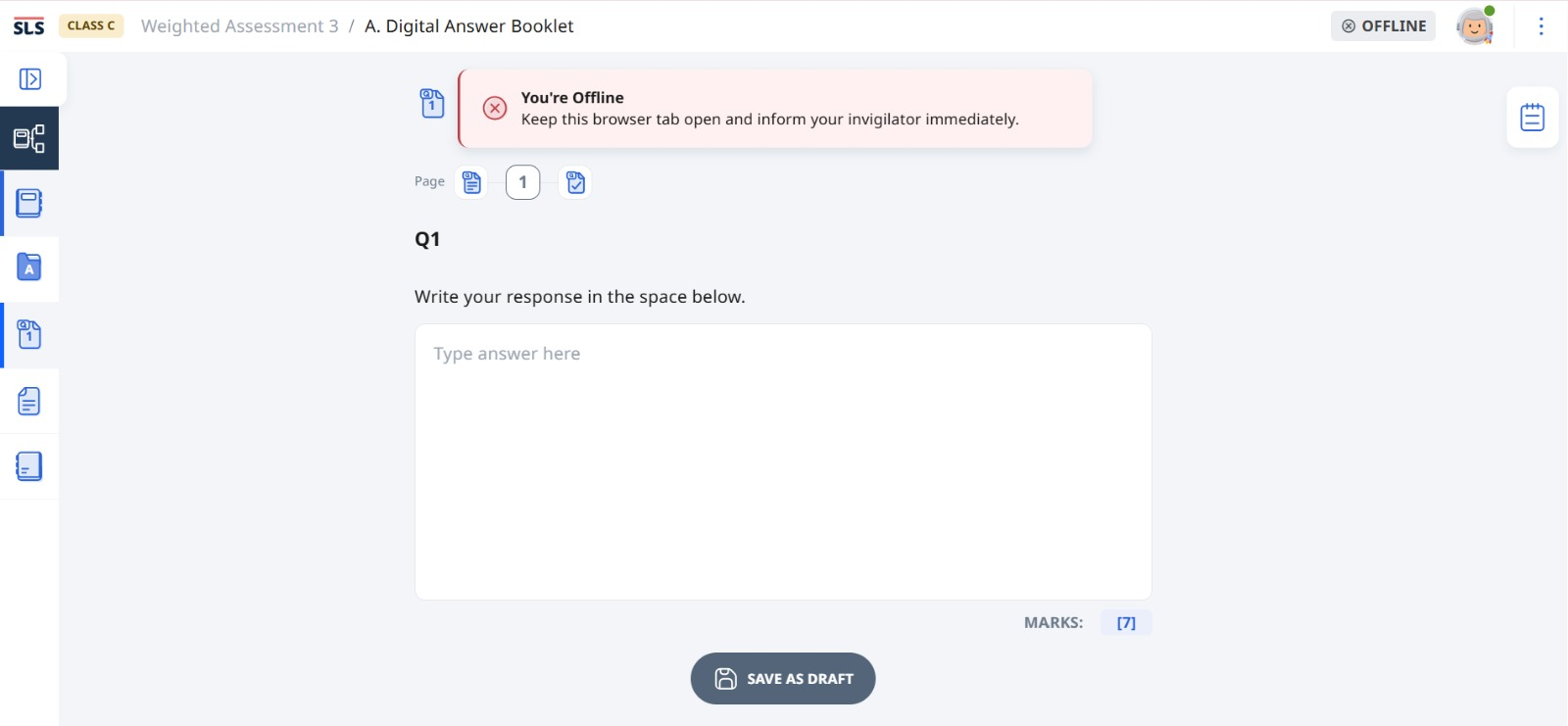
Please do not close the browser page. Your last saved response in SLS will be restored when connectivity resumes, even if the page is refreshed.
Inform your teacher when this happens.