(A1,ii) View ALS Learning Progress
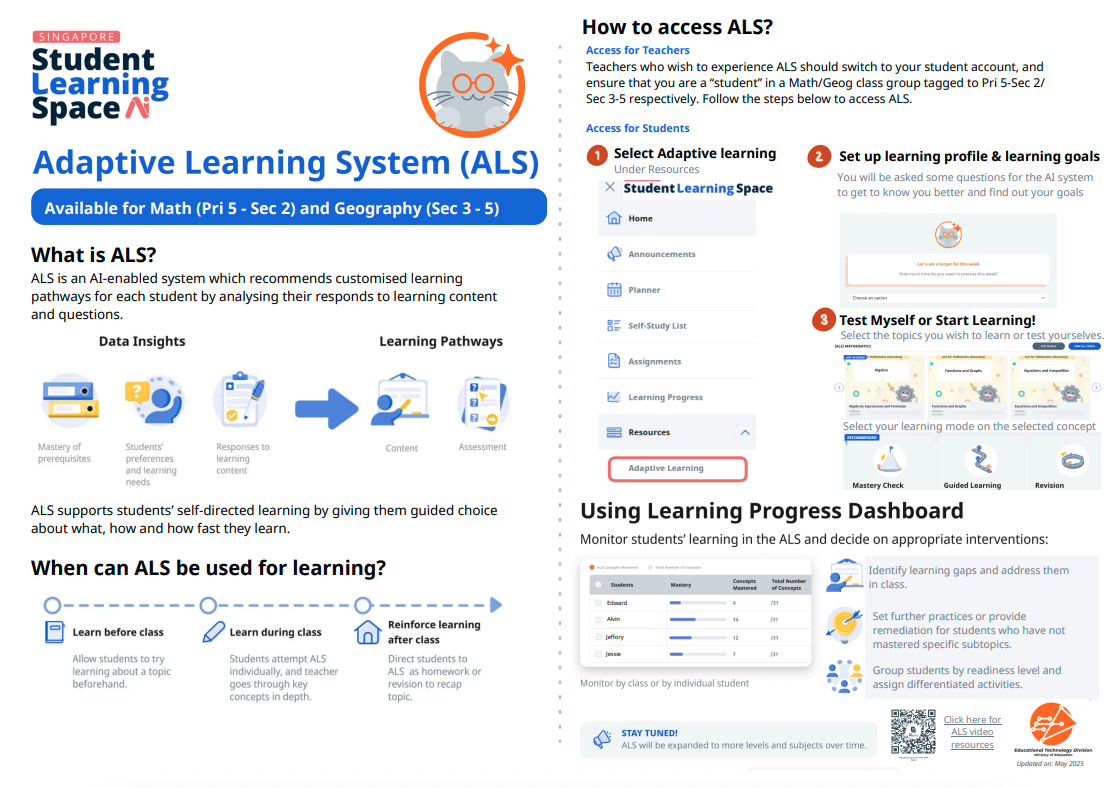
Track your students' ALS learning progress via the Learning Progress Dashboard or downloadable reports. View class-wide or individual progress by topic, concept mastery, and time spent.
(A1,ii) View ALS Learning Progress
Teachers can track students’ learning progress for ALS using two ways, the Learning Progress Dashboard and Reports generated on ALS Content & Assessment Items.
Tracking using the Learning Progress Dashboard
From your Class Groups page, select a Class Group from your Subjects.
Click View Learning Progress found on the top right of the page. You can also access the Learning Progress page for your Assigned Subjects and Followed Subjects from the My Subjects page.
Note: Only Class Groups with a Subject tagged to it will have Learning Progress. Such Class Groups are indicated with coloured banners.
On the Learning Progress page, you can select your Class Group below the banner from the Class Group dropdown list. Class Groups that are tagged to the same Subject and Level will appear in the list.
The overall progress of students can be viewed in two ways:
Topical - Provides an overview of concepts mastered and time spent by the entire class group, categorised by topics
Student- Provides an overview of concepts mastered and time spent by individual students
For a visualisation of the curriculum map indicating the concepts and their connections, click on View Details under a concept.
For more details on the number of students who have and have not mastered the concept, click on the concept within the curriculum map.
Tracking using Reports on ALS Assessment and Content ItemsFrom your Class Groups page, select a Class Group from your Subjects
Click the Resources tab.
Click Download Report and choose the assessment or content item which you would like to download the report for.
Click here (opens in new tab) for a Quick Guide to Adaptive Learning System.