(A1,5) Add Section (Adaptive)
Learn how to add a Section (Adaptive) in a module to assign ALS content to students and track their progress.
(A1,5) Add Section (Adaptive)
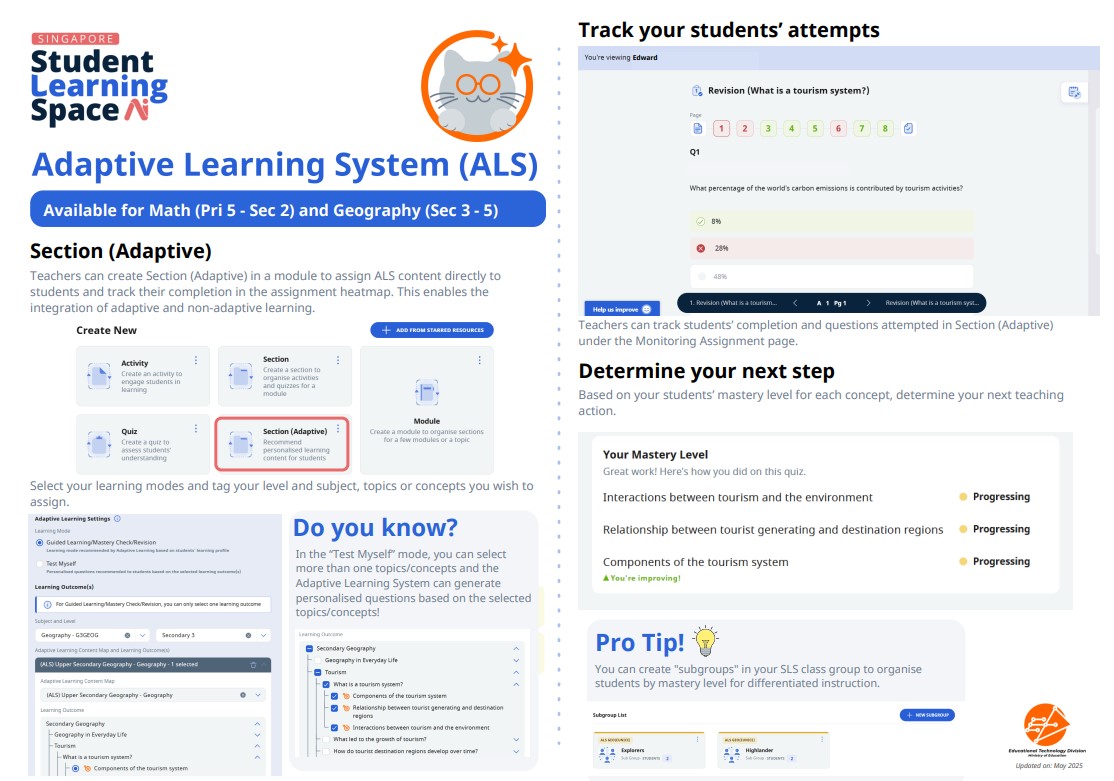
You can create Section (Adaptive) in a module to assign ALS content directly to students and track their completion in the assignment heatmap. This enables the integration of adaptive and non-adaptive learning.
Adding Section (Adaptive)
To add Section (Adaptive), click Add New on the Module Editor page, then select Section (Adaptive).
Select Guided Learning/Mastery Check/Revision or Test Myself (For Guided Learning/Mastery Check/Revision, system will recommend the most suitable learning mode for the student).
Note:
For more information on the different learning modes, please click About Adaptive Learning System
For Test Myself mode, you may choose between 10, 20 or 30 questions. Alternatively, teachers may select ‘Minimum required to assess students’ Mastery’ for the system to continue recommending questions until students have demonstrated mastery.
Select the subject, level and learning outcome(s) in the content map.
Note:
For Guided Learning/Mastery Check/Revision mode, you can only select one Learning Outcome (LO).
For Test Myself mode, you can select multiple LOs.
Select LOs marked with orange icons, as these are the only ones containing ALS content. If LOs without orange icons are checked (i.e. without ALS content), an error may be encountered when students enter the adaptive sections.
Tracking Students’ Progress
You can track students’ completion of Section (Adaptive) under the Monitoring Assignment page. They can also view students’ attempts of the Adaptive Learning session in Section (Adaptive)
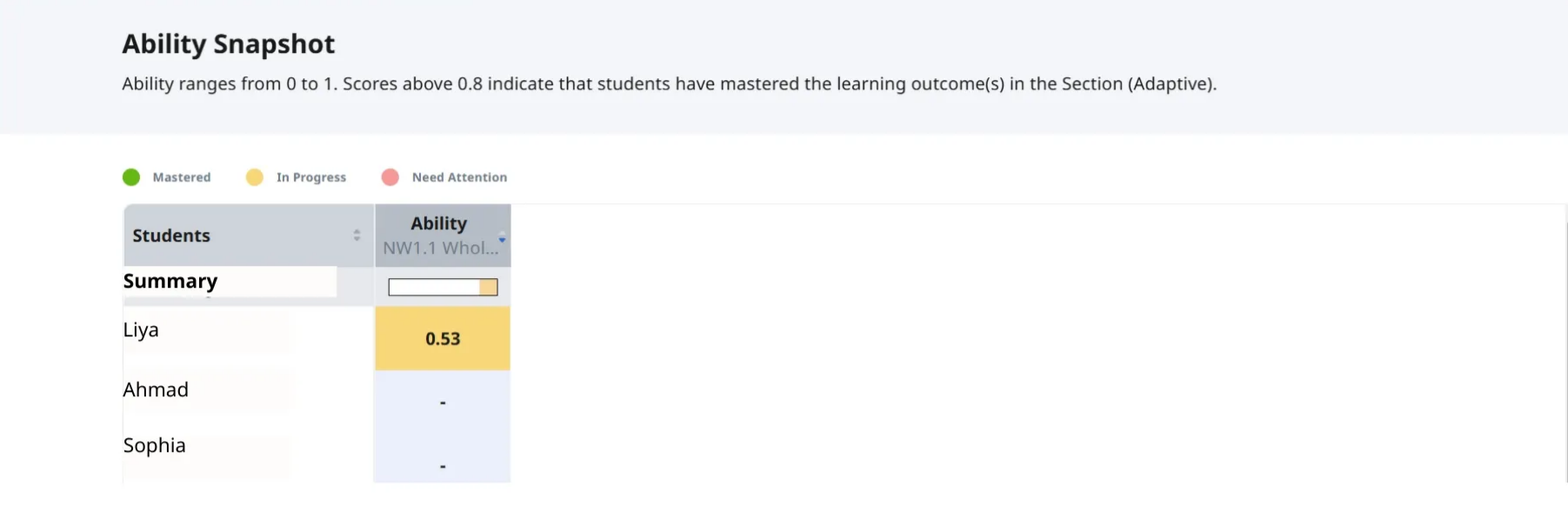
Check students’ progress using the different colour codes. Clicking on the magnifying glass icon will open up the Ability Snapshot page.
You can view students’ mastery of the LO(s) in the Ability Snapshot page. Ability scores are system-generated based on students’ responses to the learning activities in the Section (Adaptive). Scores above 0.8 indicate that students have mastered the learning outcome(s); scores below 0.11 indicate that students need attention.
Click here (opens in new tab) for a Quick Guide to Adaptive Learning System.