Recommend Content to Students on Adaptive Learning System
Learn how to recommend ALS topics to selected students and send them instant notifications with direct access to tailored content.
Recommend Content to Students on Adaptive Learning System
To provide differentiated guidance to students, you can recommend topic(s)/ subtopic(s) in ALS for selected students, who will receive a notification and a link to access the recommended content in ALS.
Select the students in the class group by clicking on the checkboxes beside their names.
Click Recommend Topics.
Select the number of weeks the recommended topic(s)/ subtopic(s) will be prioritised.
Note:
Teachers can set the number of weeks the recommendation will be active in ALS.
The default duration is 1 week and can be adjusted up to 3 weeks.
Select topic(s)/ subtopic(s) to recommend.
Access Recommended ALS Topics by viewing Notifications.
Note:
Students will be alerted to their teacher’s recommendation via a notification.
Each recommended topic or subtopic will have its own notification.
Clicking on the notification will bring students into ALS, where they will be prompted to select a learning mode. The recommended learning mode will be determined by ALS engine.
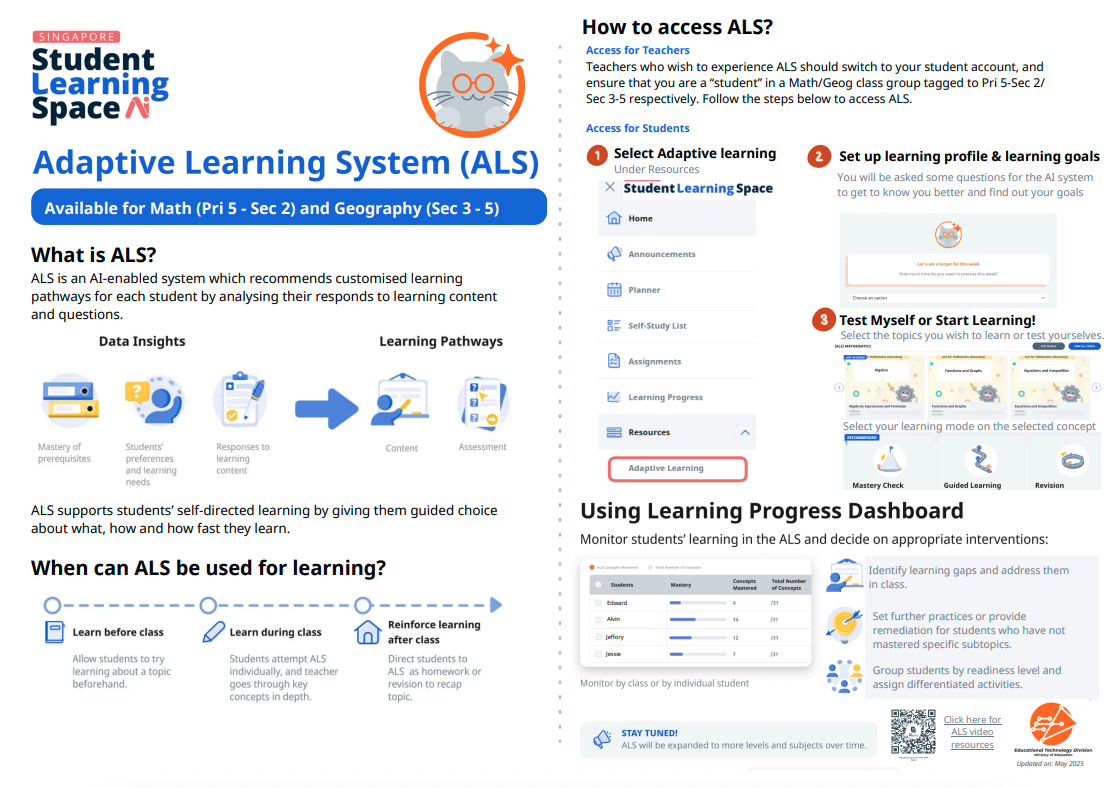
Click here for a Quick Guide to Adaptive Learning System.