
Set up Learning Assistant (LEA)
Set up and manage the Learning Assistant chatbot in SLS for one-to-one student interactions. Assign roles, set interaction limits, and monitor student conversations with ease.
Set Up Learning Assistant
Important guidance and prerequisite AI modules for using Learning Assistant
Important:
Before using Learning Assistant or any AI-enabled features in SLS, please ensure that your students complete the Basic Modules for AI and AI-enabled features in SLS in the following links: |
Learning Assistant is a dialogic chatbot that allows students to interact with. Learning Assistant can be used by students 1-to-1 or called on in a Live Chat with a group of students using @SALiS.
This guide is for users who wish to set up 1-to-1 interactions with the Learning Assistant. If you wish to set up the Learning Assistant to allow students to call on SALiS during a group Live Chat, please visit this link.
View the video guide below for step-by-step instructions on setting up Learning Assistant in SLS.

To learn more about using Learning Assistant (LEA), including pedagogical, ethical, and technical considerations, refer to this resource (opens in new tab).
Monitoring Learning Assistant Discussions
To monitor student interactions, access the Discussion component and click View All Responses. All student responses will be displayed on a single page for easy review.
Students may end their discussion at any time using the End Discussion button. You may wish to guide students on when to do so, for example after they have gathered sufficient ideas or completed the task.
In the unlikely event of unsafe responses by Learning Assistant, do report it to SLS Helpdesk.
Ending Conversations with Learning Assistant
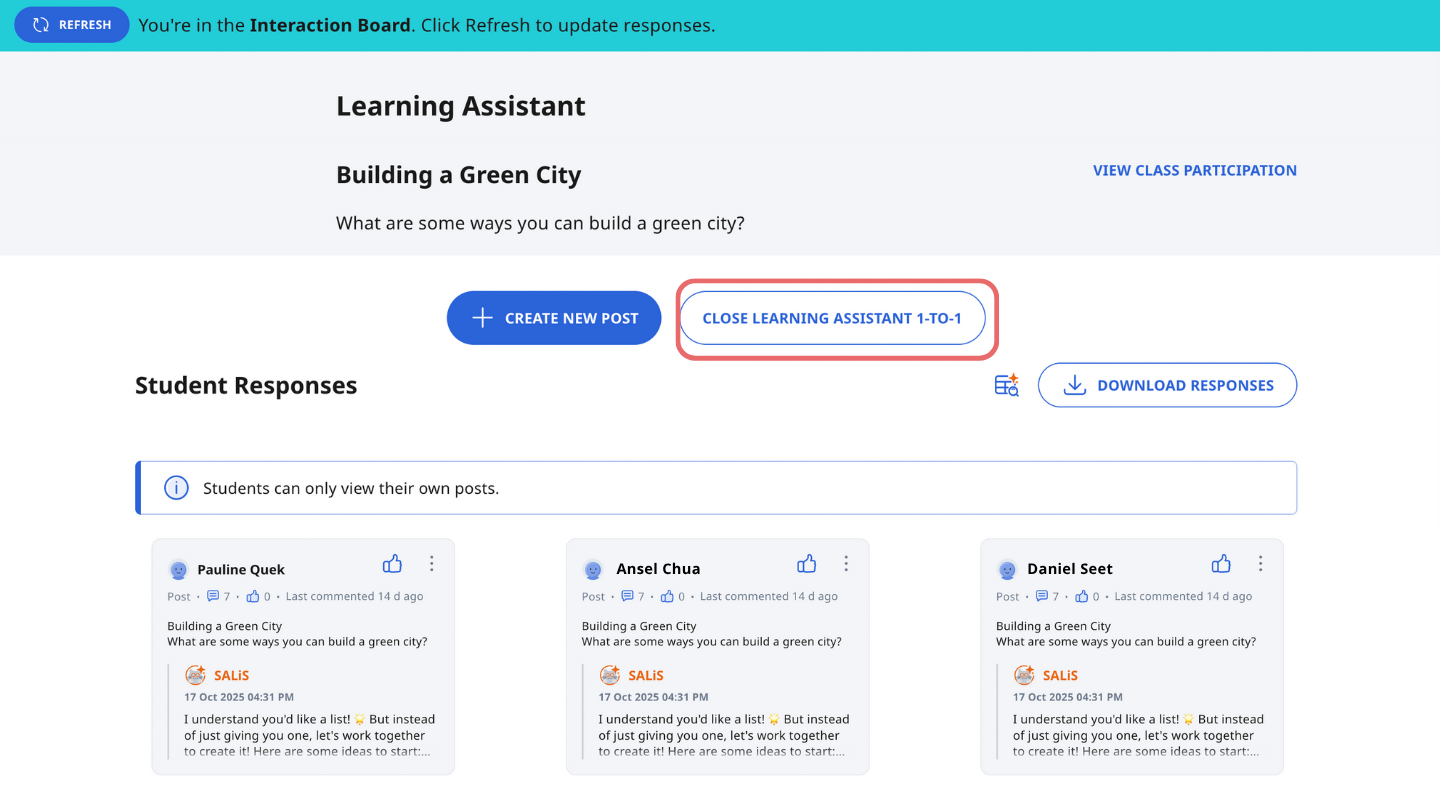
To end all conversations with Learning Assistant, click Close Learning Assistant 1-to-1. This will end all discussions with Learning Assistant. Please note that this action is irreversible.
Note: For Primary 4 to 6 students, it is recommended to use Learning Assistant with in-class supervised use. Please close the conversation at the end of the lesson.
Click here (opens in new tab) for a Quick Guide to Learning Assistant.