
Differentiate
Learn how to use SLS to tailor modules and activities for different student groups, using subgroups and differentiated access settings.
Differentiate
Use SLS to differentiate modules and activities for different groups of students.
A. How to organise my students within Class Groups?
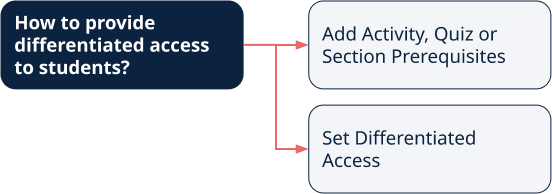
B. How to provide differentiated access to students?
C. Ideas for Teaching & Learning
(C1,i) Differentiate Learning Modules and Activities
(C1,ii) Eliciting Voices of Students with Diverse Learning Needs (opens in new tab)
D. Tech Tips for Teachers
Must students link their iCON accounts with SLS?
SLS will work with any Google account. However, we recommend students link their student iCON accounts to ensure seamless learning.
How can SLS support differentiation for common curriculum subjects or the upcoming FSBB in secondary school context?
Schools can utilise SLS features such as subgroups to support differentiation and/or FSBB.
Teachers can form subgroups within the class. This functionality is useful for FSBB as teachers can now specify scaffolding activities for students of lower readiness, and also create stretch activities for students of higher readiness after they have completed the compulsory activities.
Alternatively, teachers can make use of Activity, Quiz or Section Prerequisites to cater to students of different levels of readiness.