
(E1,iii) Upvote and Leave Reviews (Enhanced)
Learn how to upvote and leave reviews for MOE Library and Community Gallery Modules as a teacher.
(E1,iii) Upvote and Leave Reviews (Enhanced)
Teachers are able to upvote and leave Reviews for MOE Library and Community Gallery Modules.
Upvote Modules
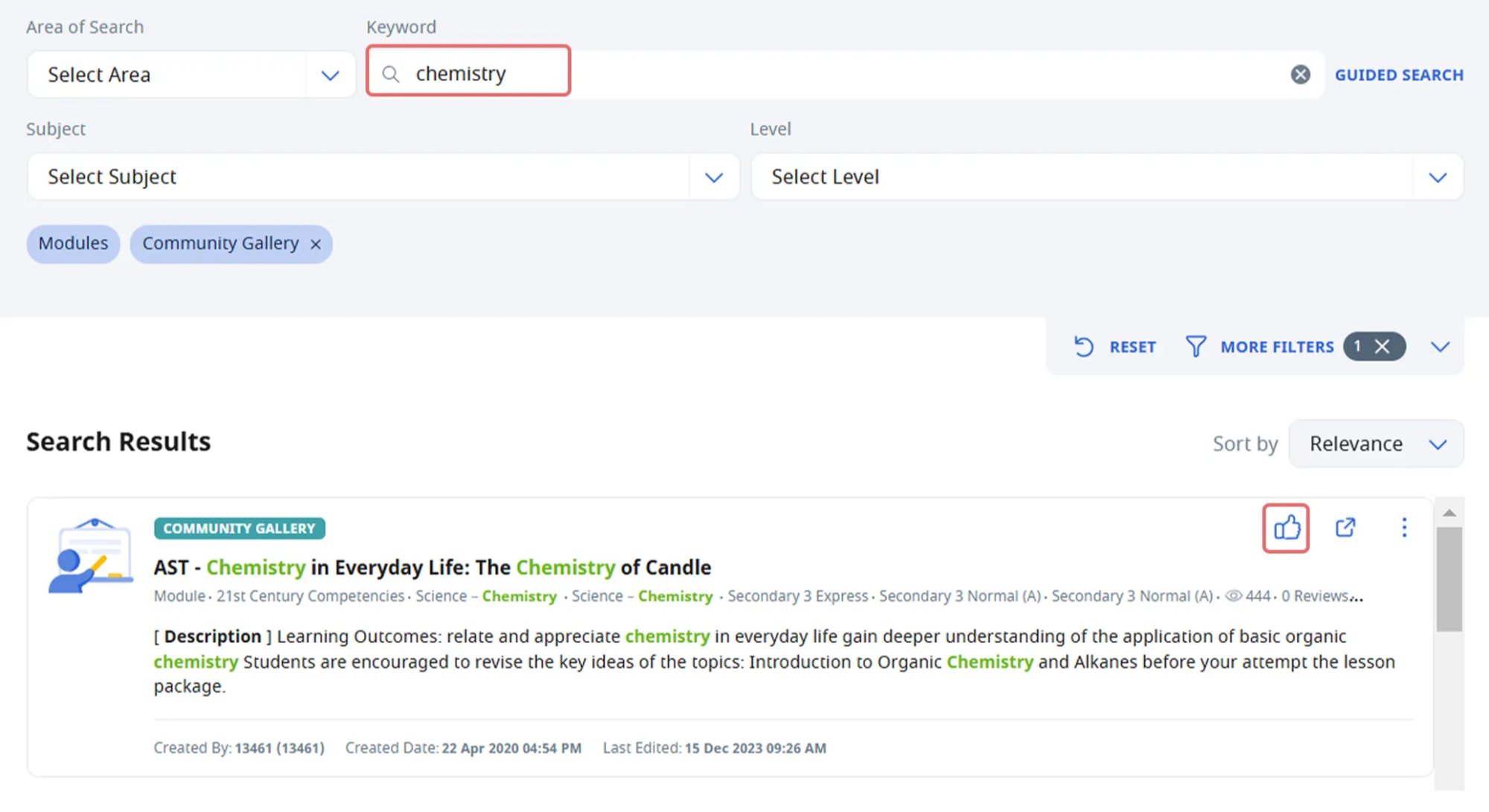
From the search page, enter the keyword you would like to search by and click Guided Search.
Under the Search Results, click the Upvote icon on the top right corner of the module card.
See Reviews
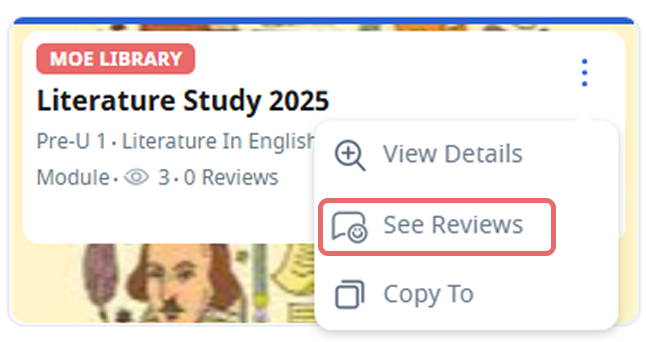
From the Search page, click the Overflow (3-dot icon) found on the top right of the Module Card, followed by See Reviews.
The number of Reviews is also visible from the Module Card.
You can also view the Teacher Reviews from the Module View page when you open the Module in a new tab. To view the Reviews, click the Teacher Reviews icon found in the Module header at the top of the page.
Add Reviews
From the Search page, click the Overflow (3-dot icon) found on the top right of the Module Card, followed by See Reviews.
On the Teacher Reviews subpage, click Add Review.
Enter your Review and click Create.
Note: Collaborators of Community Gallery modules will receive notifications when teachers review their module.
Edit Reviews
From the Teacher Reviews subpage, click the Overflow (3-dot icon) found on the top right of the Review Card, and select Edit or Delete.