(B1,i) Generate CCPM Reports
Use the SLS Modules Dashboard to download module and media utilisation data for CCPM reports.
(B1,i) Generate CCPM Reports
Access to module and media utilisation data on SLS has been enhanced with the SLS Modules Dashboard.
Please use the SLS Modules Dashboard (opens in new tab) (on WOG only) to download the module and media utilisation data.
Available data:Module utilisation data: from January 2024 onwards.
Media utilisation data: from August 2025 onwards.
Click the eye icon to enter the dashboard.
On the top of the dashboard, select the MOE Library tab (for the module utilisation report) or Media Utilisation tab (for the media utilisation report).
In the filter bar, select your Owner Group and the Selected Months of the data required. Note that if you select multiple months, numbers generated will be the total for the selected months. For "number of unique students" (MOE Library) or “unique number of times” (Media Utilisation) metrics, which counts the number of unique users per month, this will be the total for the selected months; users who accessed multiple times across the months will be counted multiple times.
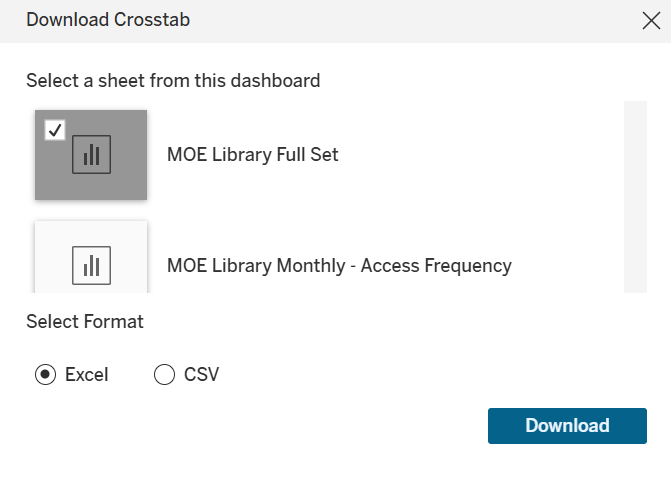
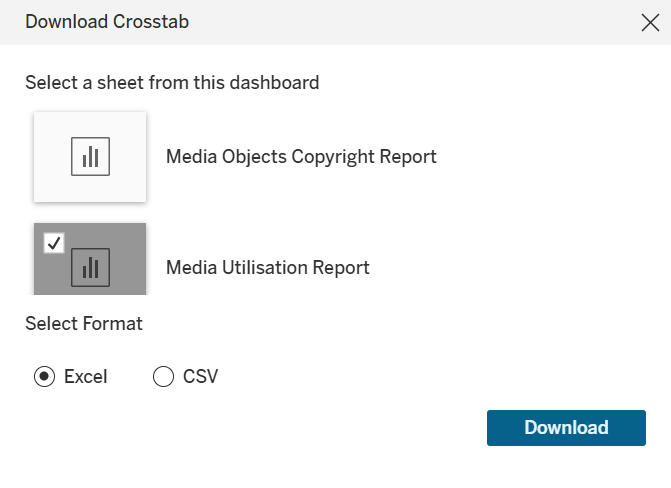
Click the download icon at the bottom and select Crosstab icon. In the pop-up that appears, check that “MOE Library Full Set” (for the module utilisation report) or “Media Utilisation Report” is selected, then click Download.