
How to Log In (Student)
Follow the steps on this page to log in to SLS using MIMS or your SLS account.
How to Log In (Student)
You can log in to SLS in 2 ways:
a) Through MIMS or
b) Through the existing SLS login page.
.png)
Log in with MIMS (for Secondary and JC/CI students)
This option is only applicable to MIMS users. For users whose SLS username begins with SLS-XXX, please log in via SLS existing login page.
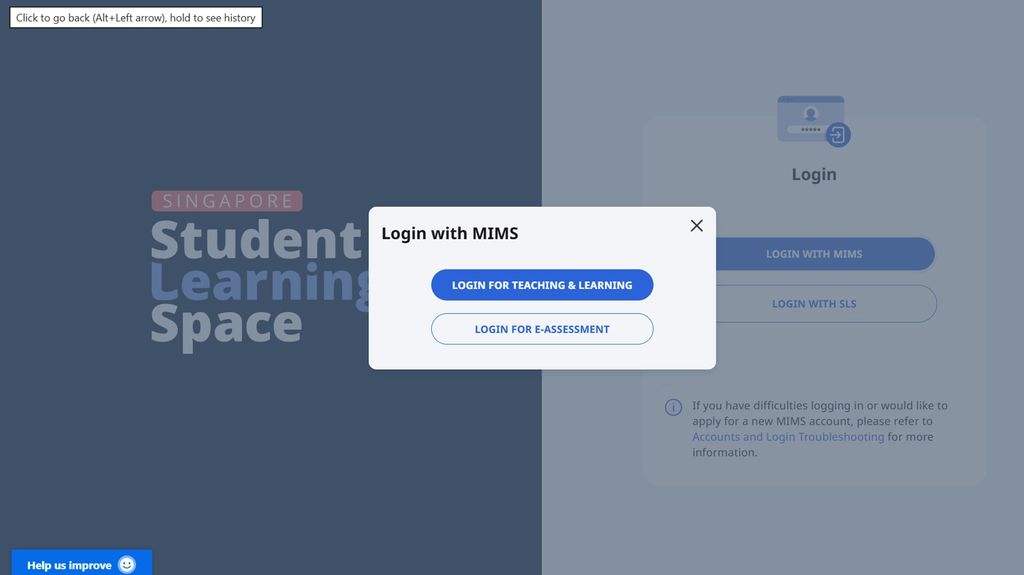
From the main login page, click Login With MIMS. Next, select Login for Teaching & Learning. For eSBA, select Login for e-Assessment.
At the MIMS login page, enter your MIMS username and password.
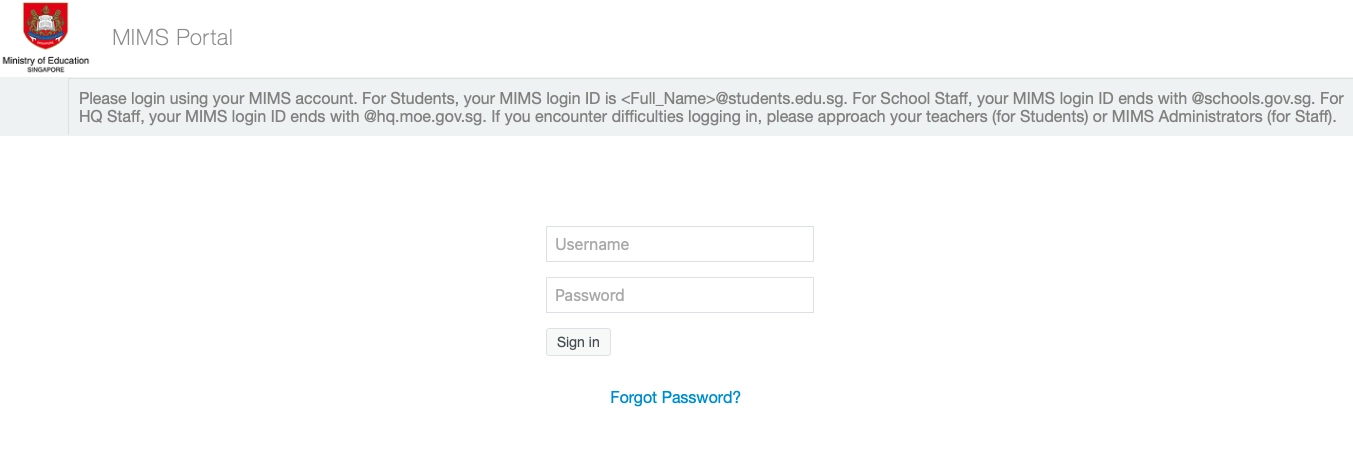
Click Sign In.
Upon successful authentication, you will be brought to the SLS homepage.
Unable to Sign-in to MIMS Account
Please approach your teacher or MIMS student administrator for assistance. If you are unable to contact a teacher but urgently need to access SLS, you can click Login With SLS on the main login page to log in with your SLS username and password.
Log in via SLS Existing Login Page (for Primary students)
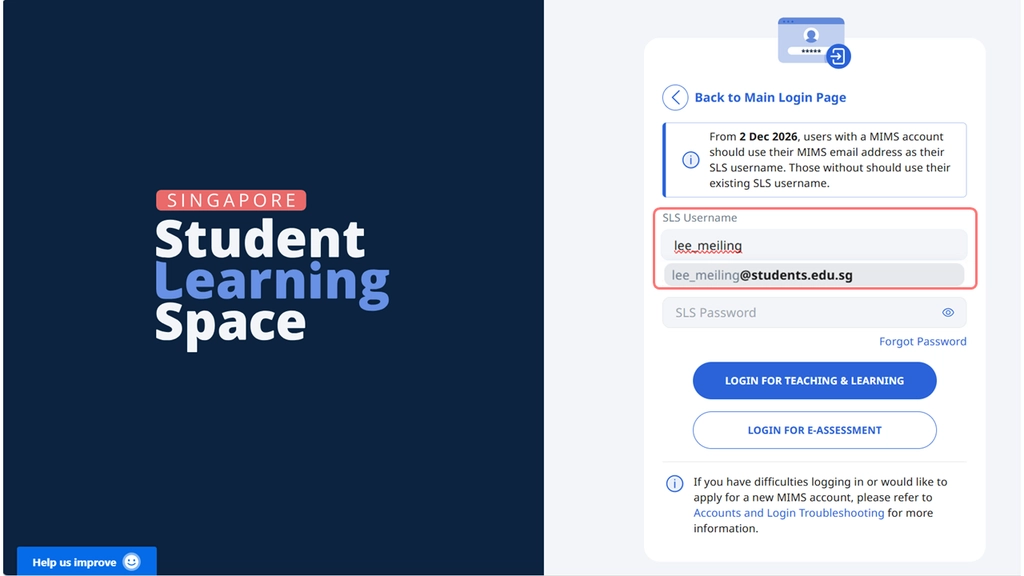
From the main login page, click Login With SLS.
Enter your SLS username and the full MIMS email domain name will appear automatically in the dropdown list for selection.
Key in your SLS password.
Click Login for Teaching and Learning. For eSBA, select Login for e-Assessment.
Note: Primary 1 students will be able to log in to SLS via MIMS directly, without needing to use their SLS credentials to activate their accounts. This also means that they do not need to set up an SLS password if MIMS is their preferred login method.