(A3,1) About Rich Text Editor
Learn how to use the Rich Text Editor to add and edit content, images, links, and more in an Activity.
(A3,1) About Rich Text Editor
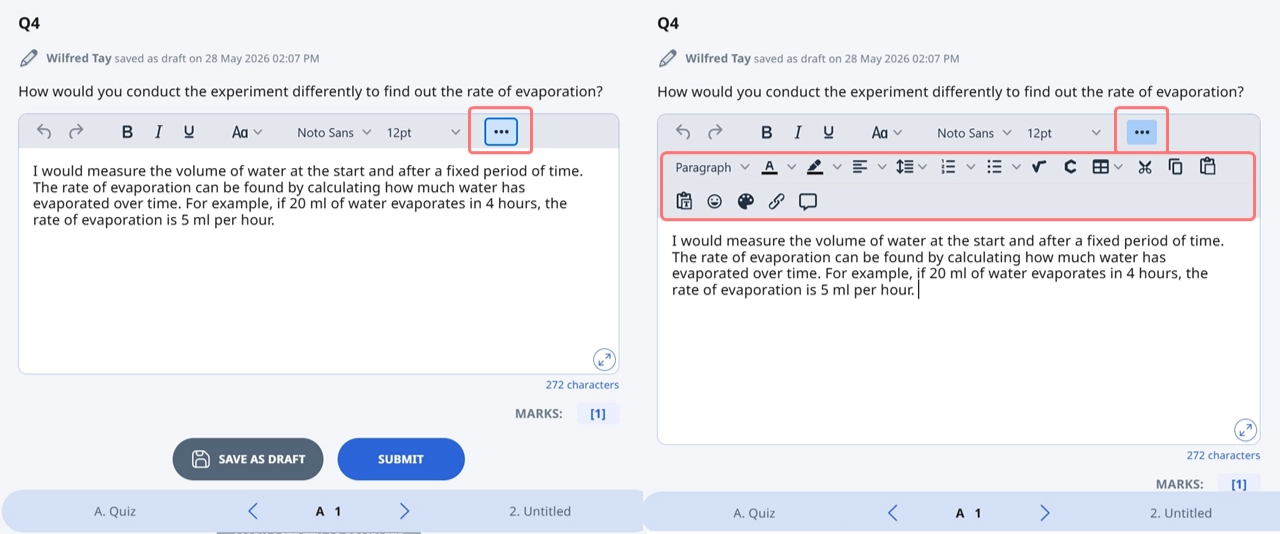
The Rich Text Editor allows you to add or edit content, images, links, and other components in an Activity. In the Rich Text Editor, you can:
Undo and Redo
You are also able to:
View the word count or character count at the right corner of the text field. Click to switch between the two views.
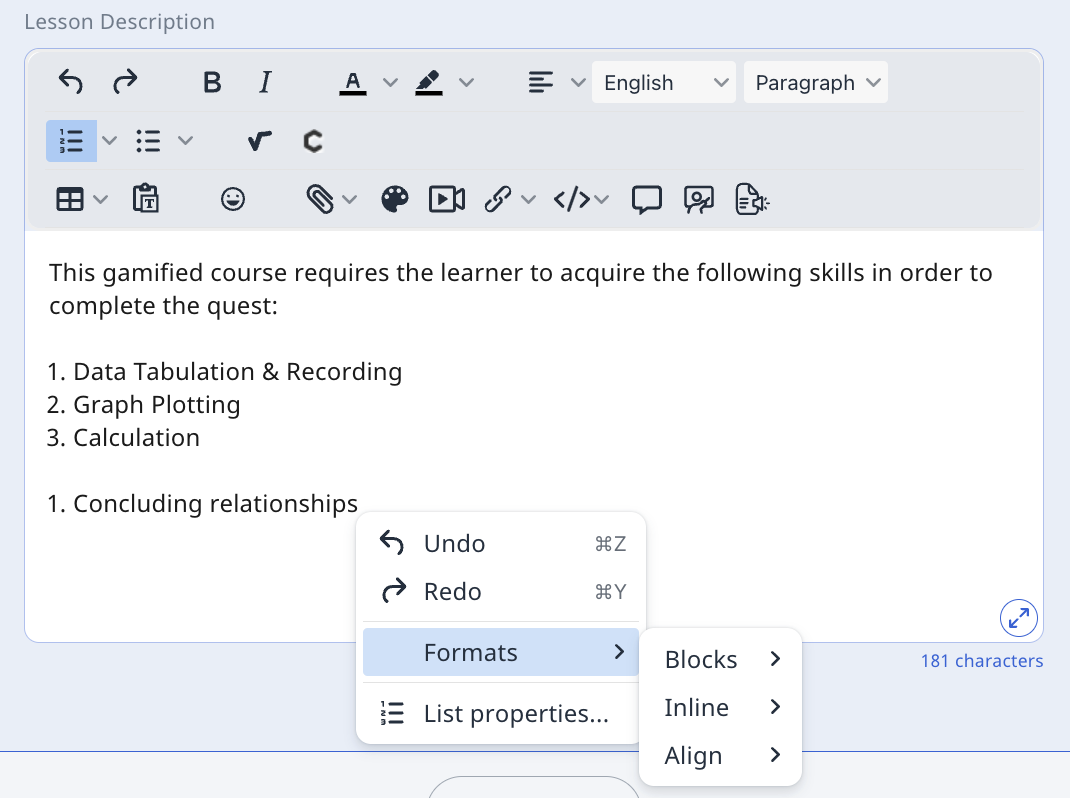
Right click the select text to edit the font styling, text alignment and access the undo and redo function.
Right click to renumber the bullet points under List Properties.
Expand and Collapse the Rich Text Editor field by clicking the respective icons.
Click on the component to edit and click outside of it to save.
Add Files from Device, Add Google Files, Embed YouTube Videos, Embed Apps and Embed Websites directly from the component bar.
Note: From R4 (Jun 2026), the Rich Text Editor field will be collapsed by default to provide more space for typing.
You can expand or collapse the toolbar, and the state of the toolbar will be retained, even after you refresh the page or close the tab.