(A2,2) Analyse Students’ Responses with Data Assistant
Use Data Assistant to quickly analyse student responses, spot common themes and errors, and give timely feedback across quizzes, free-response questions, and discussions.
(A2,2) Analyse Students’ Responses with Data Assistant
Analyse Students’ Responses using Data Assistant
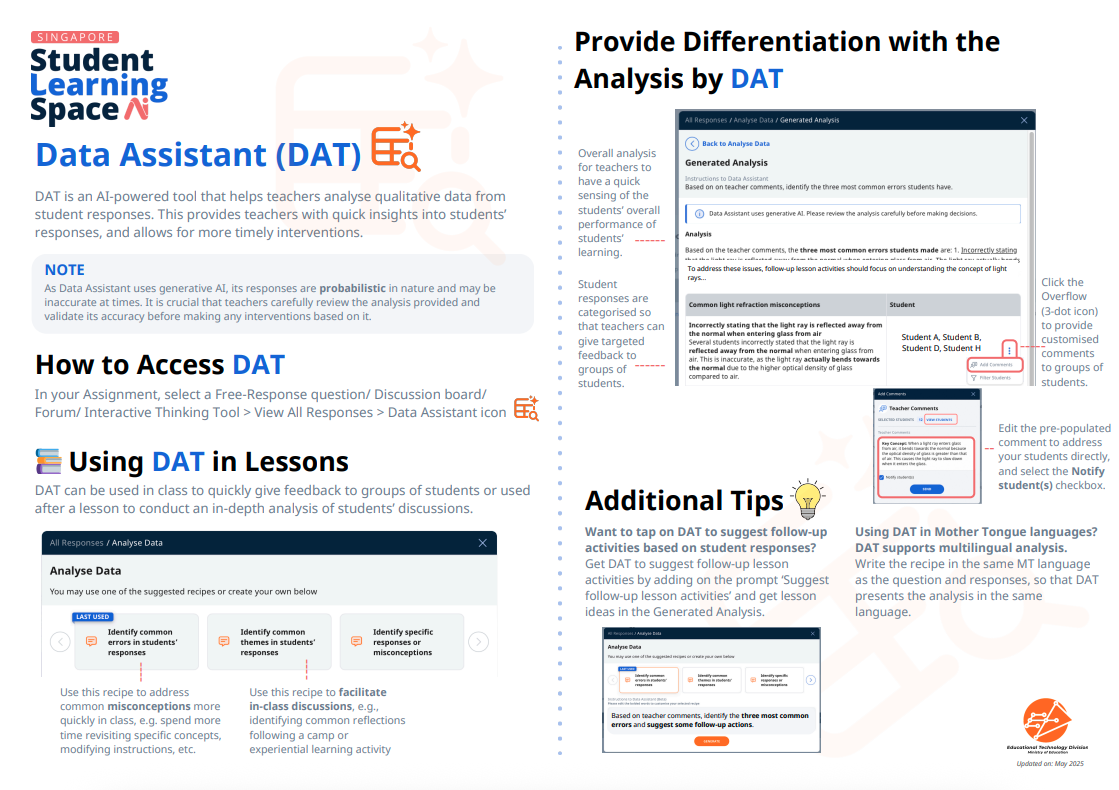
Data Assistant (DAT) is an AI-powered tool that analyses qualitative data from student responses. It identifies and summarises major themes from discussions, highlights common misconceptions from students’ responses, and much more. This provides you with quick insights into students’ responses and allows for more timely interventions.
Important: As Data Assistant uses generative AI, its response is probabilistic in nature. Thus, it may be inaccurate at times. It is crucial that teachers carefully review the analysis provided and validate its accuracy before making any interventions based on it.
Where Can You Use Data Assistant?
You can access DAT in the following areas:
Free-Response Questions
Discussion Boards/Forums
Quizzes
Using Data Assistant to Analyse Free-Response Questions & Discussions
Select from your existing resources an activity containing a Free-Response Question or Discussion Board/Forum.
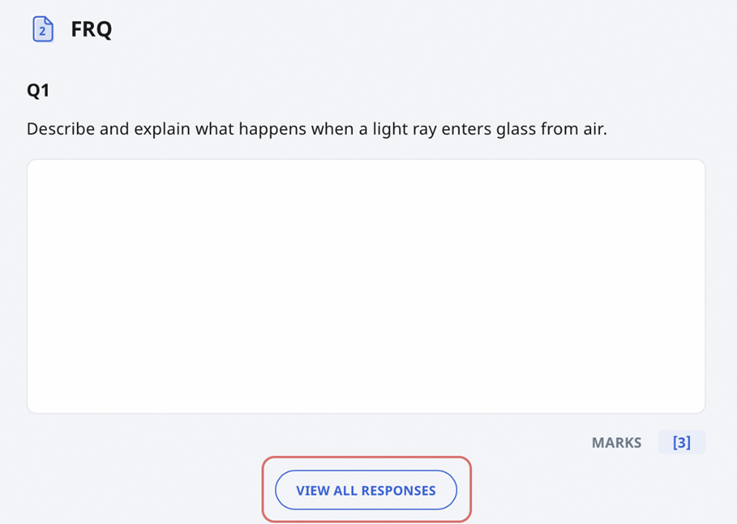
Scroll to the bottom of the Question, click View All Responses.
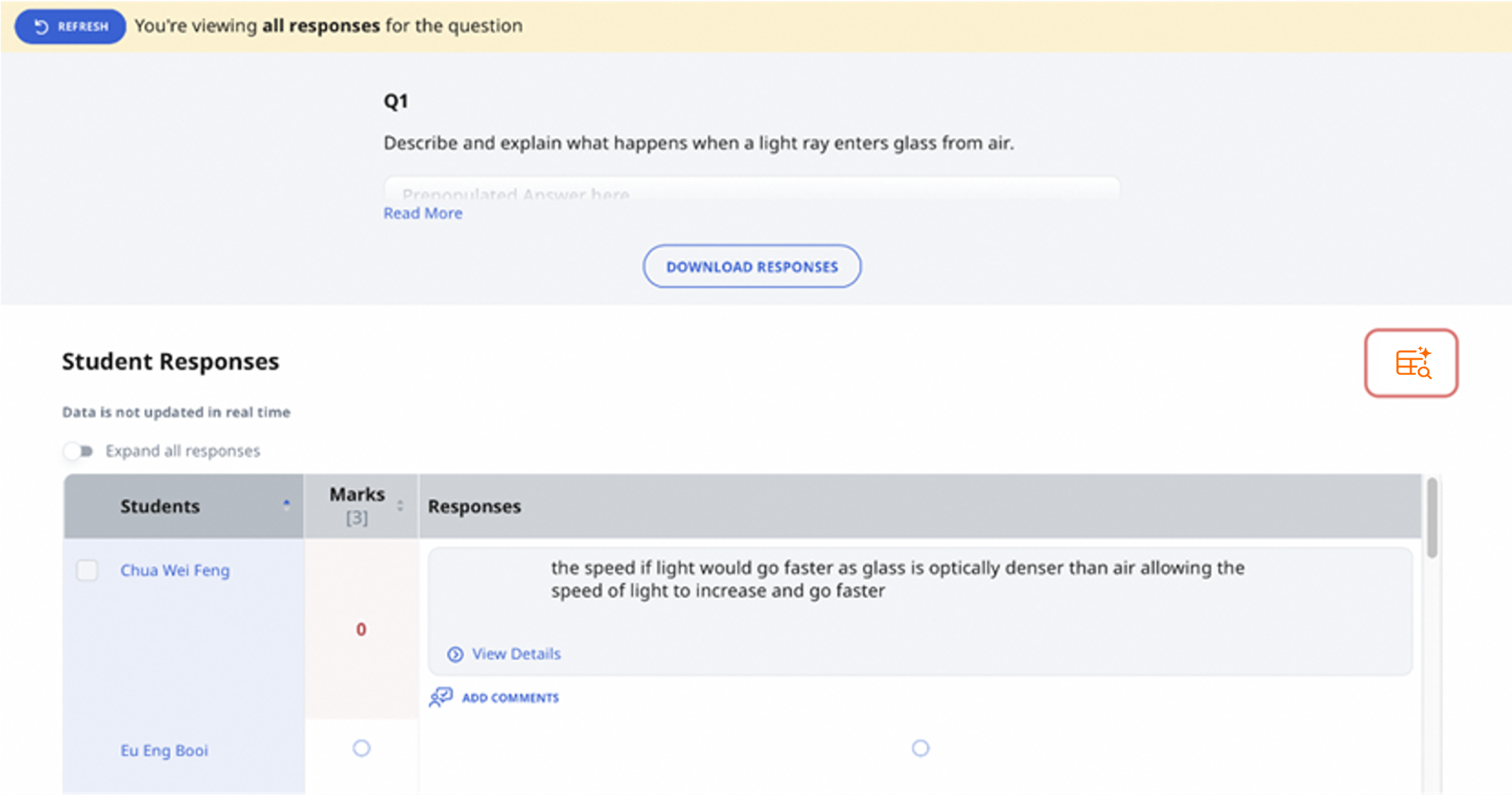
Click the Data Assistant icon.
Select a pre-populated recipe or create your own by typing instructions for Data Assistant in the space provided. A recipe is a short set of instructions that guides Data Assistant in analysing qualitative data.
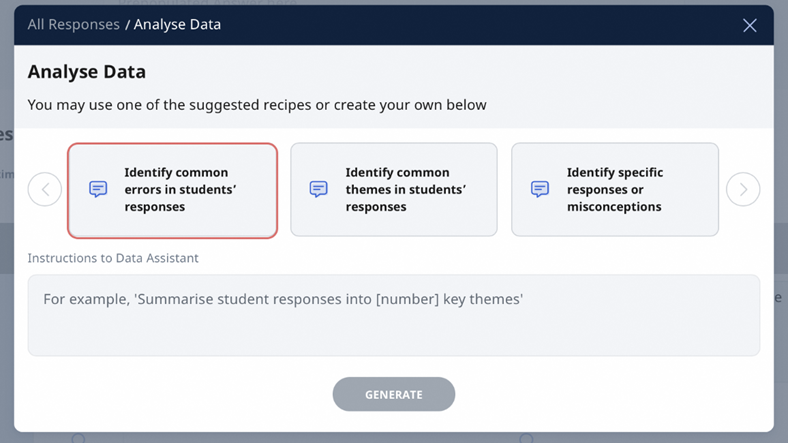
Click Generate. Data Assistant will provide an overall analysis and group responses and students into common themes.
Note:
Data Assistant analyses are only visible to teachers and are not shown to students.
Analyses are displayed in a collapsible format. You can expand each analysis to review the insights.
You can also edit the generated analyses to refine or adjust the content before using them.
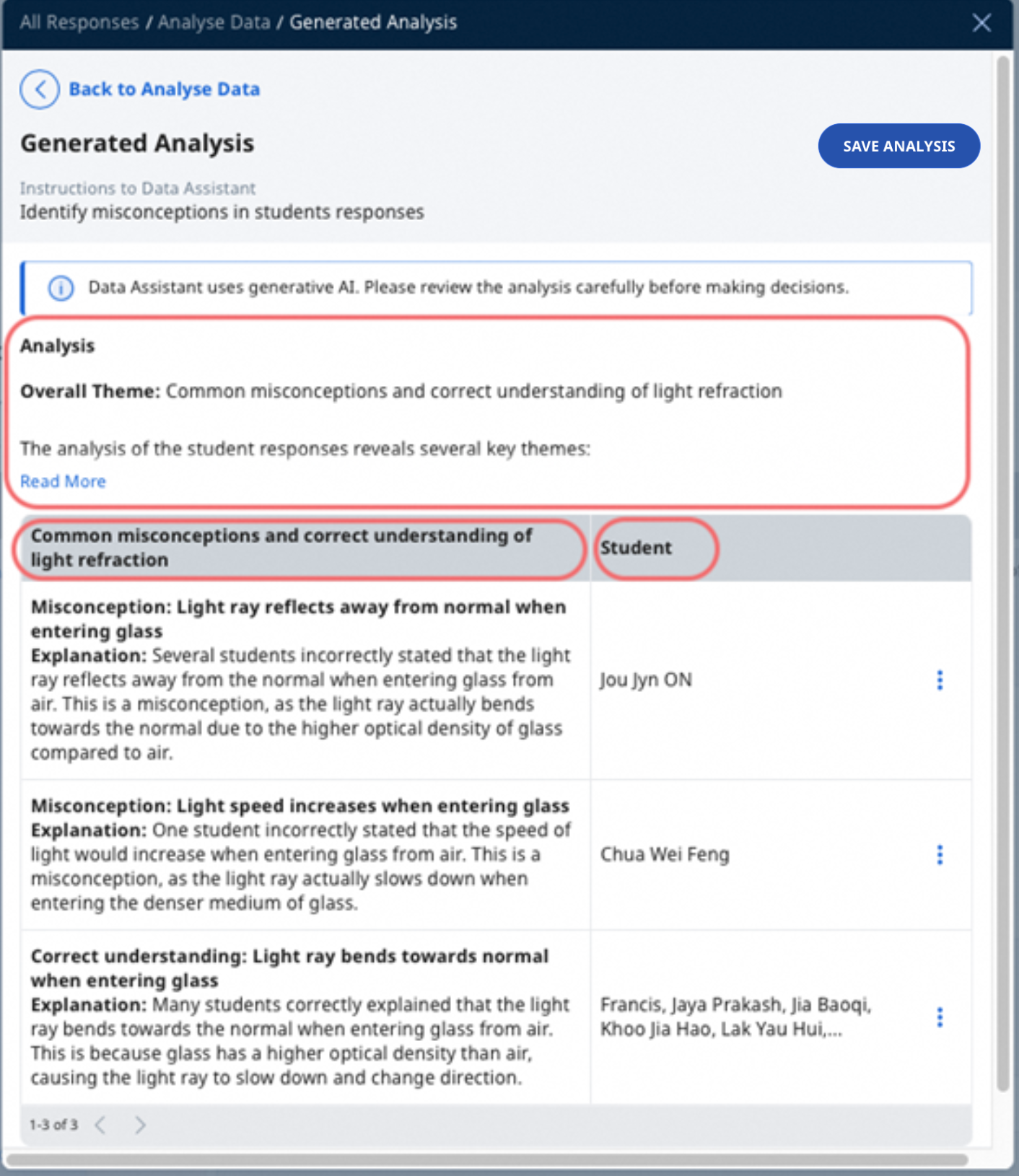
Data Assistant can work on questions marked by Short Answer Feedback Assistant to identify common errors and the students who made these errors.
You can choose to save the generated analysis for future reference by clicking on the ‘Save analysis’ button. Please note that saving analyses is only for Discussion and aggregated Free-Response Questions.
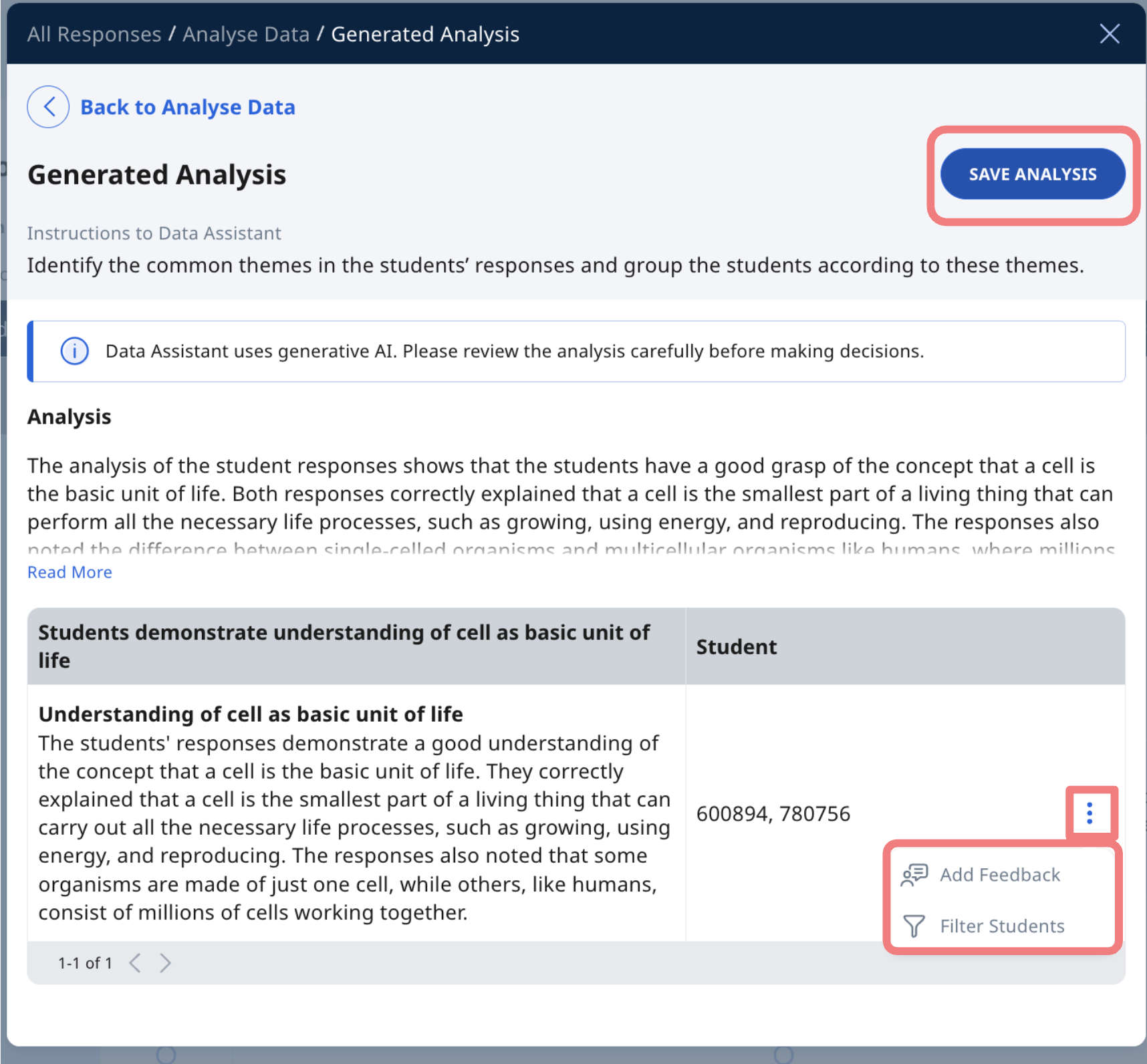
You can also click on the Overflow (3-dot icon) to access various follow up actions.
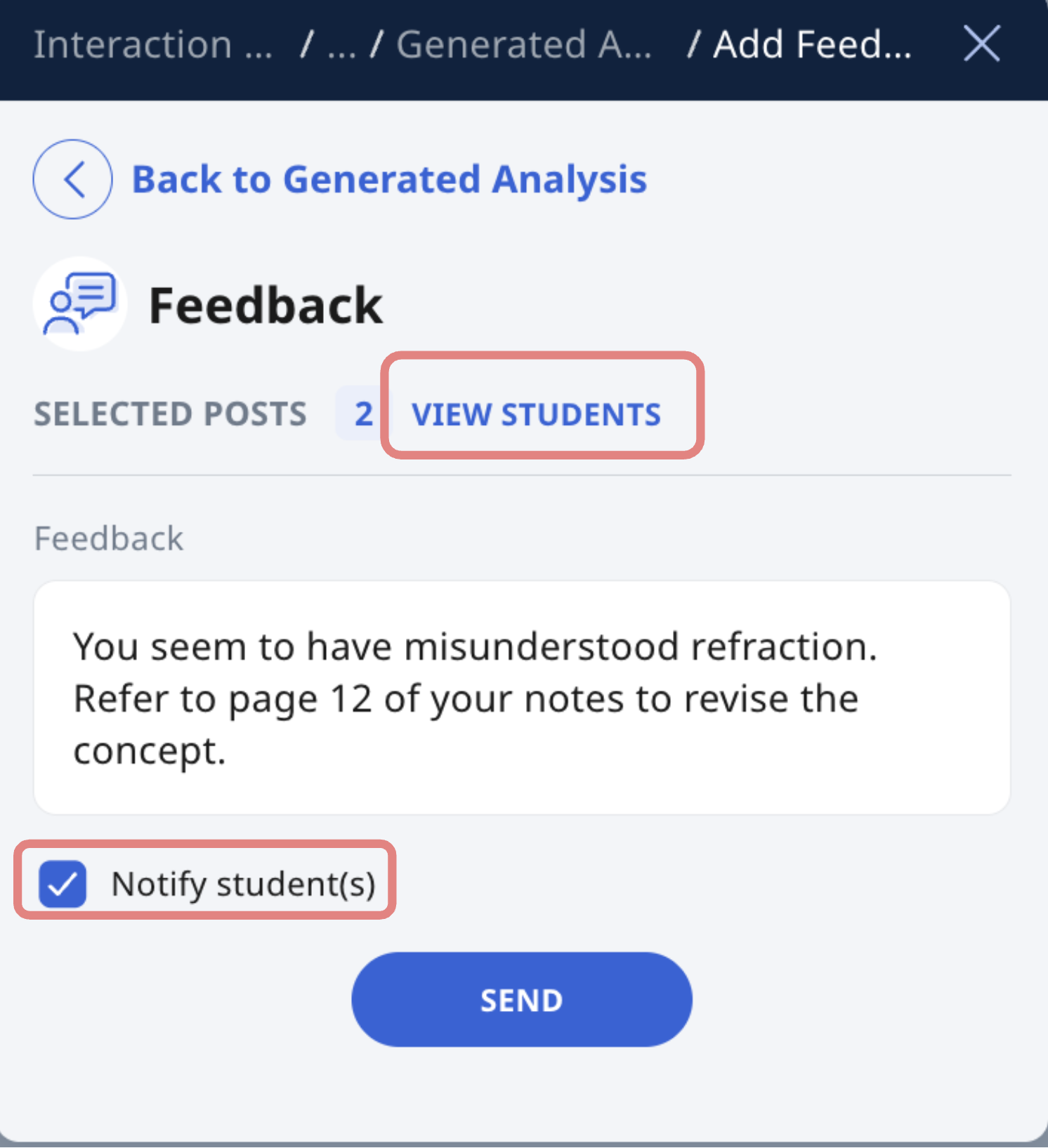
Clicking Add Feedback allows you to give feedback to groups of students that fall under the same theme. You can click on View Students to see the names of the students within a particular theme.
Note: When Learning Assistant is enabled in a Discussion or Live Chat, the “Add Feedback” option in Data Assistant may be disabled while the discussion/chat is still active.
Teachers will be able to provide feedback via Data Assistant only after the discussion or Learning Assistant interaction has been closed. This ensures that students complete their interaction cycle with Learning Assistant before teacher feedback is provided.
The feedback will be prepopulated with the analysis from Data Assistant. Click Send to share your comments with grouped students. You may also edit the feedback before sending them to students. You can notify students of the comment added by checking the Notify student(s) checkbox.
Click Filter Students to view all responses of any grouped students.
For Discussion Board/Forum: Click Add Keyword Tags to label posts with relevant tags for easier categorisation.
Using Data Assistant in Quizzes
You can now get both individual student feedback and aggregated class insights for quizzes.
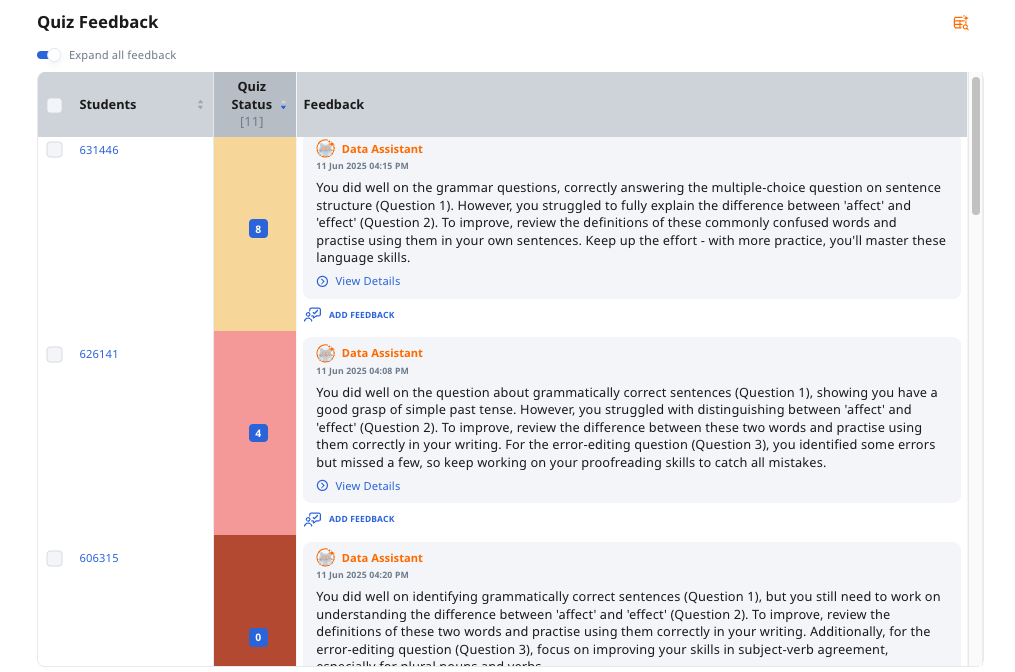
Individual Student Feedback: You can set up Data Assistant so that students can receive quiz level feedback at the end of a quiz based on their performance for questions in the quiz.
Aggregated Quiz Feedback: You will be able to use Data Assistant to analyse the overall performance of their class in a quiz.
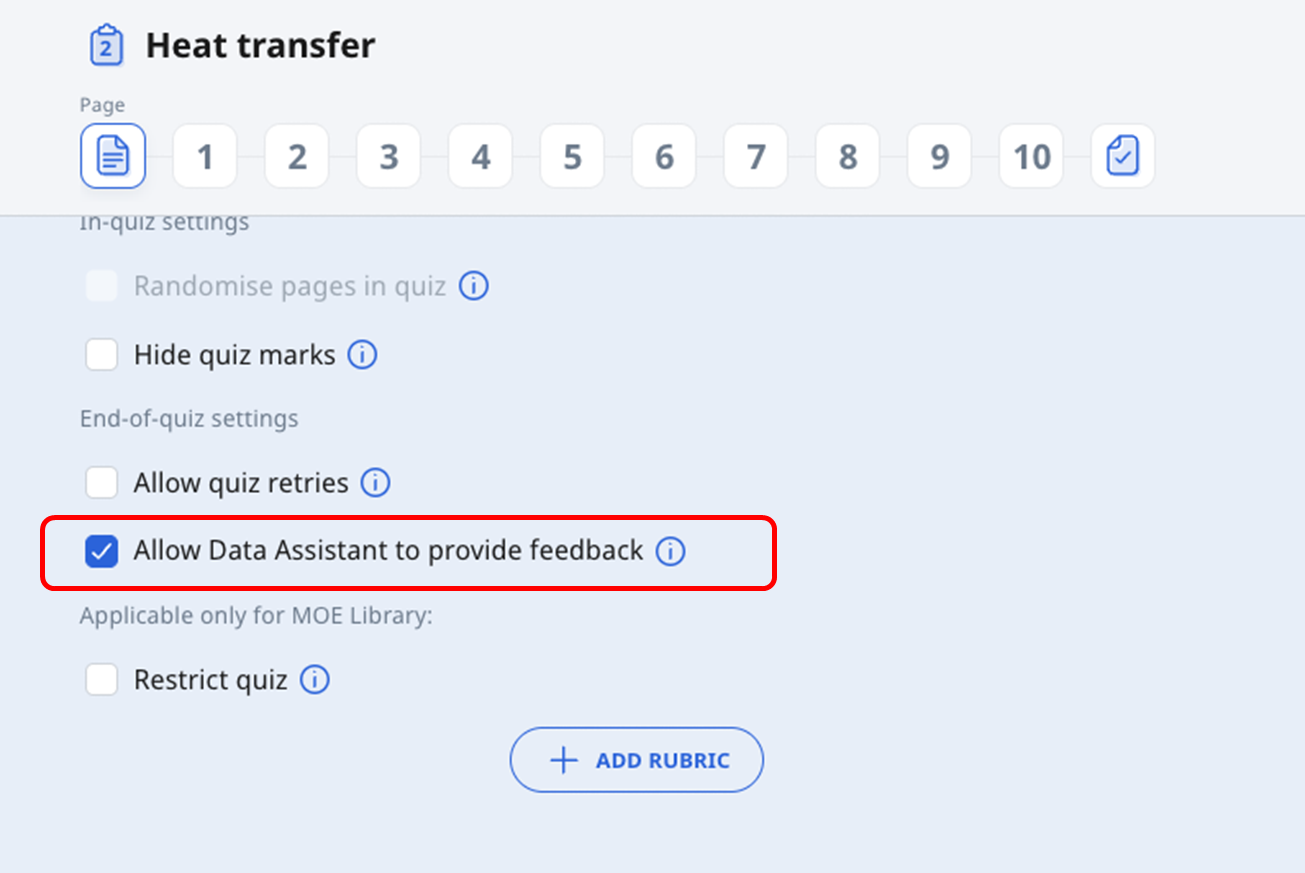
Enabling Quiz-Level Feedback
Go to the quiz settings.
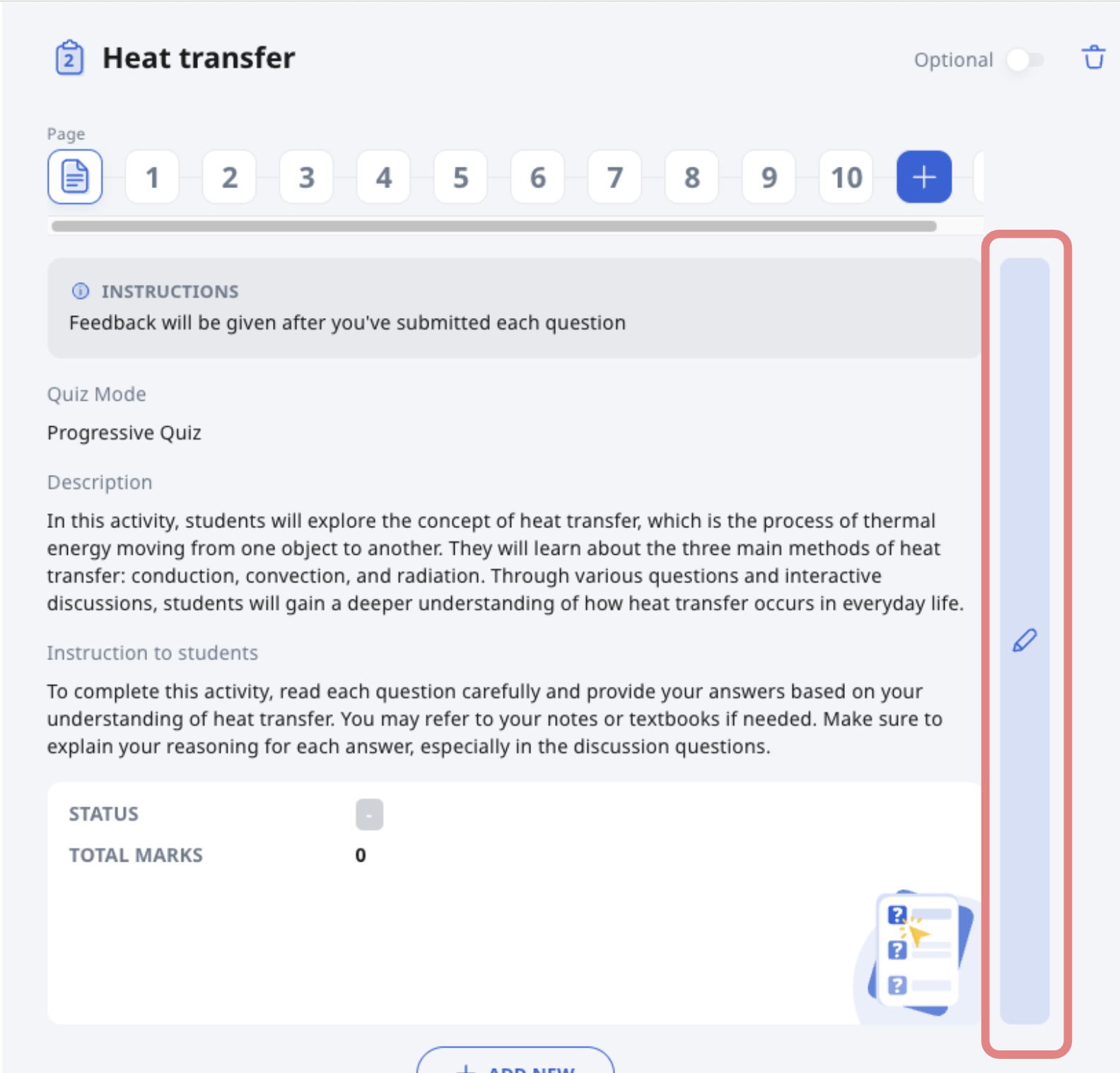
Check the box to “Allow Data Assistant”.
View Individual Student Feedback
After students submit the quiz, click on Monitor.

Then click on ‘Quiz Status’ to view the quiz overview page.

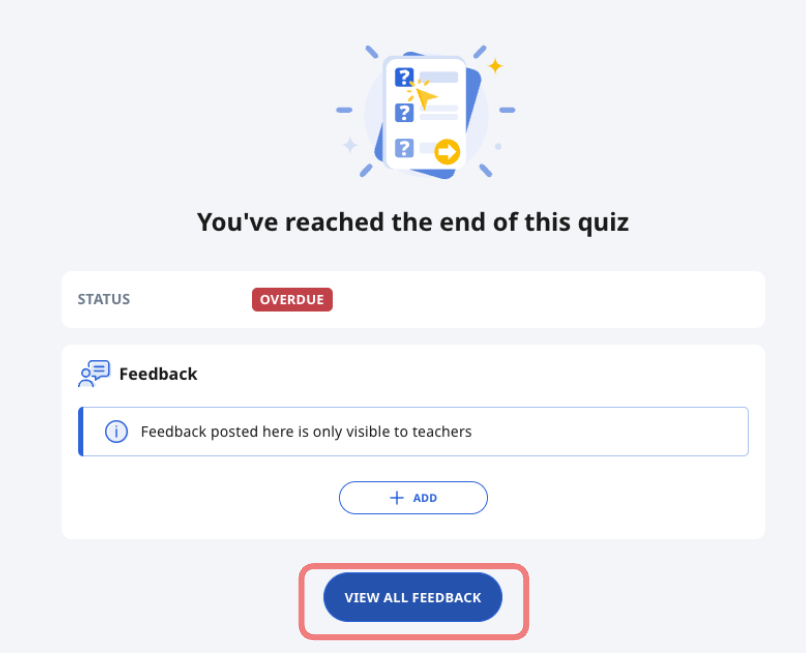
Click ‘View all feedback’ to view the feedback generated to individual students.
View Aggregated Quiz Feedback
On the quiz overview page, click on the Data Assistant icon.
Select a pre-populated recipe or create your own by typing instructions for Data Assistant in the space provided.
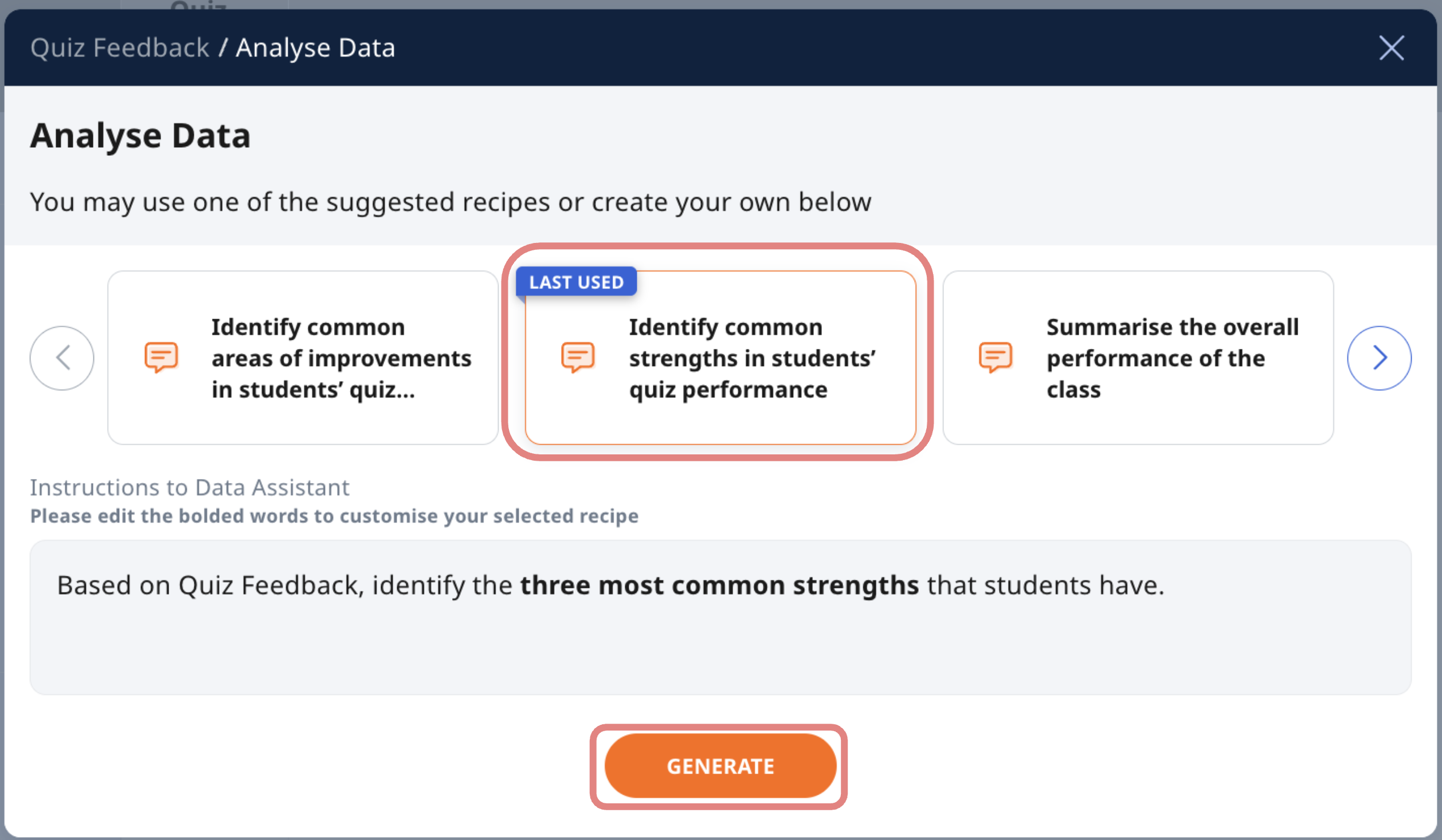
Click "Generate" to receive an aggregated feedback of the class’ performance for the quiz.
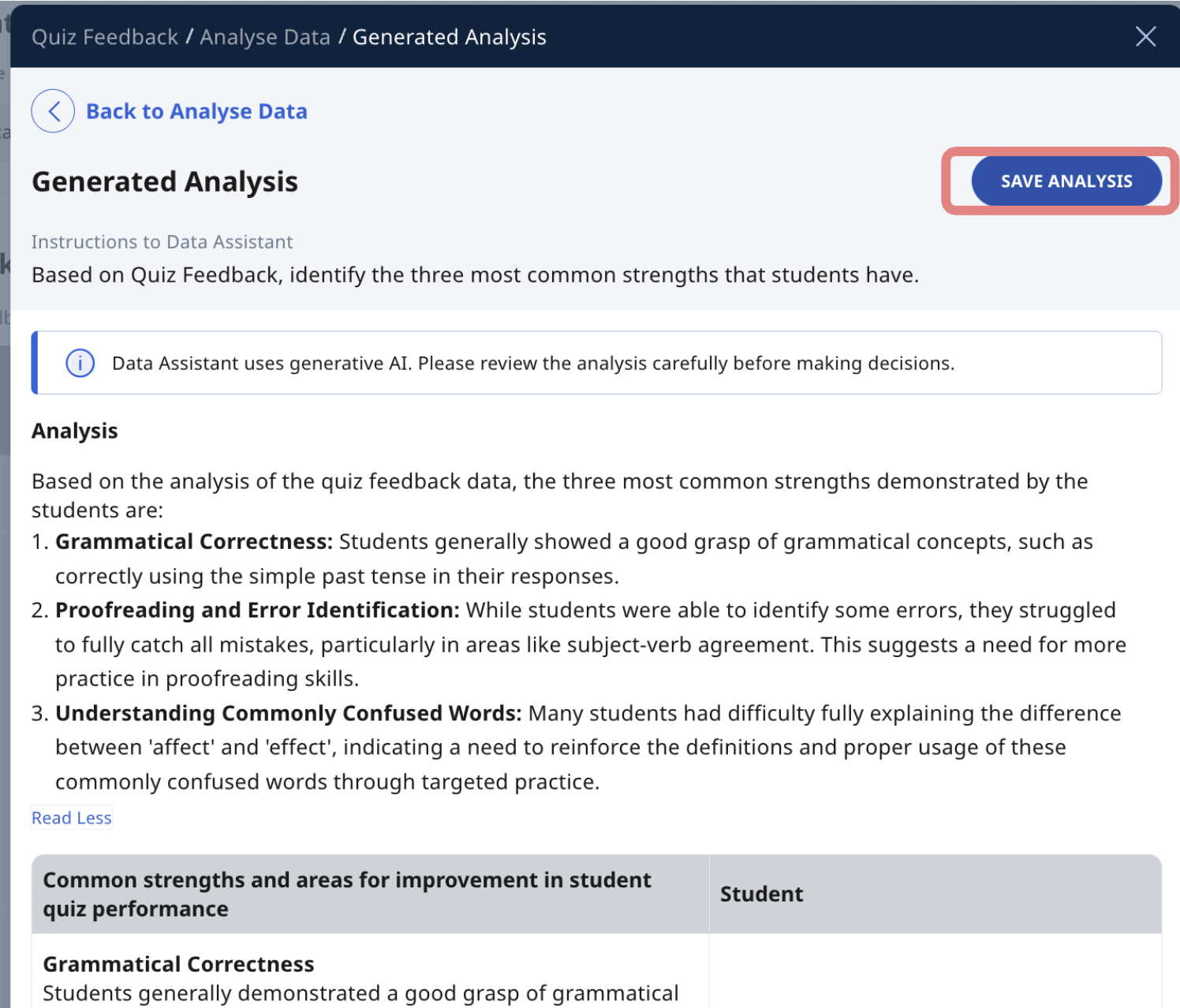
You can choose to save the generated analysis for future reference by clicking on the ‘Save analysis’ button.
Note: Saved feedback is only visible to teachers, not students.
Accessing and Managing Saved Analysis/ Feedback
Viewing Saved Analysis / Feedback for Quizzes and FRQ
To view saved analysis/feedback for quizzes and FRQ, click on ‘monitor’ followed by the lesson activity where you have saved your analysis.
After students submit the quiz, click on Monitor.
Then click on Quiz Status to view the quiz overview page.
You will be able to view your saved analysis/feedback at the bottom of the page.
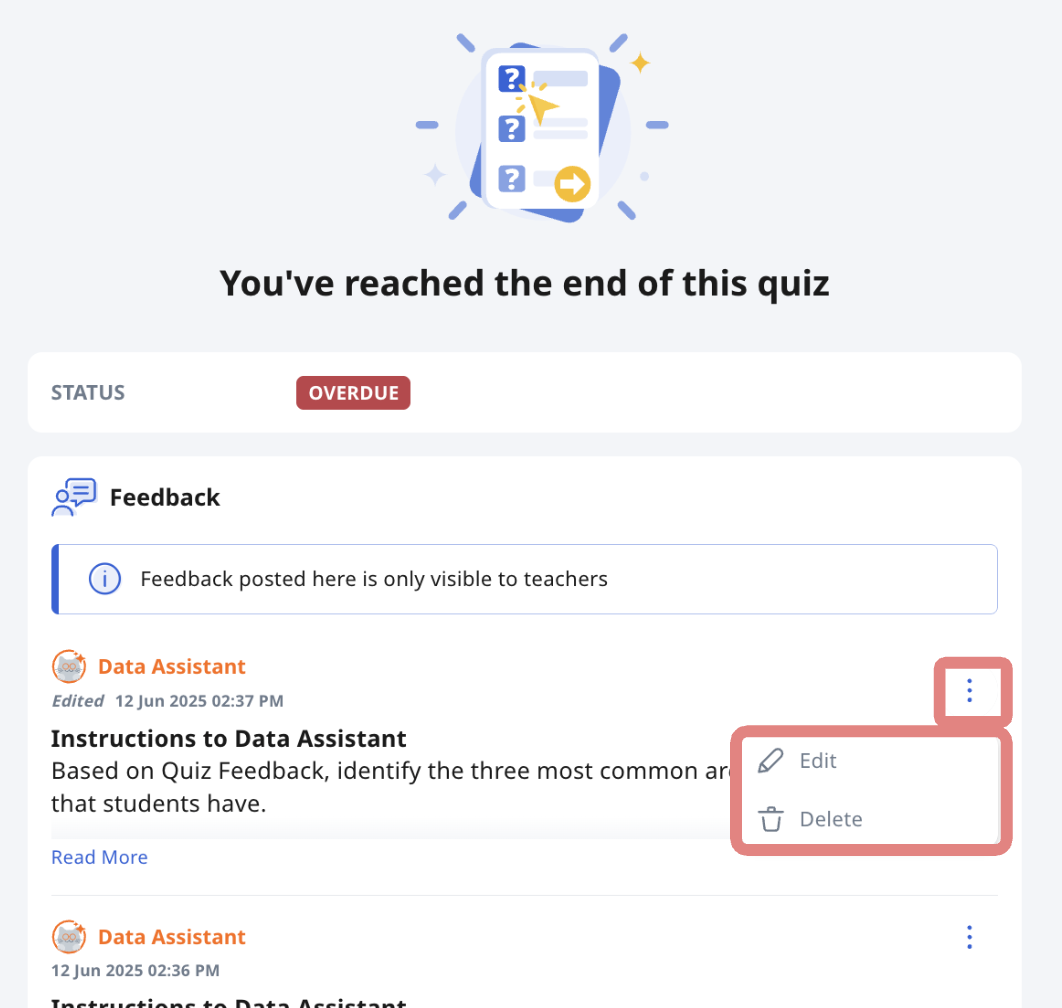
You can also edit or delete your saved analysis/feedback by clicking on the Overflow (3-dot icon)
Click ‘View all feedback’ to view the feedback generated to individual students.
If you encounter any unexpected errors while using Data Assistant, please report them to the helpdesk (opens in new tab) for assistance.
Viewing Saved Analysis / Feedback for Discussion
To view saved analysis/feedback for Discussion, click on ‘monitor’ followed by the lesson activity where you have saved your analysis.
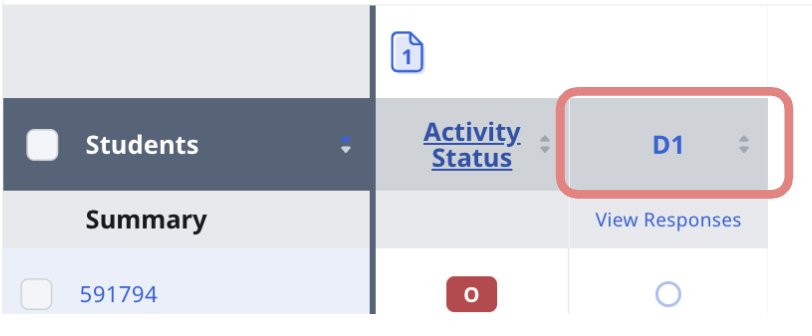
Click on 'View class submissions.'
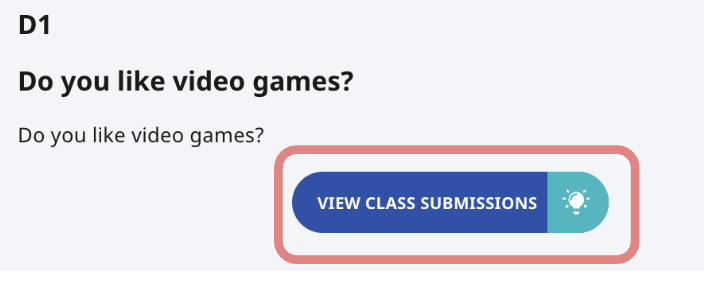
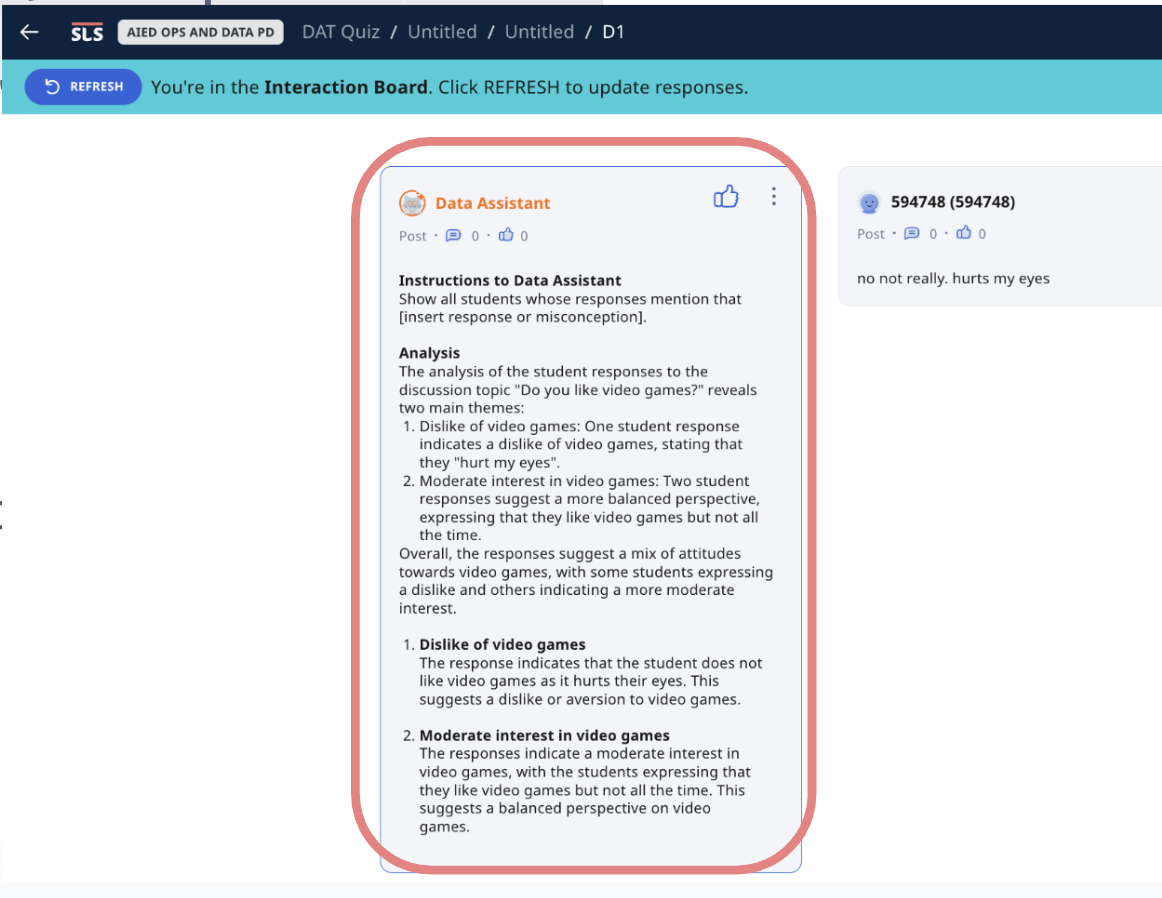
You will be able to find your saved analysis in the form of a discussion post.
Click here (opens in new tab) for a Quick Guide to Data Assistant.