
(A3,3) Mark Free Response Questions
Learn how to mark Free-Response Questions, allocate marks, and give feedback using the Drawing Tool or Google-attached files.
(A3,3) Mark Free-Response Questions
Following R4 (Jun 2026), teachers can provide feedback for Free-Response questions using the Drawing tool for both text and drawing/image responses. This will replace the Mark Student Responses as Google PDF Copy feature.
From the Monitor Assignment page, click on a student’s name to navigate within the student's Assignment to begin marking.
Alternatively, click the Question number in the Monitor Assignment page to view all responses. You can also click on a student’s name to navigate to the particular Activity for the entire Class Group, starting with the student you clicked.
From here, you can:
Allocate marks
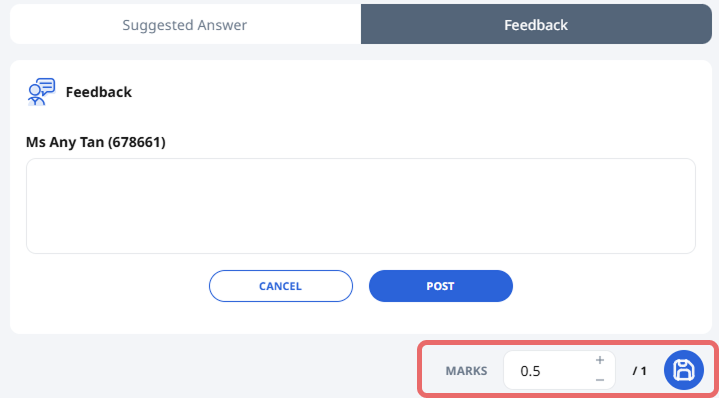
After students submit their responses, you can allocate marks. You may also award half marks for Free/Audio-Response Questions. Click the Save icon to save.
To Add Teacher Comments, refer to (A3,1) Add Teacher Comments.
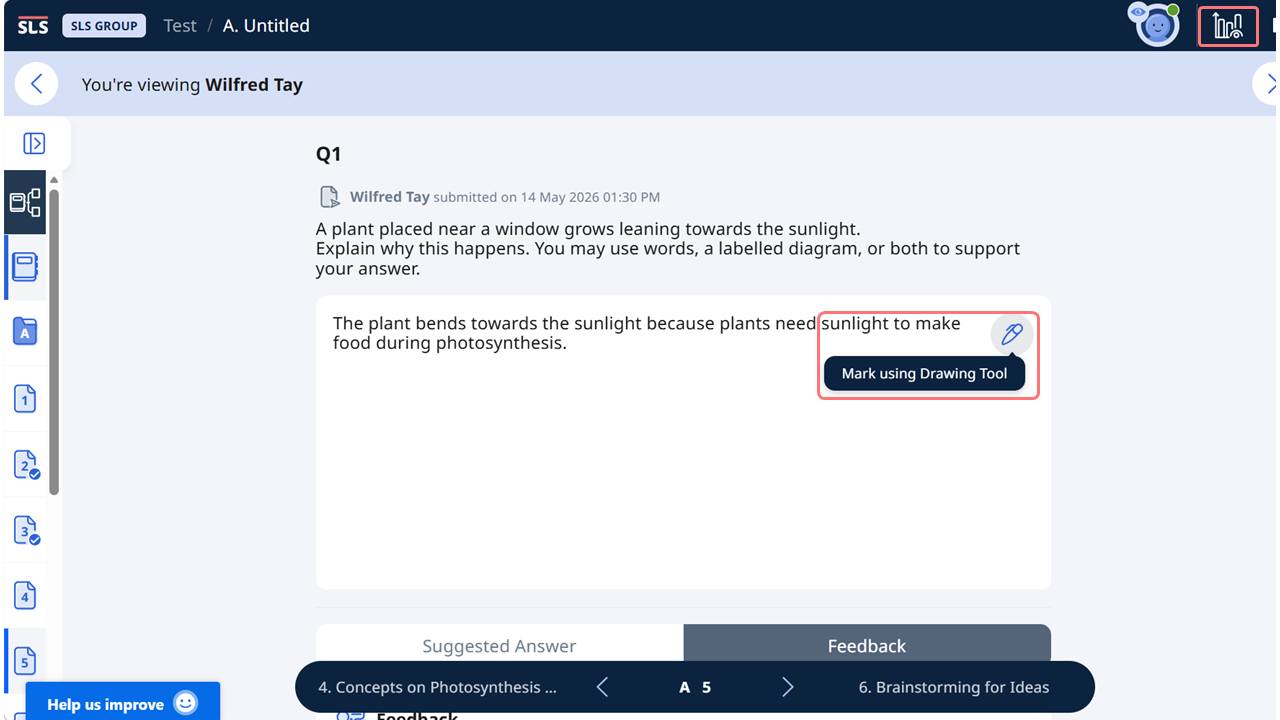
Mark using Drawing Tool
Click on the Monitoring icon and go to students’ individual assignments to mark Free-Response Questions. To begin marking, click Mark using Drawing Tool. The students’ responses will be converted into an image for marking using the Drawing Tool.
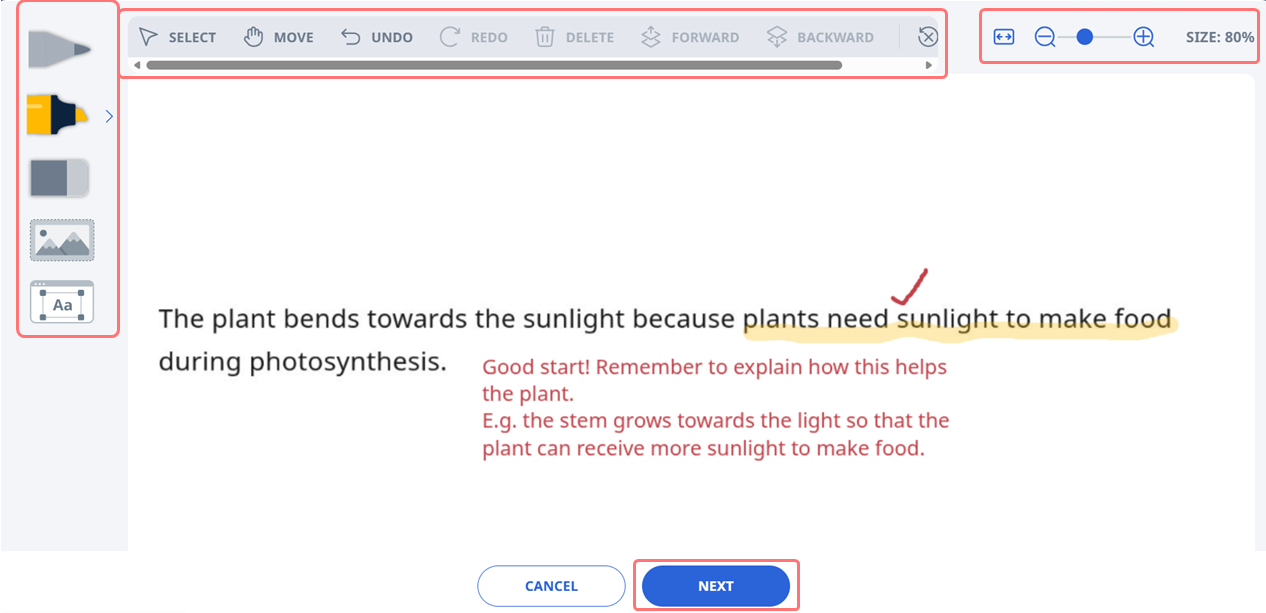
Use the drawing tool (A3,7) Insert Drawing to provide feedback to your students.
When done, click Next, followed by Post to save your feedback. You can also check the box beside Notify student(s) if you want to inform them about your feedback.
Click Cancel if you do not wish to post the feedback.
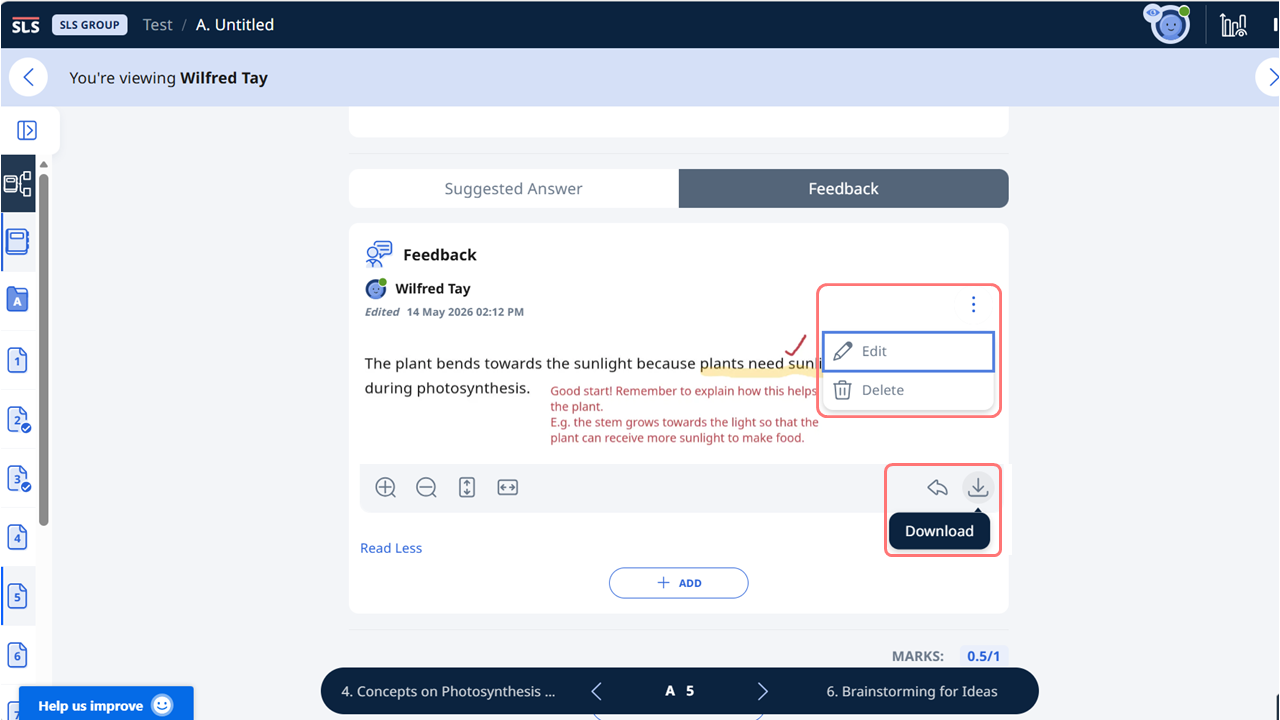
Teachers can edit or delete the feedback if necessary. Teachers can also download the feedback as an image (png).
Your student may reply to your marked image by clicking on the Reply icon.
Note: To mark a copy of a drawing in a Free-Response Question, you can refer to (A3,4) Mark a Copy of a Drawing (opens in new tab).
Mark Google-Attached Files
With the integration of Google’s suite of tools, you can leverage Google extensions such as Kami or Lumin to mark Free-Response Questions and provide personalised feedback on the Free-Response Questions.
Note: A Linked Account (opens in new tab) with Google is required to mark a Google PDF Copy or Google-attached files.
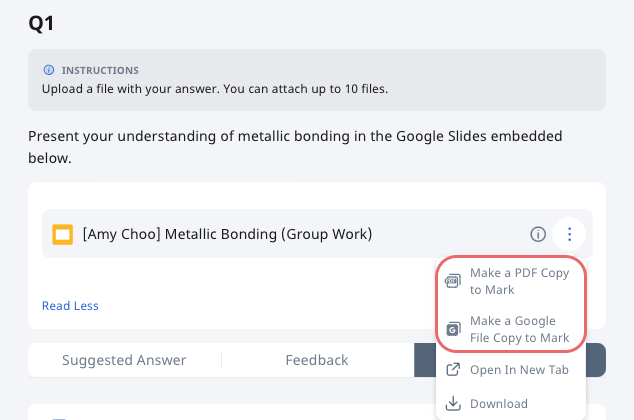
After students submit their Google File, you can choose to mark the file as a PDF or a Google File.
Mark as PDF: Creates a new PDF copy of the file. You can do on-screen marking using Google extensions on touch devices.
Mark as Google File: Creates a new copy of the file. You can directly edit or comment on the new copy of the file.
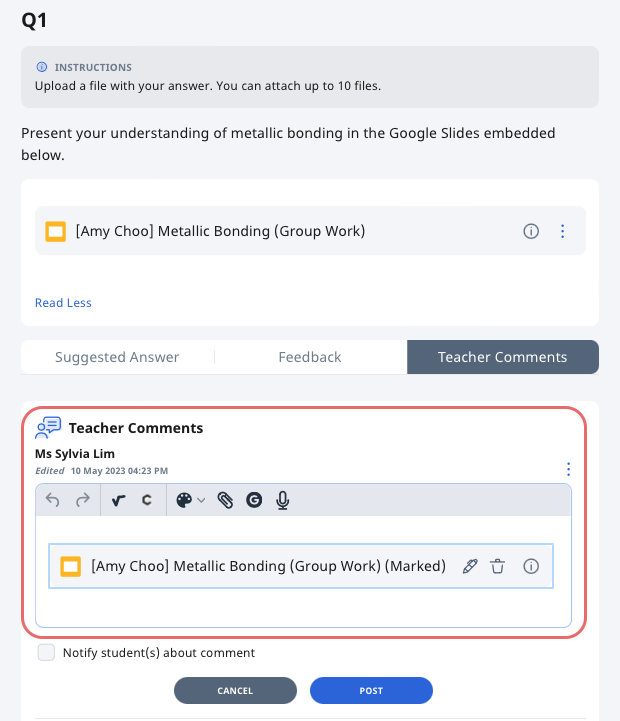
After choosing “Mark as PDF” or “Mark as Google File”, the new file will be attached to Teacher Comments. You will be able to edit and annotate on the new file by clicking on the Pen icon.
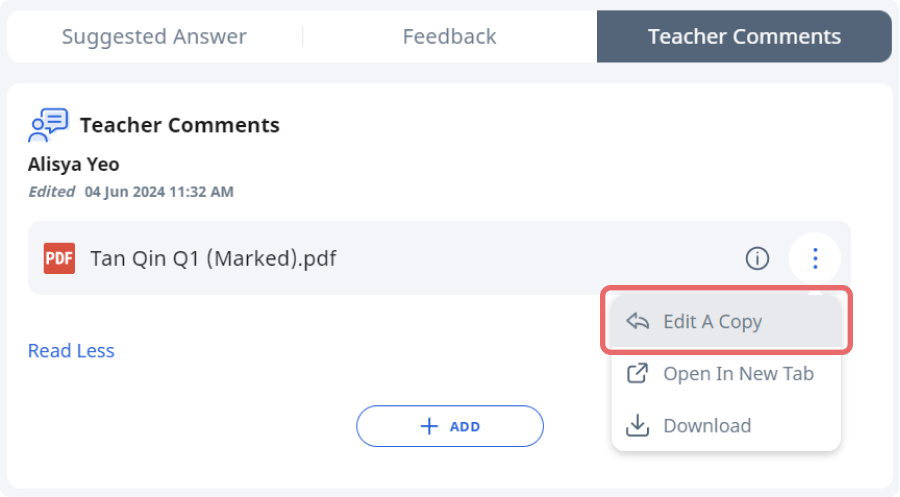
Students can also respond to the Marked Response to complete their corrections by clicking the Overflow (3-dot icon) and selecting Edit A Copy. This will create a new copy of the Marked Response that they can mark with Google extensions. Alternatively, they can click Add to write additional comments/questions for clarification.
Edit Marked PDF Copies
Important: If the PDF file is opened directly from the Teacher Comments and edited, any edits made will not be saved.
Click the Overflow (3-dot icon) and select Edit.
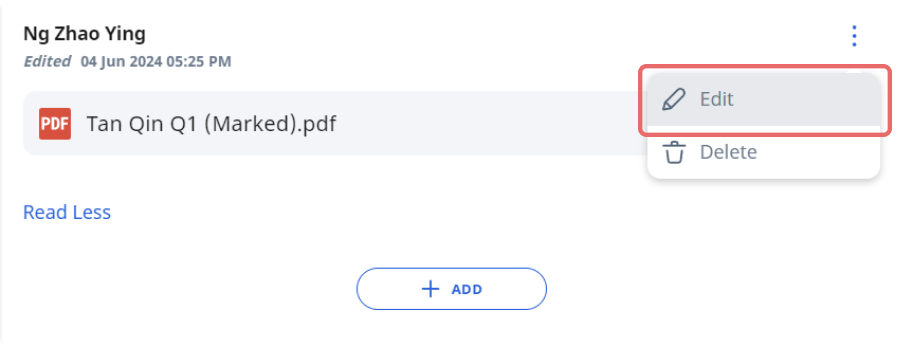
Click on the Pen icon to edit the Marked PDF copy.