(A4) Print to Scan
Print, scan and upload student quiz responses for marking.
(A4) Print-to-Scan
Students’ handwritten mathematical workings can be evaluated using FA-Math when response sheets are submitted using Print-To-Scan.
Students may complete the quiz on response sheets which are then scanned and uploaded to SLS, where their responses on hardcopy worksheets can be transferred to the corresponding questions in SLS for teacher marking. Marking can also be done with Short Answer Feedback Assistant.
Important:
Only Multiple-Choice, Multiple-Response and Free-Response questions are supported.
Students should be instructed to tick within the boxes in pencil in order for the scan to be read correctly.
Changes in answers should be fully erased before submitting.
Using tables in pre-populated answers for Free-Response questions is discouraged.
Teachers can print Teacher-Marked Quizzes as physical worksheets.
View as Print-to-Scan Quiz
Enter the Module View page of an Assignment.
Open the right menu and click View as Print-to-Scan Quiz.
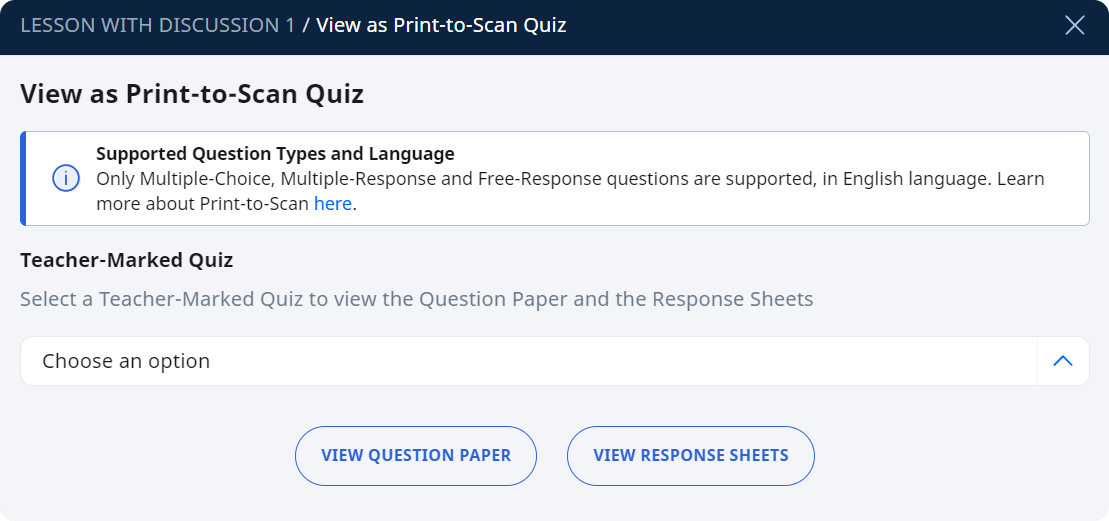
The View as Print-to-Scan Quiz subpage will appear
Select a Teacher-Marked Quiz that is part of your assignment
Click on View Question Paper or View Response Sheets and your selection will be shown in a new tab.
You may save or print a copy of the Question Paper or the Resource Sheets from the new tab.
Question Paper Settings
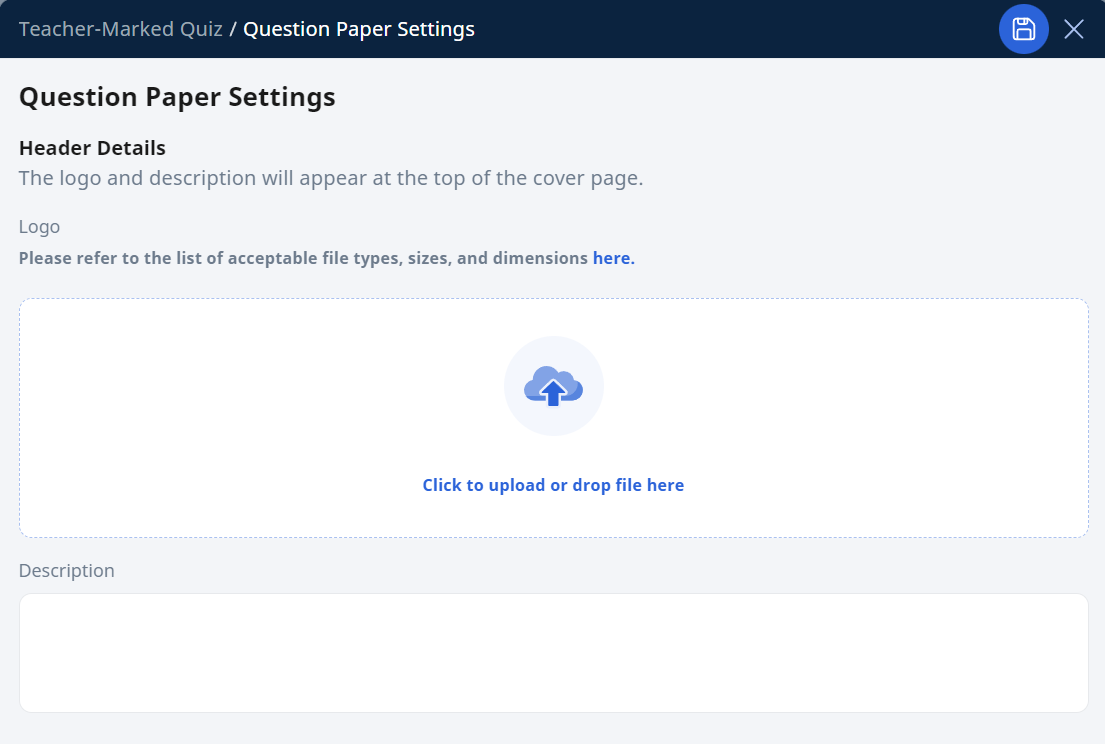
You may customise your Question Paper by adding an image (e.g. your school logo) or a header description text.
From the View as Print-to-Scan Quiz subpage, click on View Question Paper.
In the new tab, click on the Settings icon on the right side.
On the Question Paper Settings subpage, you can add a logo and/or description that will appear at the top of the first page.
Click Save, followed by X.
Response Sheets Settings
From the View as Print-to-Scan Quiz subpage, click on View Response Sheets.
In the new tab, click on the Settings icon on the right side.
On the Response Sheets Settings subpage, you can do the following:
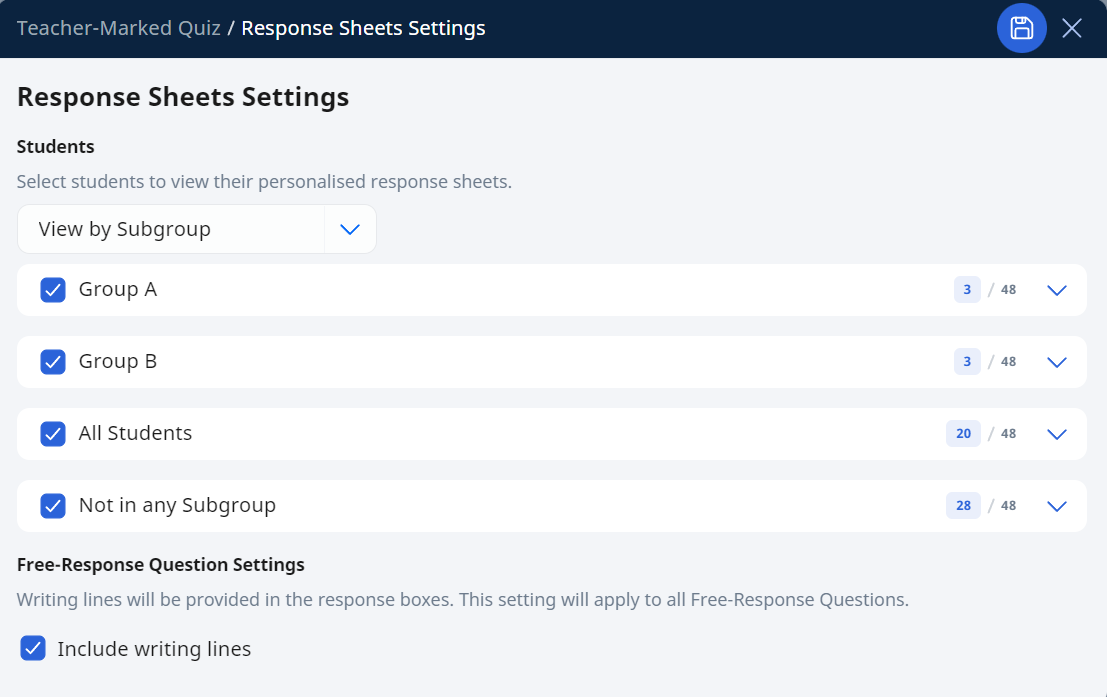
Select Students to view their personalised response sheets: Click on the dropdown bar to select a student by Subgroup or Form Class. Select the subgroup you wish to add by selecting the checkbox beside each subgroup. To view the list of students within a subgroup, click the dropdown arrow. After selecting the students, their response sheets will appear on the main screen.
Free-Response Question Settings: Clicking the checkbox “Include writing lines” to create writing lines for each Free-Response Question.
Click Save, followed by X.
Printing Quiz Response Sheets
Important:
You are required to print the Response Sheet in A4 size. Do check your default printer settings.
You can save the Response Sheet in pdf format prior to printing (8.27 x 11.69 inch)
If you encounter any errors, please refer to the recommended settings below.
Recommended printer settings
Image Size | A4 Paper Size (8.27 x 11.69 inch) |
Print Colour | Greyscale, Colour, Black and White |
Print Setting | Print as a A4 PDF file |
Text Colour | Students may use dark blue/black pen and 2B pencil to write on the response sheet. |
Scanning Quiz Response Sheets
Important:
You are encouraged to scan files in bulk using photocopiers or scanners.
Each sheet should be saved as an image file (e.g. jpeg, jpg or png). Do not use PDF.
The uploaded image files must be zipped in a folder (.zip) in order for it to be processed.
If you encounter any errors, please refer to the recommended settings below.
Recommended scanning settings for quiz response sheets
Dots per Inch | 300dpi or at least 150 |
Image Format | jpg, jpeg or png. Do not use PDF. Uploaded files have to be zipped. |
Image Size | At least 1700 x 1200 |
Print Colour | Greyscale |
Text Colour | Black |
Zip file settings | All scanned images should be in the same folder. Files names should not contain any special characters i.e. %. |
File Size | 500 megabytes or a maximum of 1000 files |
Others | Ensure that scanned images are straight and not slanted. |
Did You Know:
You can use Print-to-Scan together with Short Answer Feedback Assistant!
Images of text that are uploaded will be sent directly to SAFA.
Upload Response Sheets
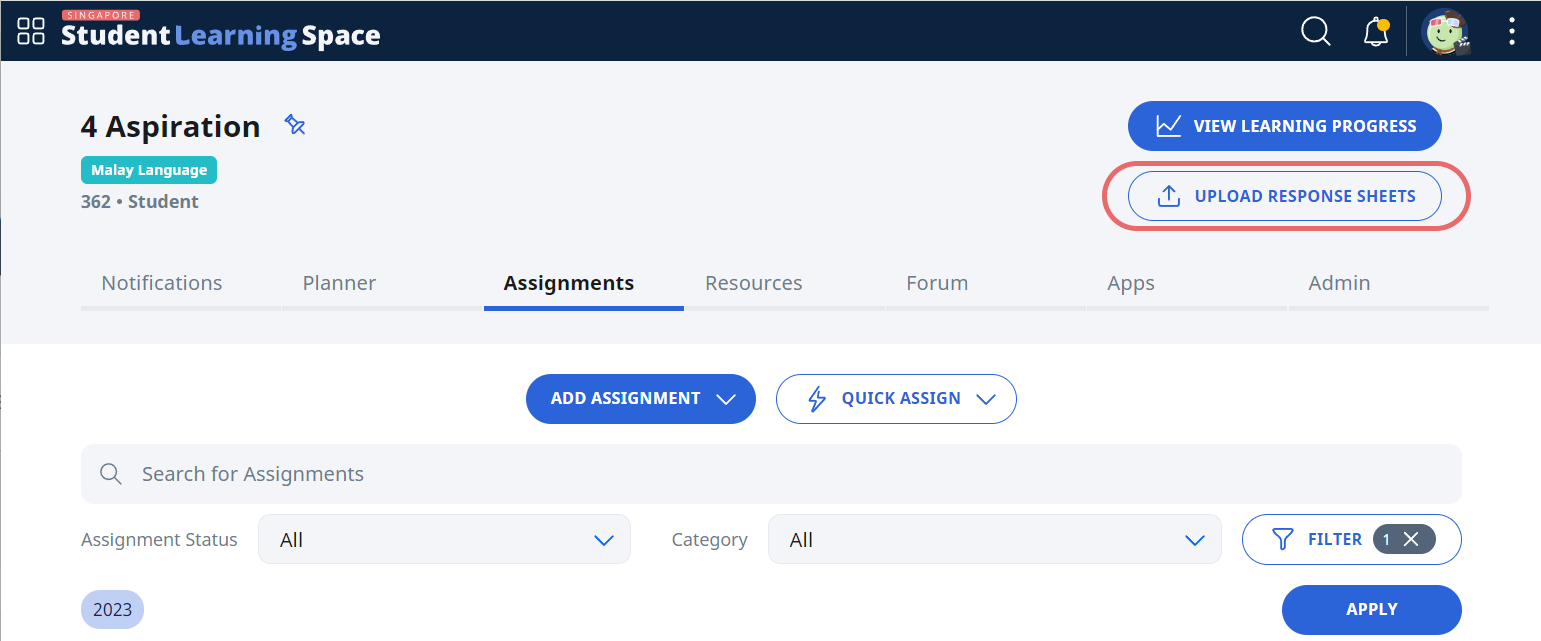
From the Class Group page where you have your assignment, click on Upload Response Sheets.
Select a zip file with all the scanned worksheets inside and click Upload.
The results will be processed in approximately 5 minutes and appear under your notifications.
You may also click on the Monitoring icon on the Assignment Card to view the student responses.