(C1,ii) Add Annotated Feedback Assistant
Learn how to set up the Annotated Feedback Assistant (AFA) in SLS to give students targeted, in-line feedback on their responses using AI.
(C1,ii) Add Annotated Feedback Assistant
The Annotated Feedback Assistant (AFA) provides targeted in-line feedback on both content and language through annotation cards, using Suggested Answer, Rubrics, and Error Tags to help students refine their responses. With AFA, you can also use specific instructions to configure the feedback given (e.g. provide the correct response, hint, or probing questions) to meet their students’ learning needs. You can now allow students to check their responses to Free Response Questions (FRQs) using AFA before submitting, enabling them to act on feedback immediately by revising and improving their answers.
Important:
As AFA uses generative AI, its response is probabilistic in nature. Thus, it may not always identify errors comprehensively, and you should review and refine the feedback to ensure accuracy and alignment with learning objectives.
File Submission is disabled when using AFA. Note: Students who submit Google Files as responses should use the Short Answer Feedback Assistant instead.
Before using AI-enabled features in SLS, you are encouraged to have students complete the Basic Modules for AI and AI-enabled features in SLS in the following links:
Create an AFA question
AFA can be used in standalone questions and all types of quizzes. If you wish to review feedback from AFA before releasing it to students, you can include the AFA enabled question within a Teacher Marked Quiz.
Table caption
Mode | Feedback |
|---|---|
Teacher Marked Quiz* | Students receive feedback after teacher marks and releases the quiz |
1. Progressive Quiz* | Students receive feedback automatically after submitting each question |
To learn more about the different quiz modes, click here.
Note:
To use AFA in a standalone question, click Add New on the Module Editor page, then select Activity. Proceed to Step 3 to continue creating a standalone question.
[New] You can now view the draft history of a student’s response and AFA’s feedback below the student’s final submission and in the drawer respectively.
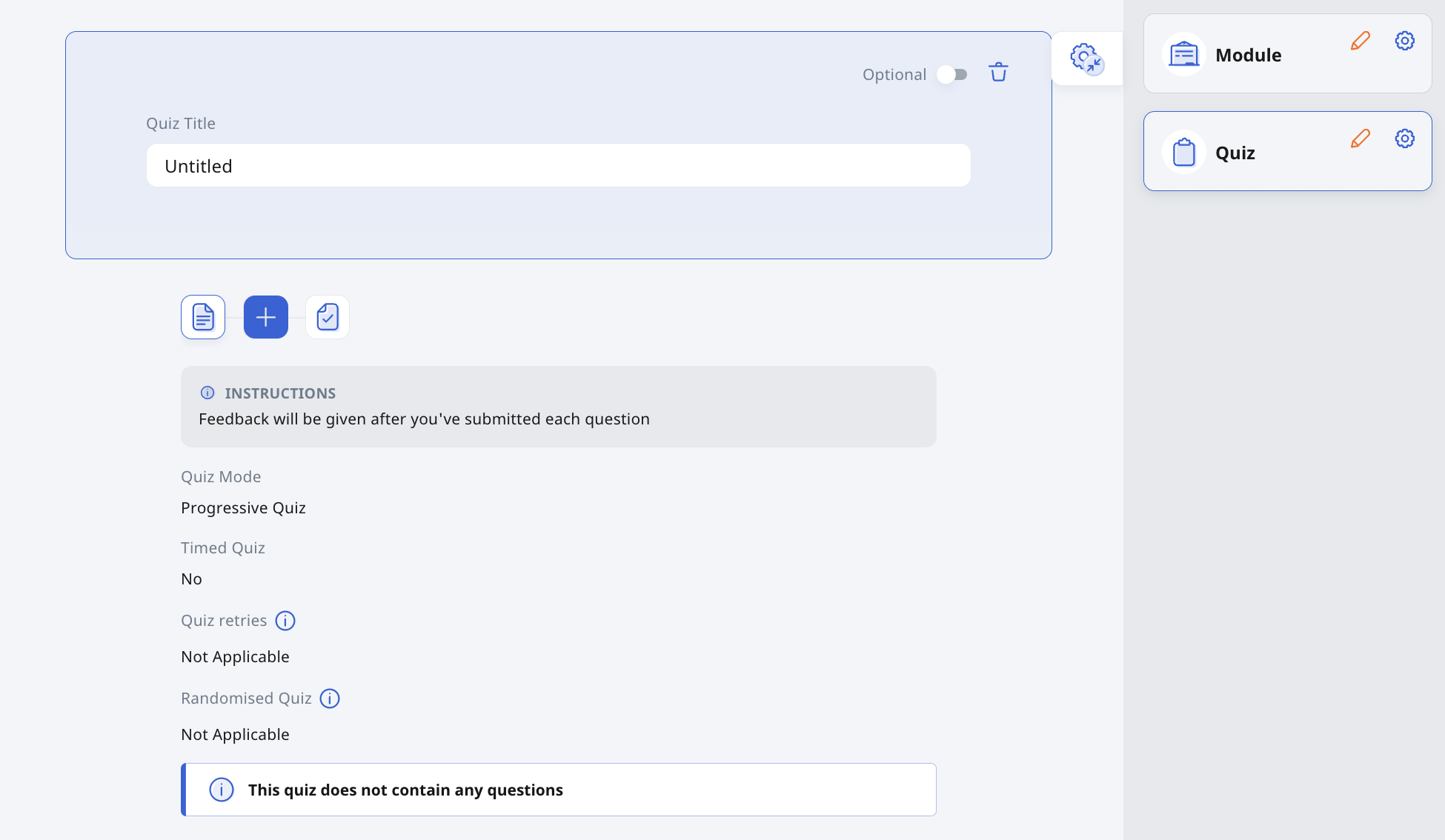
After selecting Quiz, you will see that the default Quiz Mode is Progressive Quiz. You can change the Quiz Mode, add Description and Instructions to students by clicking on the Quiz Component. To add a question, click + on the Collapsed Activity List.
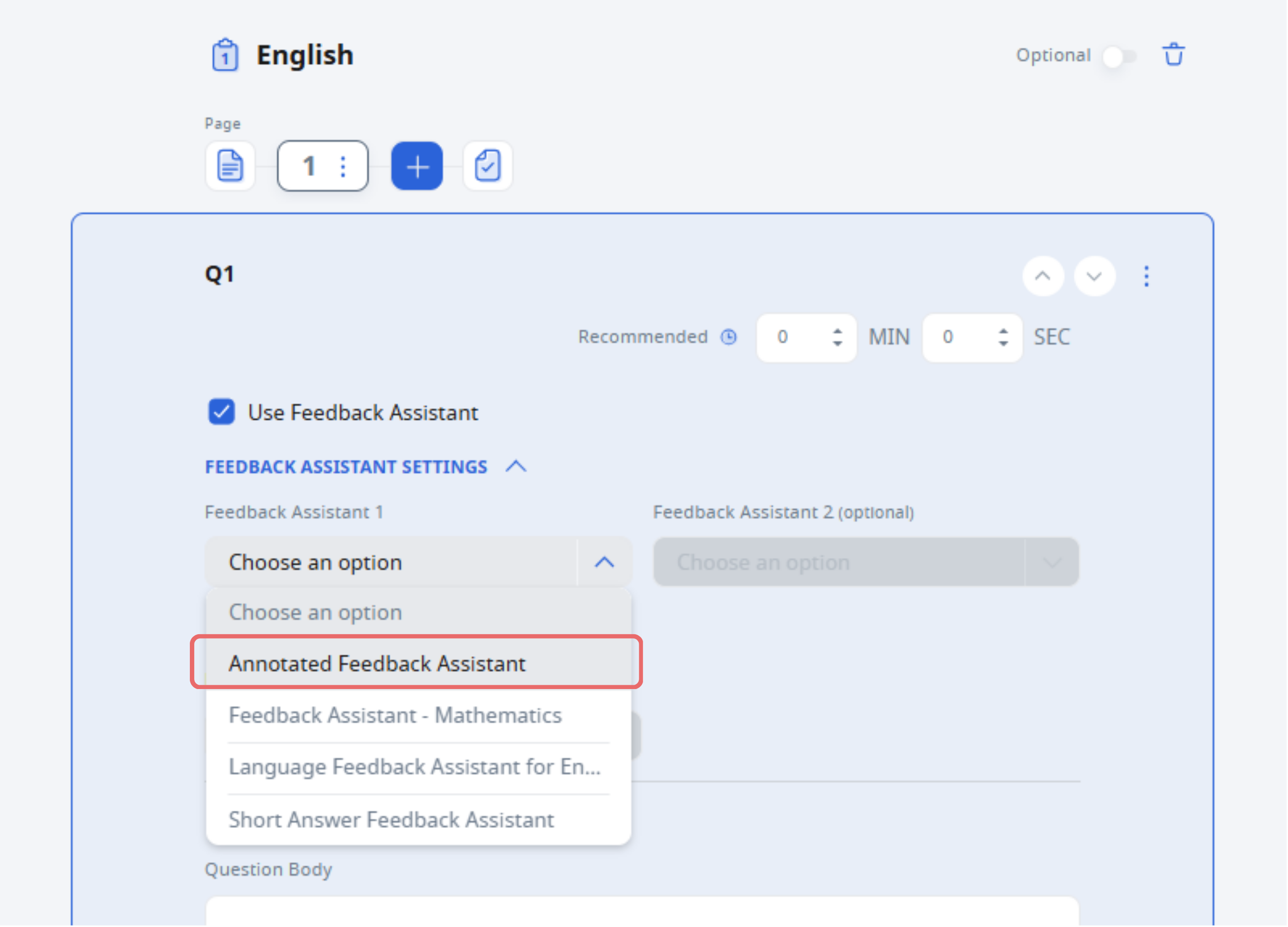
Select Annotated Feedback Assistant under Free-Response Questions from the Component Bar. The Create New Question subpage will open.
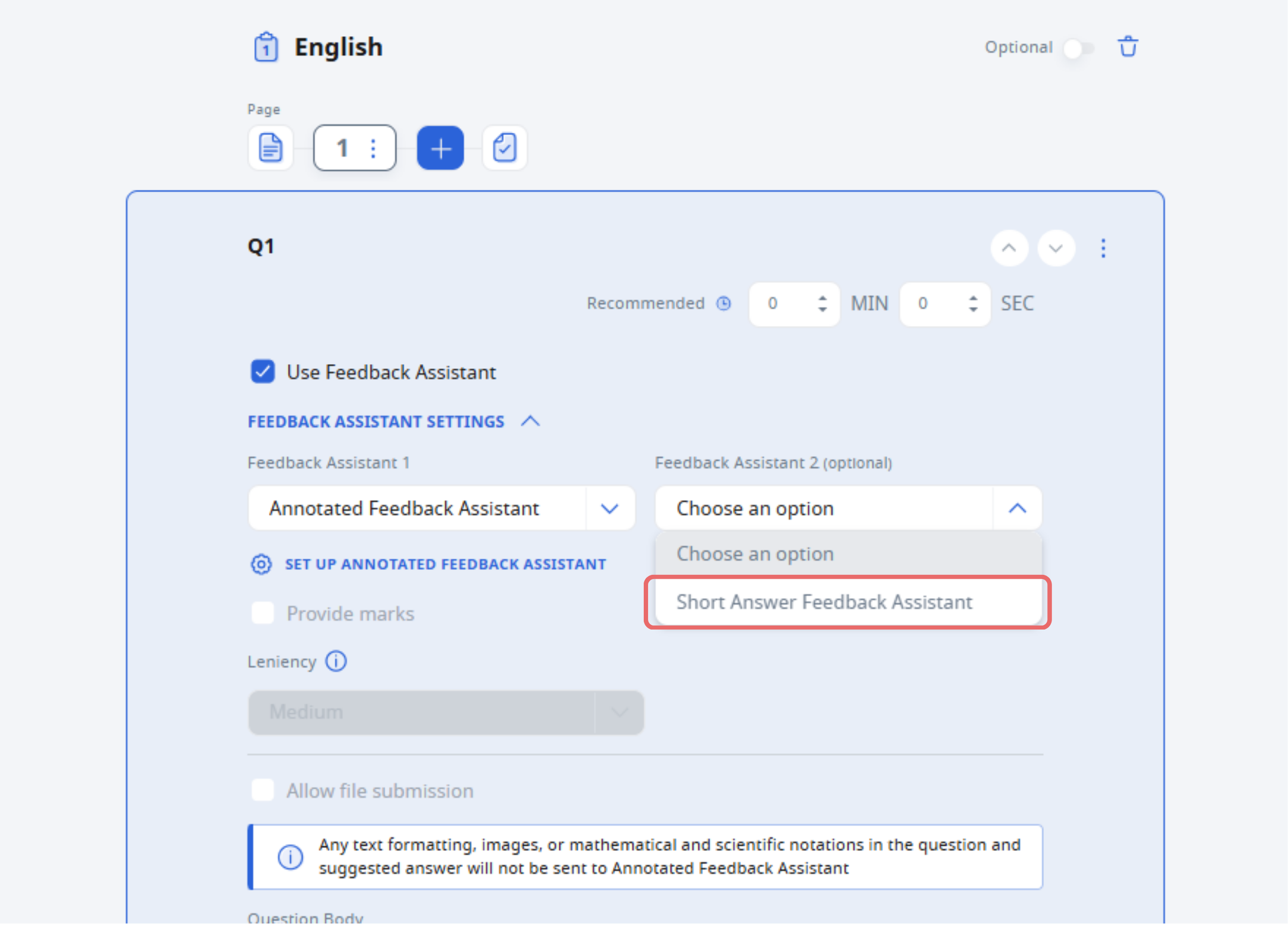
Alternatively, you can choose Default Free-Response then click the checkbox next to Use Feedback Assistant and select Annotated Feedback Assistant.
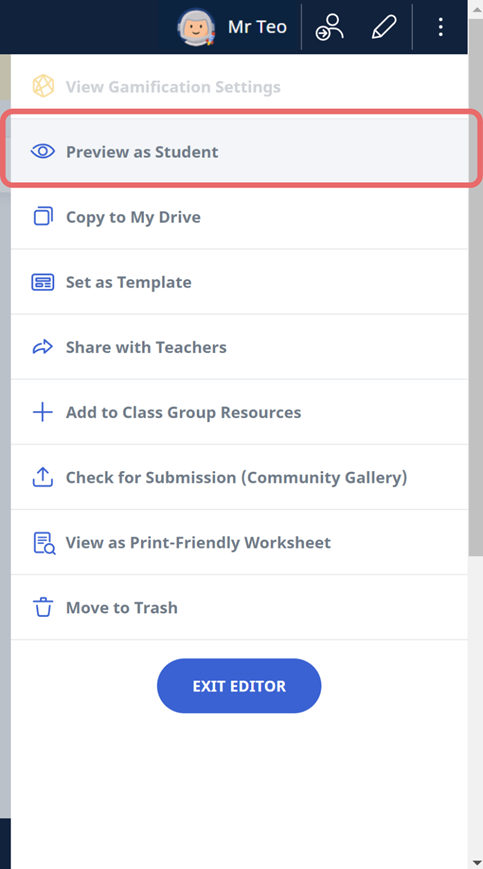
[New] You can now preview the AFA experience, including receiving feedback from the student’s point of view before assigning it, using the new “Preview as Student” option.
You can now also choose to hide question/component numbers in the quiz view, which will also apply to how questions appear within AFA annotation cards.
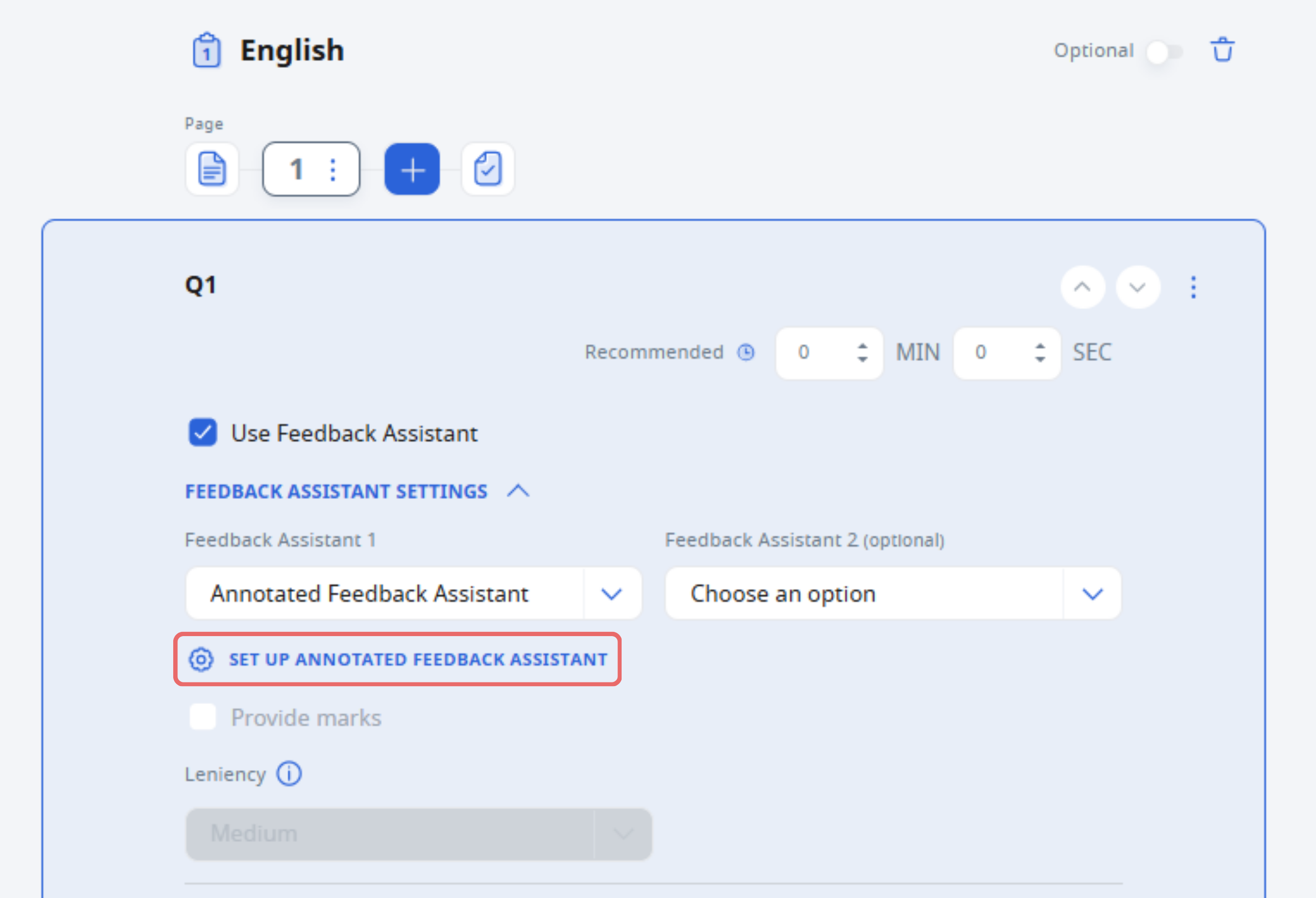
To configure AFA, click on Set Up Annotated Feedback Assistant.
You can select a Feedback Reference, such as Suggested Answer, Rubrics and/or Error Tags for AFA to reference when auto-generating feedback for students.
[New] In the setup subpage, you can now specify the number of drafts a student is allowed to check for feedback using AFA. This means students can revise and check their answer multiple times, receiving updated feedback each time — up to the limit set by you.
Tip: The default value is set to 0. Should you choose to set to 1, students will only be able to check once. Increase this value (up to 9) if you'd like to encourage more iterative drafting and feedback.
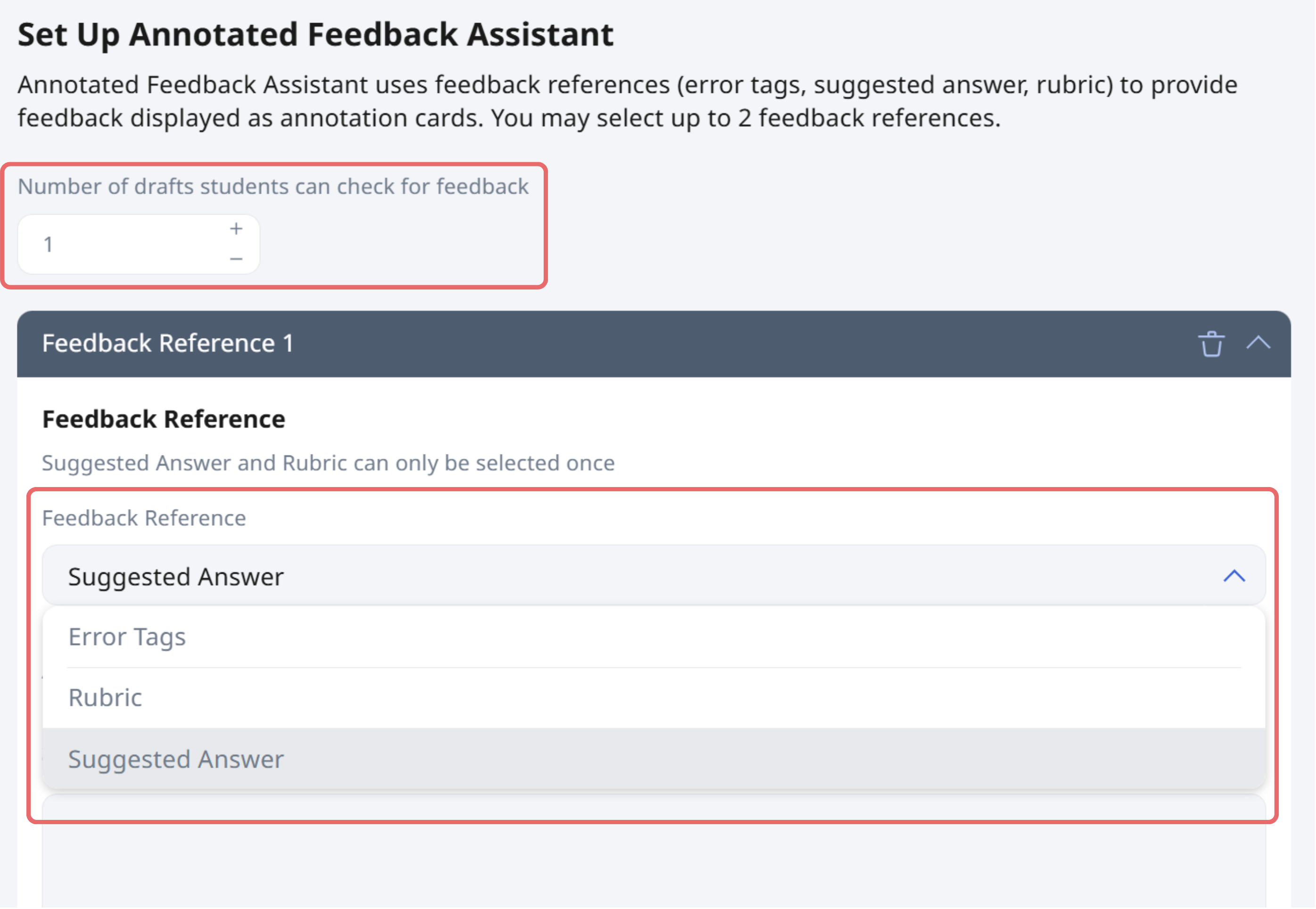
Note: You can have up to two Feedback References for each question with AFA enabled.
Once you have set the number of drafts, students will be able to check their responses and receive feedback that updates with each draft.
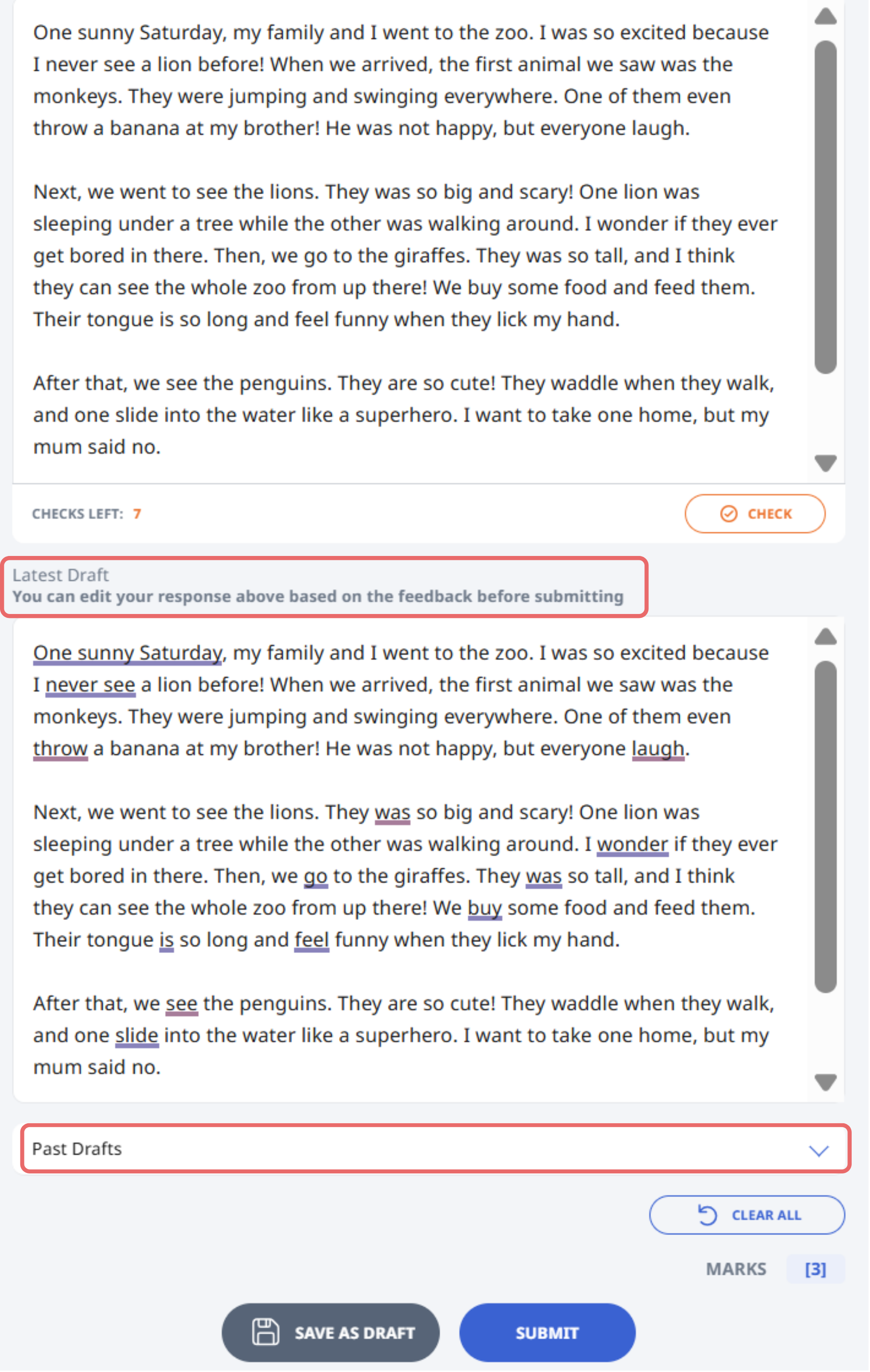
Students will see:
A “Check” button with the number of attempts remaining.
A Latest Draft section displaying the most recent feedback.
A Past Drafts dropdown that allows them to compare current and earlier feedback.
Tip: You can preview this experience using “Preview as Student” after setting up the AFA component.
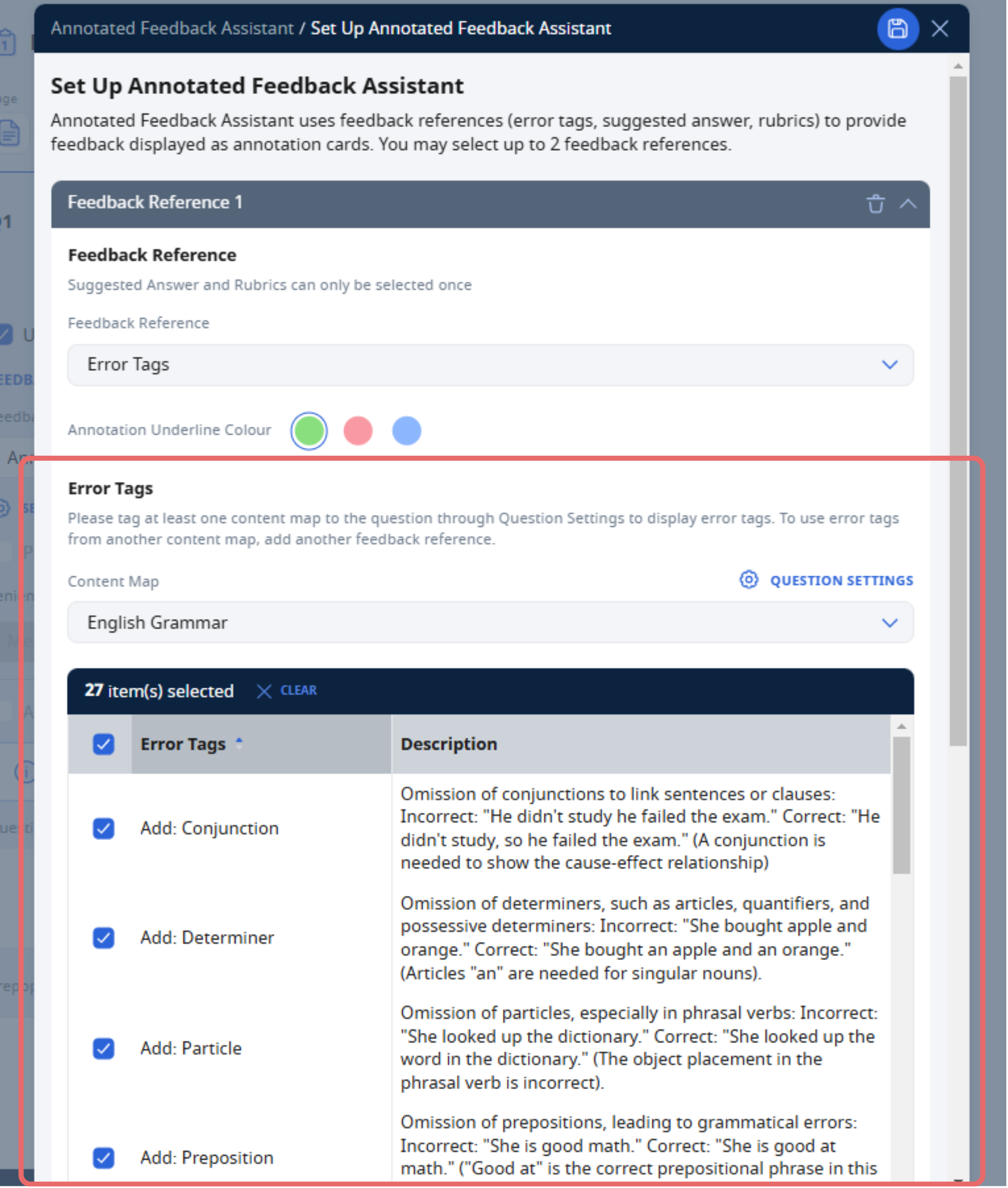
To use Error Tags as a reference, tag the question to a content map. Error Tags found within the content map would be auto-populated.
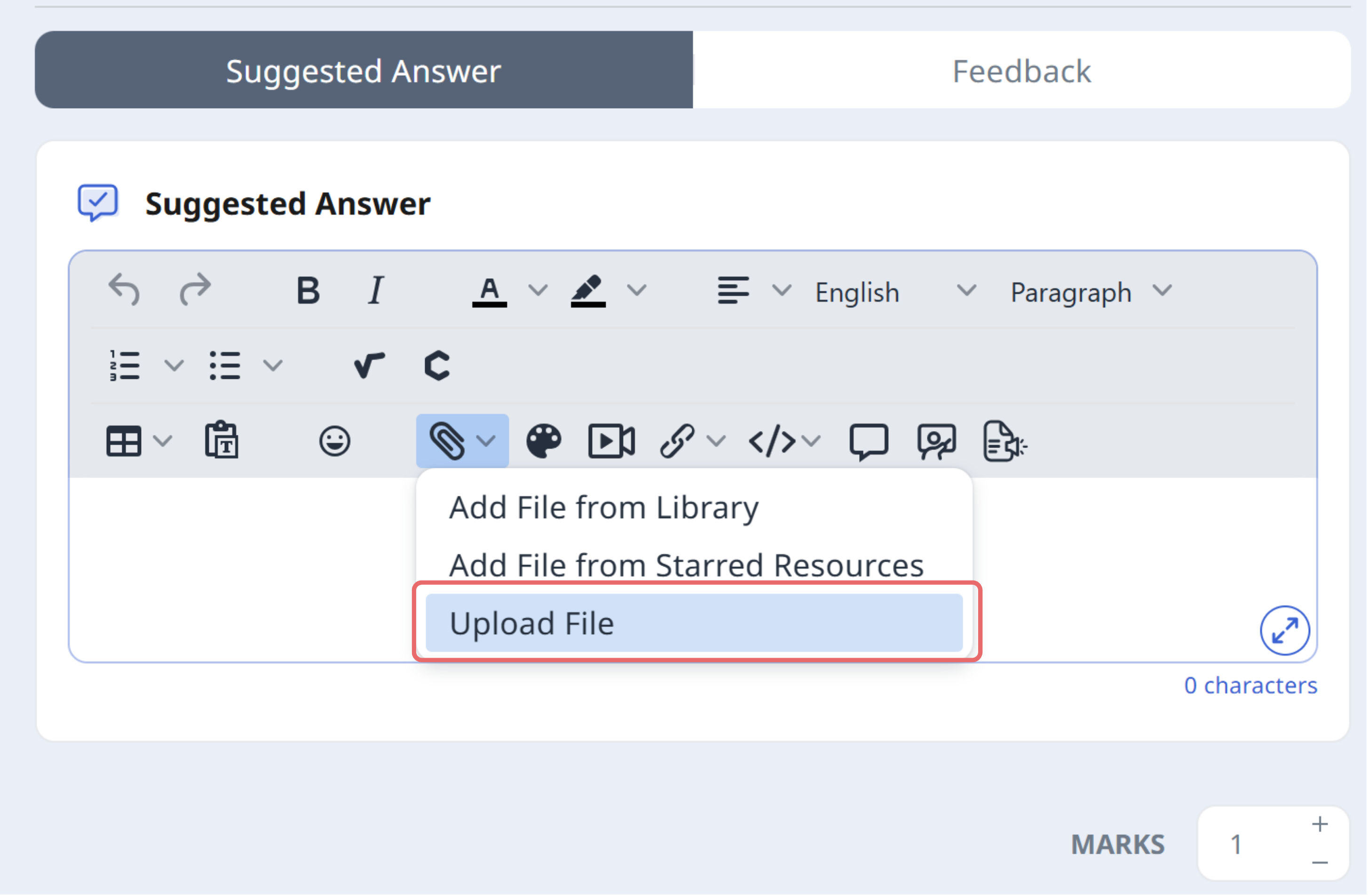
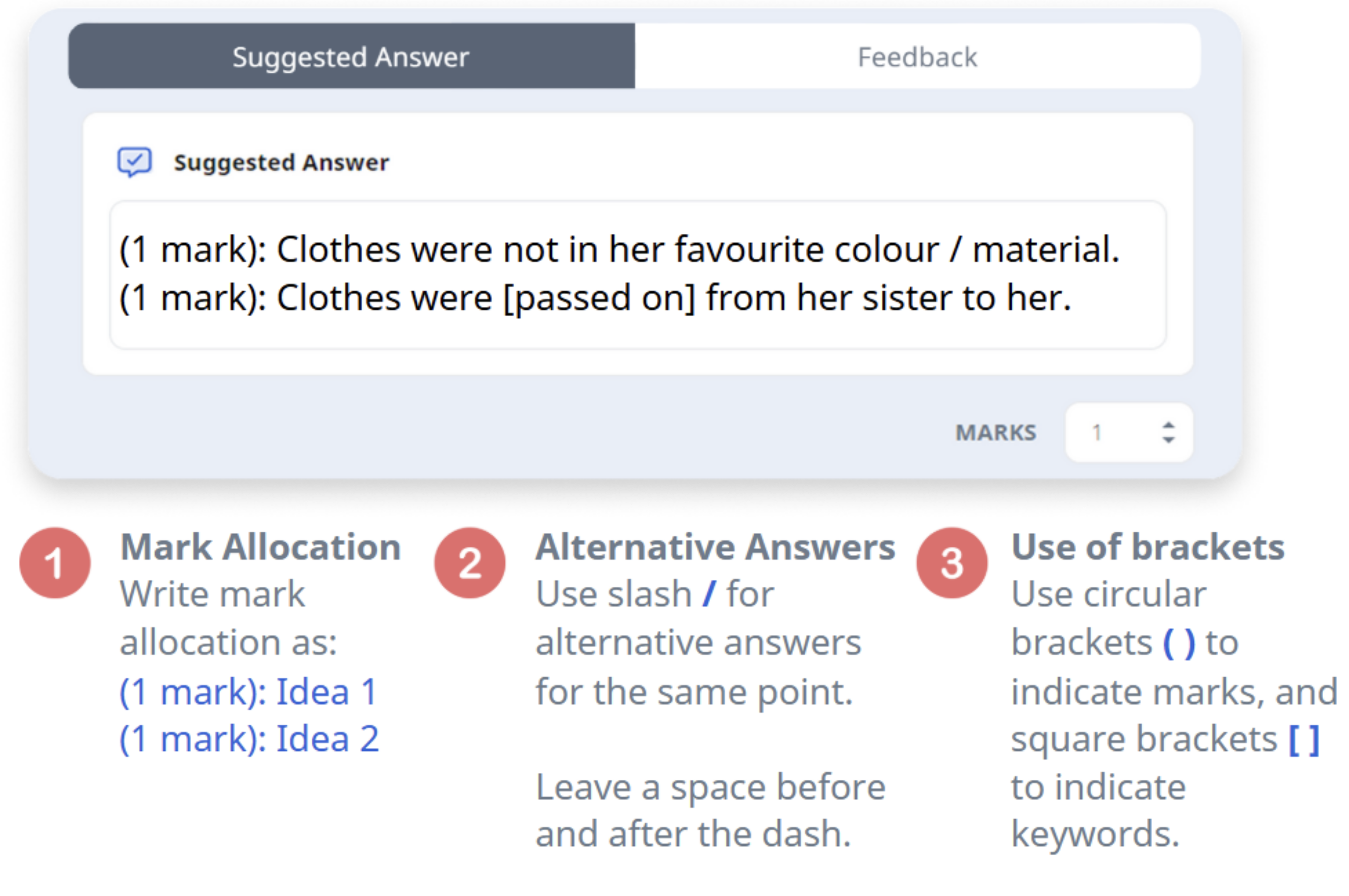
To use Suggested Answer as a reference, specify a detailed mark scheme in the Suggested Answer field. You can include PDFs or images here for assessment of students’ responses.
Some helpful tips on writing the suggested answer:
When using images or PDFs for suggested answers, ensure clarity and readability by using high-quality scans or images with legible text or handwriting.
Clearly indicate key points through annotations, highlights, or labels, and align the marking scheme by providing a text-based breakdown of criteria where necessary.
If multiple answers are acceptable, specify alternatives either within the image or as a separate explanation.
PDFs can be useful for structured responses, such as worked solutions, annotated diagrams, or essay-style answers, with clear indications of how each section aligns with the marks awarded.
Where possible, providing an exemplar response can help guide students in understanding expected formatting and content depth.
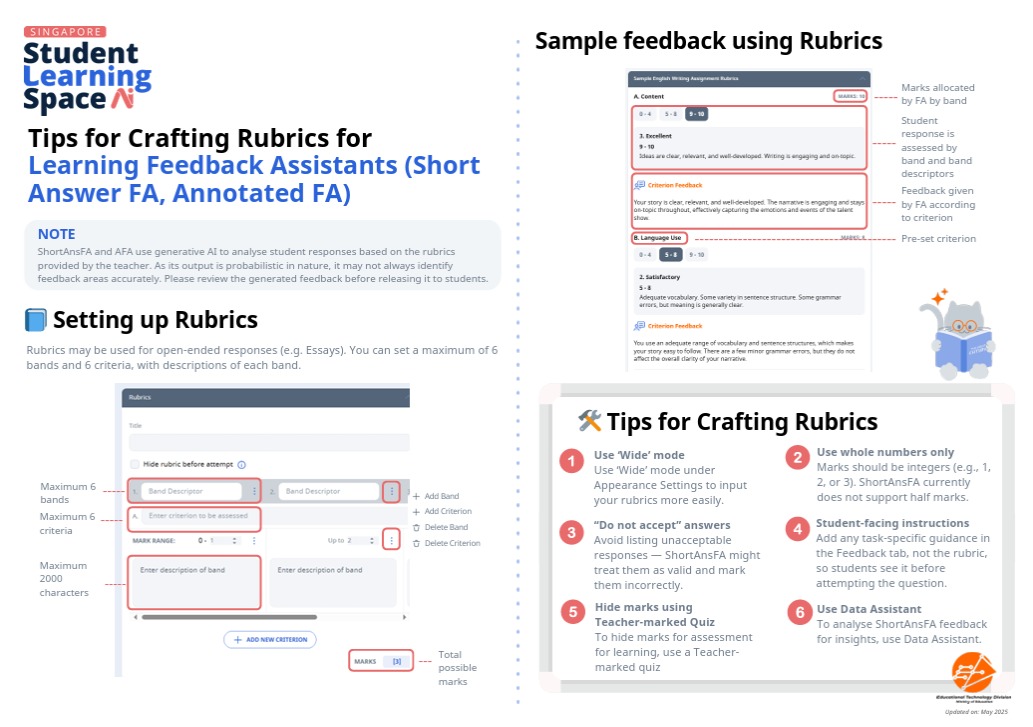
Alternatively, to mark more open-ended responses based on rubrics, you may use Rubrics as a reference, by entering the following fields:
Title
Band Descriptor
Criterion
Mark Range
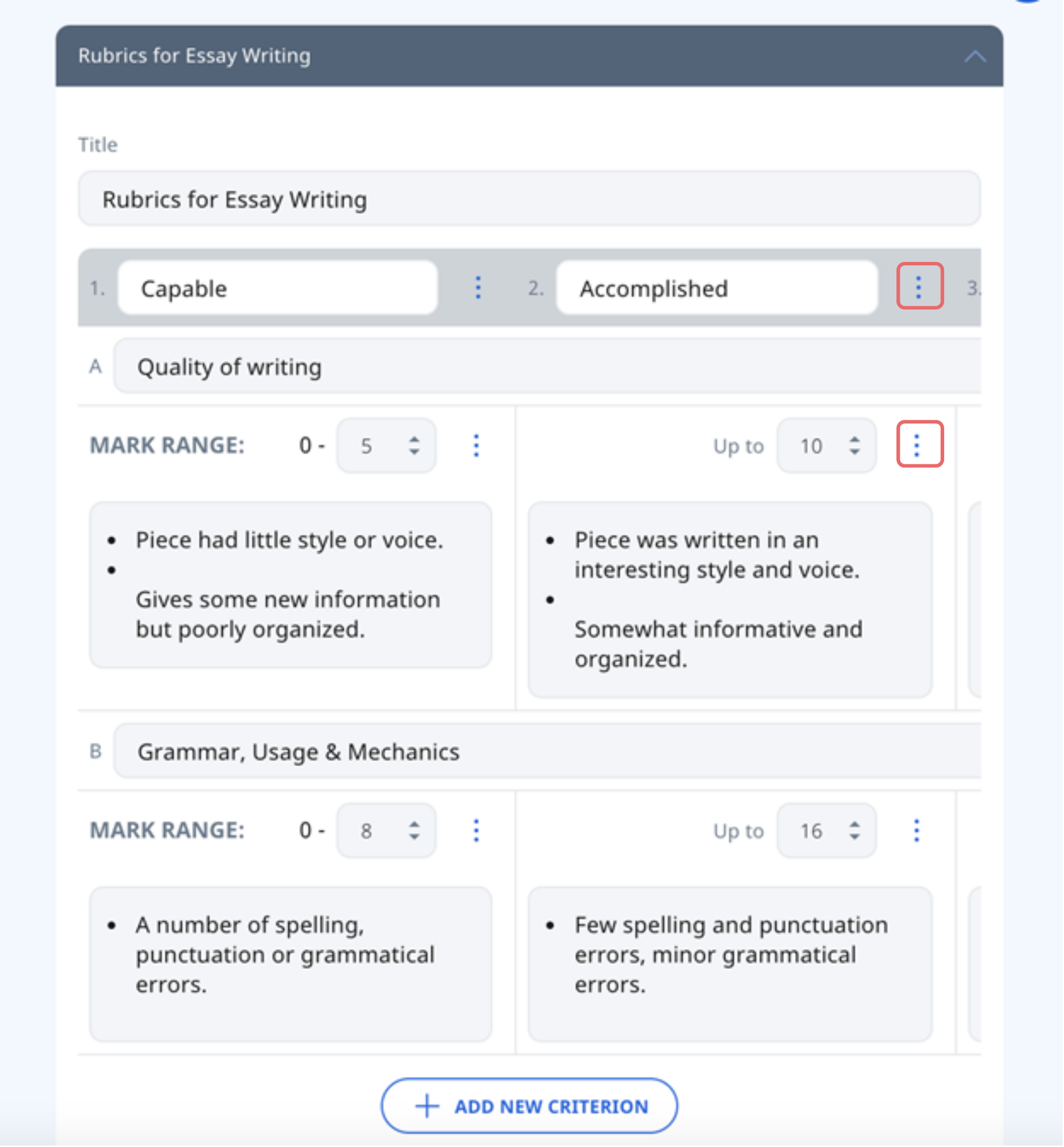
Note: A maximum of 6 bands (columns) and 6 criteria (rows) can be added in a Rubrics. Click the Overflow (3-dot icon) to Add Band, Add Criterion, Delete Band, or Delete Criterion.
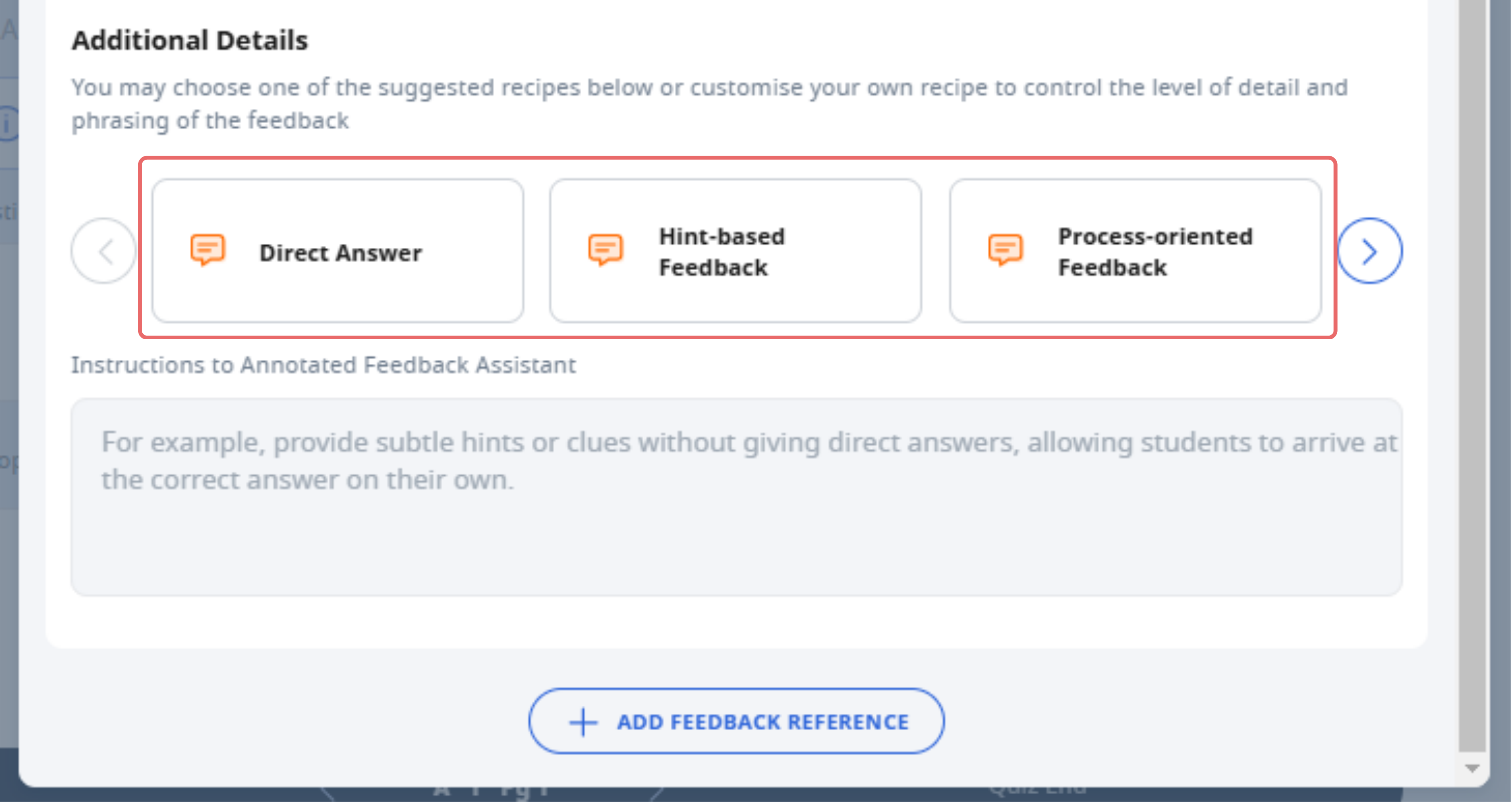
You can also select a recipe to further customise the feedback generated by AFA to better meet students’ needs, e.g. suggest direct replacements, provide questions to trigger deeper thinking, or give hints to guide students.
Additionally, you may choose to use Short Answer Feedback Assistant concurrently to allow students to receive holistic feedback as well.
After editing, click outside the Component to save.
Before assigning to students, you can preview the feedback by clicking Preview as Student to ensure that the question has been configured correctly.
Note: Students will receive feedback automatically for Standalone Questions, Auto-Graded and Progressive Quizzes. For Teacher Marked Quizzes, you have to mark and return the feedback before your students can receive it. Click here (opens in new tab)to learn how to do so.
To learn more about using Annotated Feedback Assistant (AFA), including pedagogical, ethical, and technical considerations, refer to this resource (opens in new tab).
Click here for a Quick Guide to Writing Rubrics and Suggested Answers for Learning Feedback Assistants.