(B1,vi) Delete Assignments
Learn how to delete assignments and restore them from the Trash page if needed.
(B1,vi) Delete Assignments (Enhanced)
You can delete an Assignment after it has been assigned and/or attempted by students.
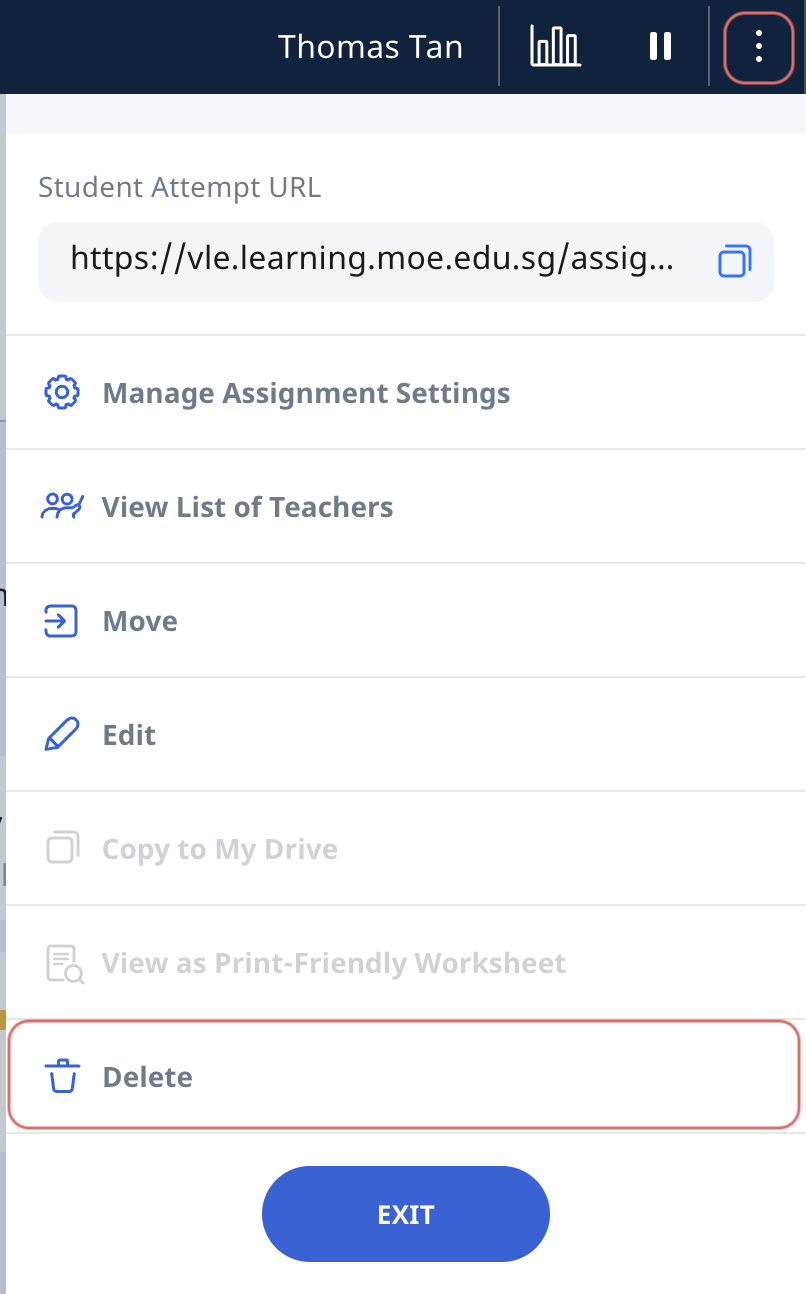
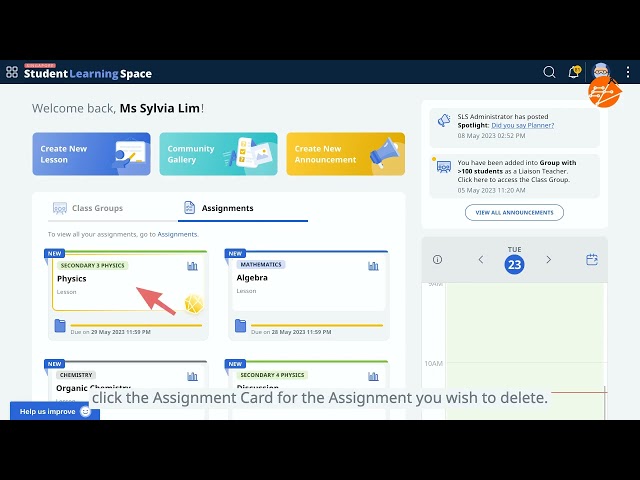
Click the Assignment card to enter the Assignment and click the Overflow (3-dots icon) to open the right menu and select Delete.
The Assignment will be permanently deleted and students will no longer have access to it. Click OK to confirm your action.
Video Tutorial
Note: When you delete, unpublish, or pause assignments, any related notes and annotations that students have added to their notebooks will become unavailable to them.
Restore Deleted Assignments
From R4 (Jun 2026), you can restore deleted Assignments individually from the Trash page which can be accessed from:
Assignments page
Assignments tab in your Student Group
A. Access Trash page from the Assignments Page
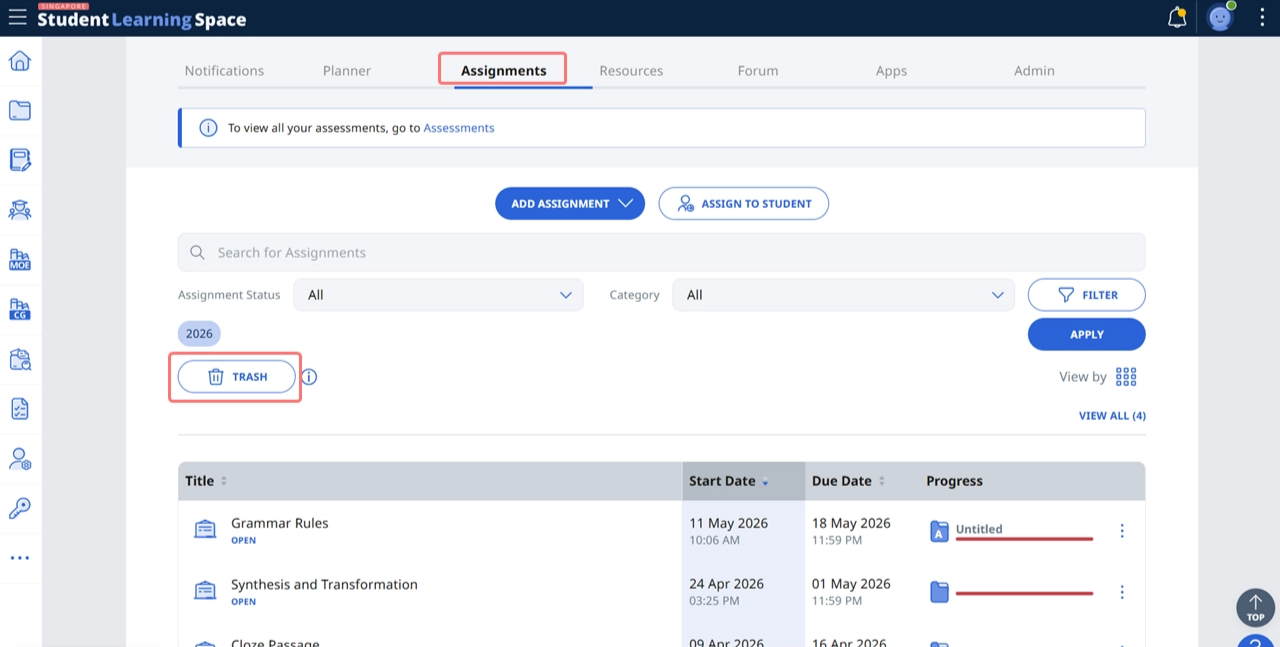
Go to the Assignments page and click Trash.
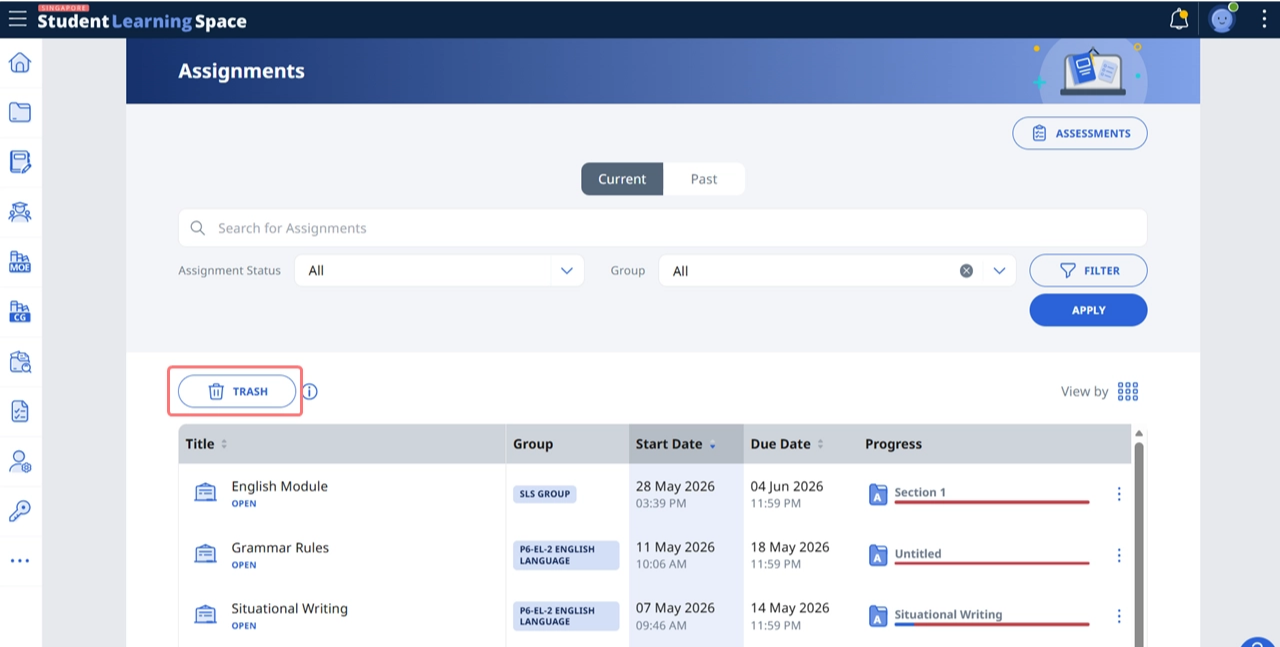
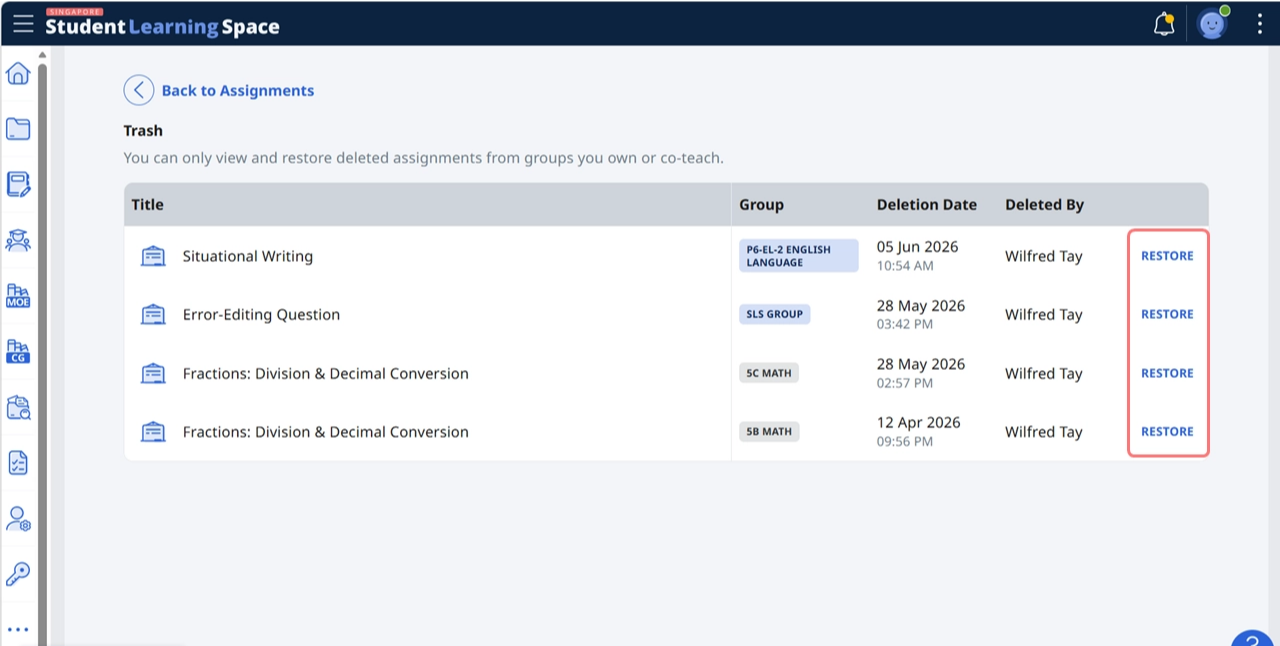
The most recently deleted Assignments will be displayed. Select the Assignment that you wish to restore and click the Restore button on the right side of the Assignment.
Click OK to confirm.
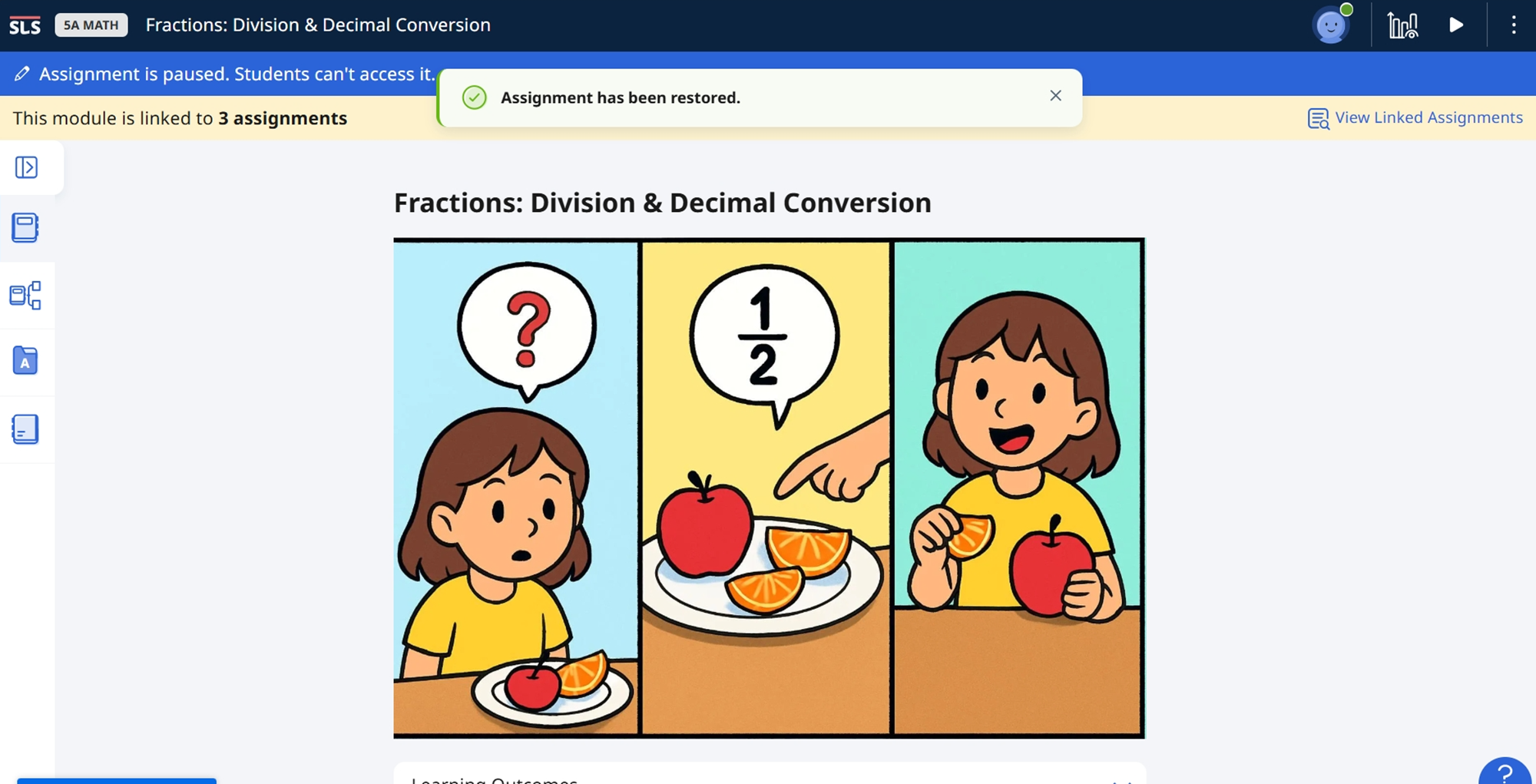
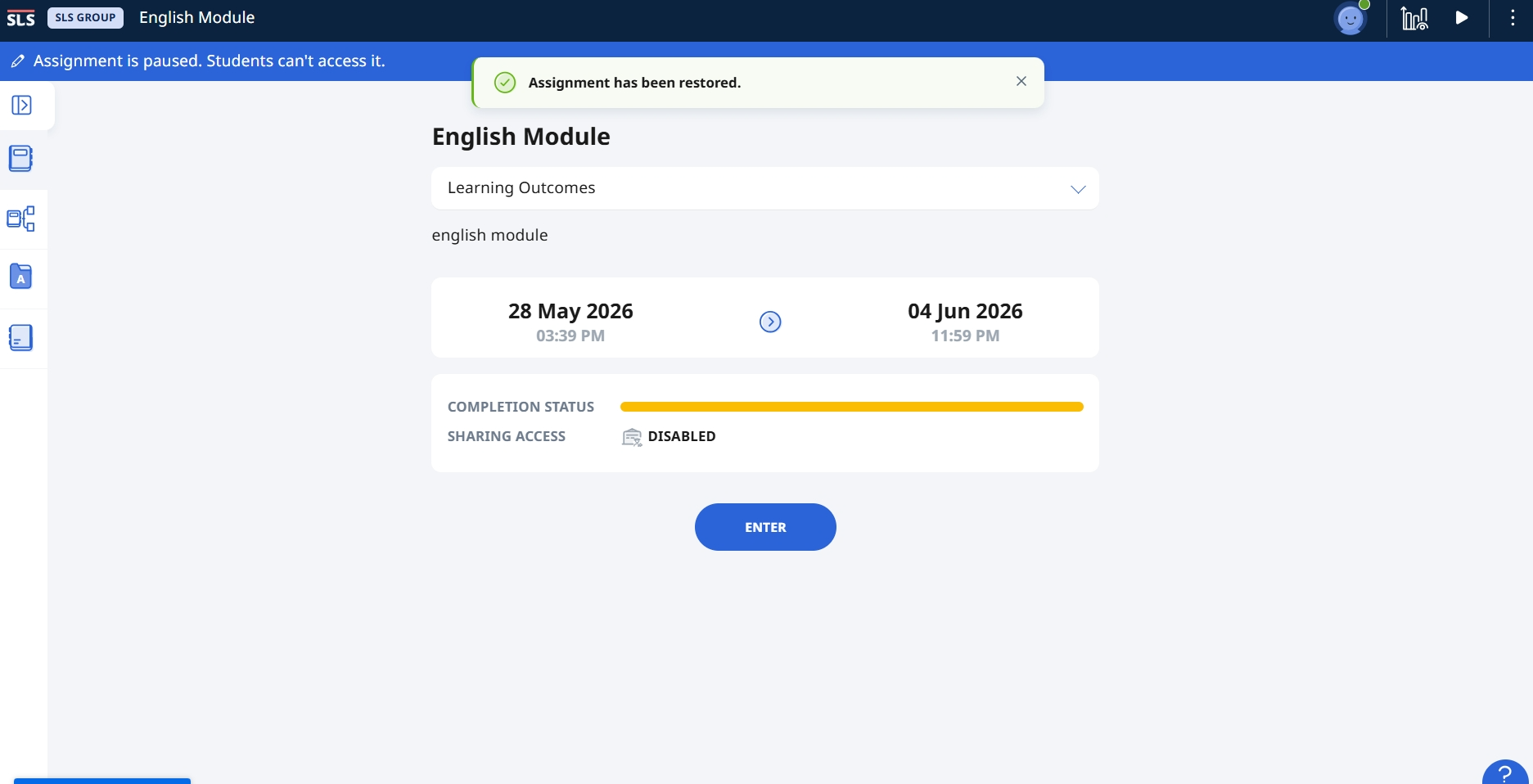
Once the Assignment has been successfully restored, it will open in a new tab. Teachers can then amend the Assignment if needed, such as making edits, adjusting the schedule, or managing the settings.
B. Access Trash Page from the Student Group
Go to the Student Group.
Select the Assignments tab and click Trash.
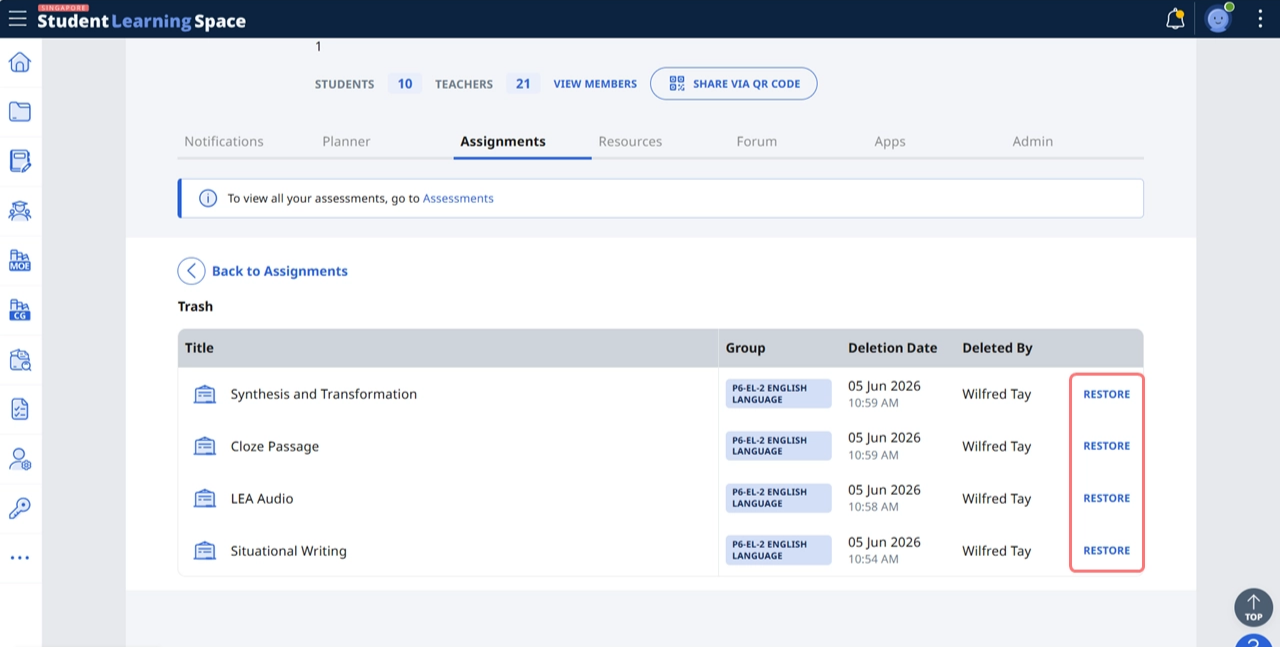
The most recently deleted Assignments from this group will be displayed. Select the Assignment that you wish to restore and click the Restore button on the right side of the Assignment.
Click OK to confirm.
Once the Assignment has been successfully restored, it will open in a new tab. Teachers can then amend the Assignment if needed, such as making edits, adjusting the schedule, or managing the settings.
Note:
Only up to the 20 most recently deleted Assignments and Assessments created within the same year will be displayed. This count is accumulative across both Assignments and Assessments.
To restore an Assignment which is not shown in the Trash, please contact the SLS Helpdesk (Contact SLS Helpdesk (opens in new tab)).
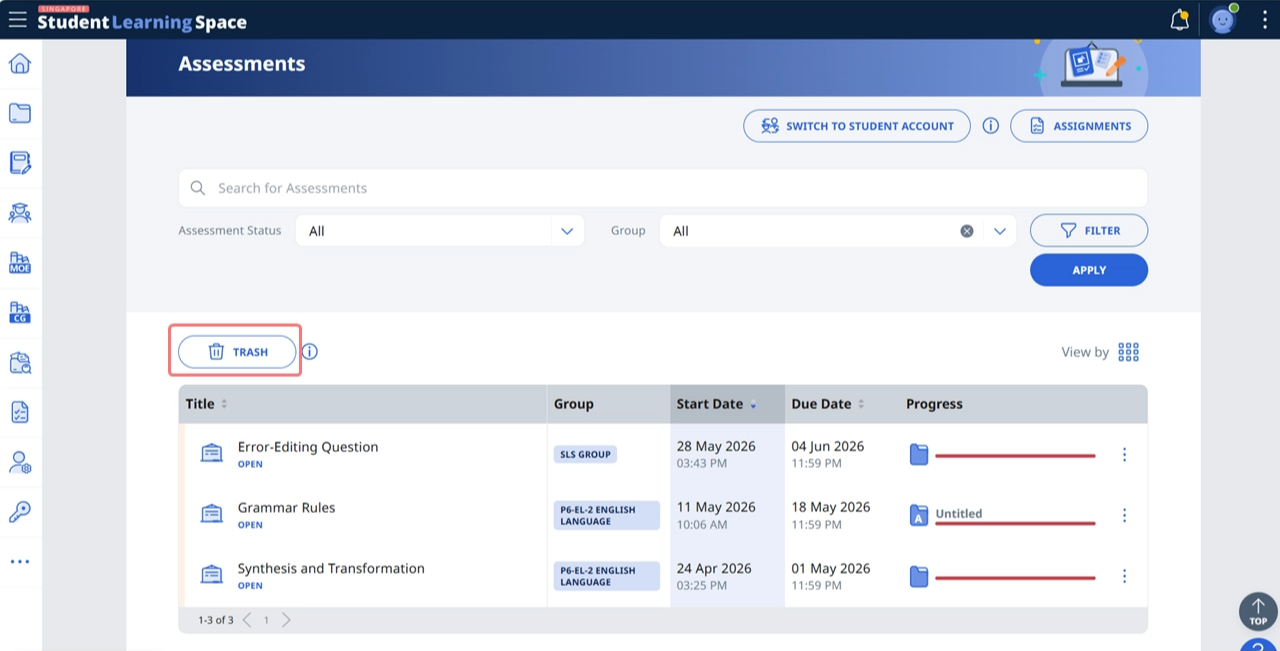
You can also restore deleted Assessments using the same steps above. You can access deleted Assessments from Trash on the Assessments page.