
(A1,ii) Quick Assign Activities & Quizzes
Learn how to quickly assign activities and quizzes to your class, either from a Class Group or a Planner Event.
(A1,ii) Quick Assign Activities & Quizzes
Quick Assign from Class Group
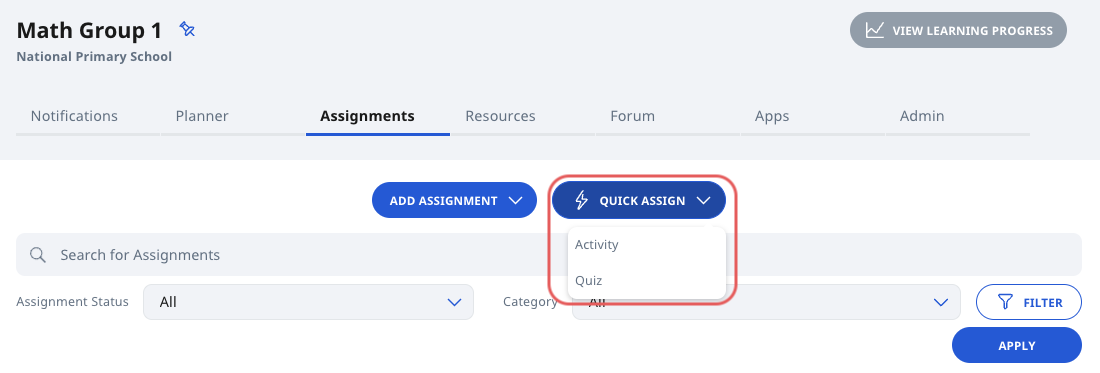
From a Class Group, click Quick Assign and select Activity or Quiz.
Once selected, a paused untitled Assignment will be created in the Class Group.
You will be directed to the Module Editor page of the Assignment.
Quick Assign from Planner Event
Create a New Event in the Planner for a Class Group.
The new Event will appear in the Planner tab.
Click the + button to Quick Assign an Activity or Quiz.
Alternatively, you can click on the Event to open the Event Details. Then click Quick Assign and select Activity or Quiz.
Once selected, a paused, untitled Assignment will be created in the Class Group and attached to the Event.
You will be directed to the Module Editor page of the Assignment.