(D1,iii) View and Restore Past Class Groups
View and restore past class groups from previous academic years. Owners and co-teachers can bring back old groups as active ones via the Admin tab.
(D1,iii) View and Restore Past Class Groups
Important: From Mar 2025 Update, owners and co-teachers of class groups can restore past class groups as active class groups.
At the start of each academic year, all Class Groups from the preceding year will be found under the Past tab.
From the homepage, open the left menu and click Class Groups, followed by All Class Groups. Alternatively, in the Class Groups tab from the homepage, click Class Groups. By default, you will be in the Current tab.
Click the Past tab. If you have past Class Groups from multiple years, use the dropdown menu to navigate through the years.
You can filter past Class Groups by Role and year (and school, if you have taught at more than one school).
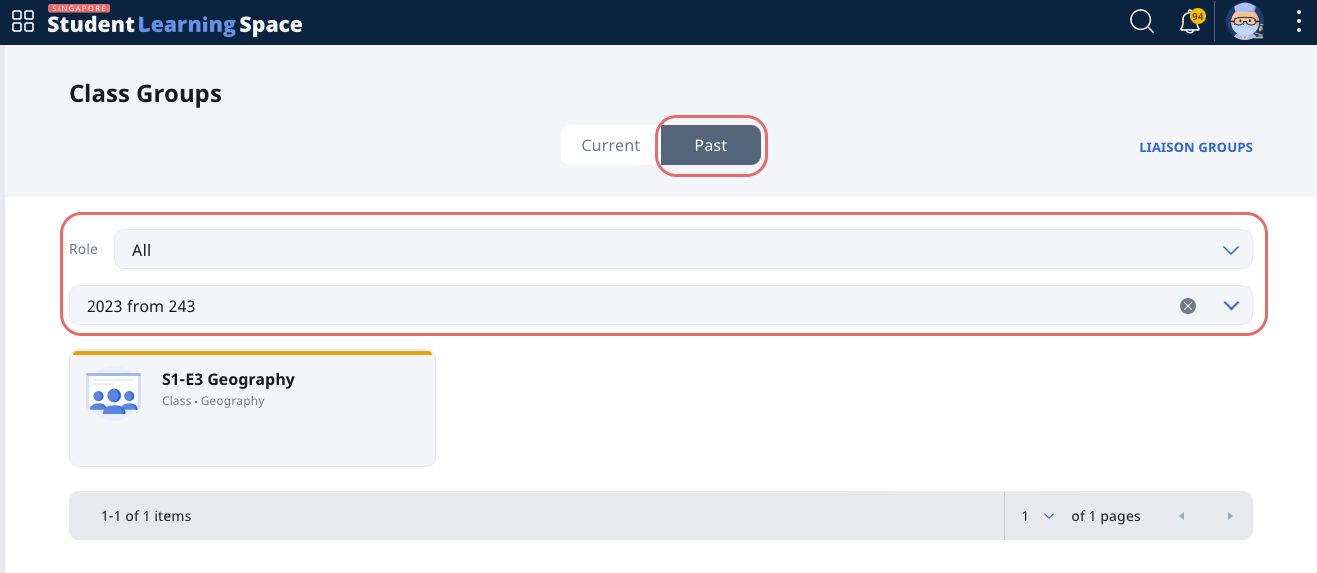
Archived Class Groups will also be found under the Past tab.
Note: There is no way to delete a Class Group. Assignments, Resources, Forum cards and Apps found within will still be viewable.
Restore Past Class Groups
From the Past Class Groups page, select the Class Group you wish to restore.
Click on the Admin tab.
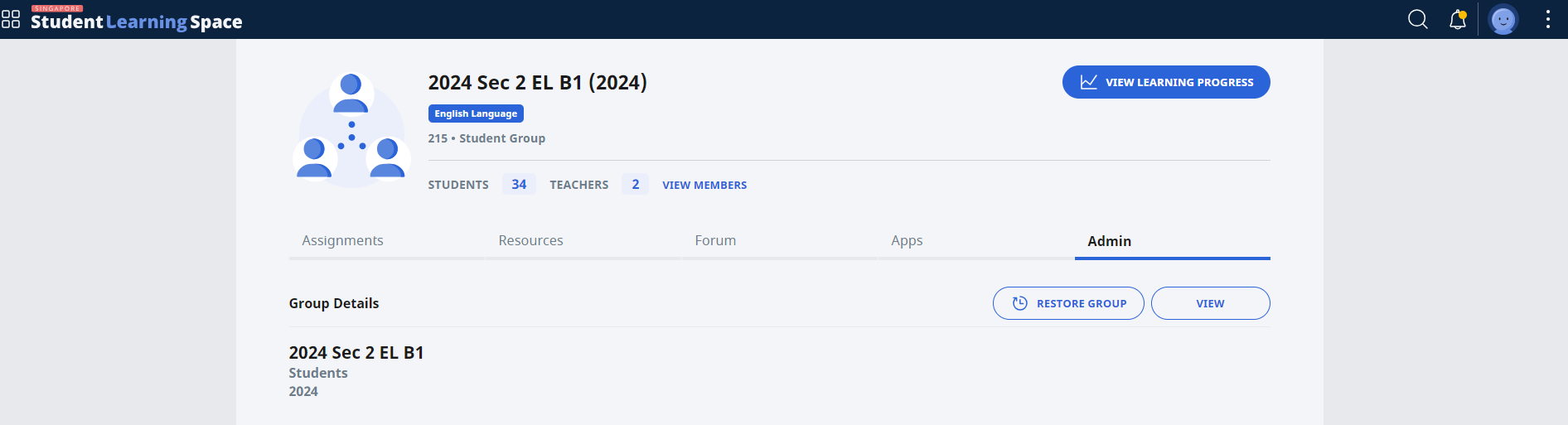
Click Restore Group.
Click OK to restore group. You may change the expiry year in the Admin tab after the group has been restored.