
(A1) Create Groups and Communities
Learn how to create and manage Groups and Communities in SLS, including setting member roles and access controls.
(A1) Create Groups and Communities
From the homepage, open the left menu and click Groups, followed by All Groups. Alternatively, under the Groups tab, click Groups.
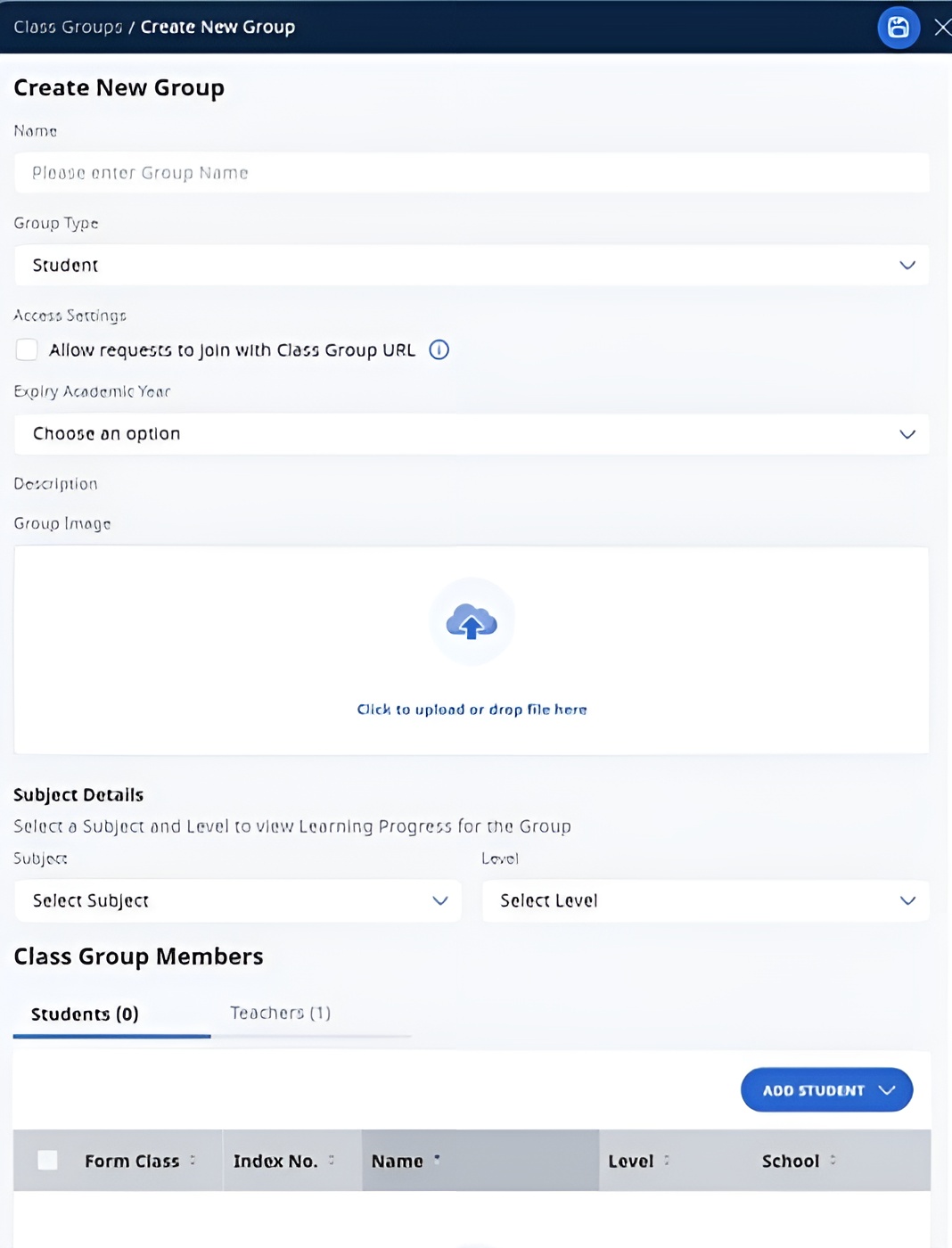
Click Add New Group to open Create New Group subpage. Enter the Name and Expiry Academic Year, Description (optional), Group Image (optional), Subject (optional), and Level (optional). Tagging a Subject and Level to a Group allows teachers and students to view the Learning Progress (opens in new tab) for this Group.
Note: From Mar 2025 Update, teachers will be able to set group expiry year to “No Expiry”.
There are 3 Group Types to select from: Student, Professional Development, Staff.
Note: You can convert the Group Type to Community. As communities are only for teachers, please remove students before converting the Group Type.Check the Allow requests to join with Group URL box to allow teachers and students to join the Group without having to be added by the Owner/Co-teacher of the Group manually.
Note:
You may locate the Group URL from the browser's address bar.
When teachers join using the Group URL, they will be assigned the Observer role.
You can add students from:
Your School
Your Groups, if you are the Owner of those Groups
Note: Students from Groups (Class) from School Cockpit cannot be added as a Group.
You can add teacher users from your school or other schools as Students in your Group.
Note: Teachers added as a Student to a Group will only be able to access this Group using their accounts in Student View. They will also be given the Liaison Teacher role.
You can add teachers with the following roles:
Table caption
Role | Able to ... | Remarks |
Owner |
| Default role when a teacher creates a Group. There can be multiple Owners in a Group. |
Co-teacher |
| Added by a teacher who is the Owner of a Group |
Observer (New in R19) |
| Default role when added to a group |
Liaison teacher |
|
When all members have been added, click Save.
Note:
Teachers can only add students from their school.
To add students from other schools, Group Owners will need to add teachers (minimally as Liaison Teachers) from the same school as the intended students and have these teachers add their students.
To add Students from other schools to your own Groups, Group Owner can switch students to different Groups owned. The system will add the Liaison Teacher into the changed Group if a student that is not from your own school is added.
Newly added teachers to a Group will be assigned the Observer role by default, allowing them to view assignments.
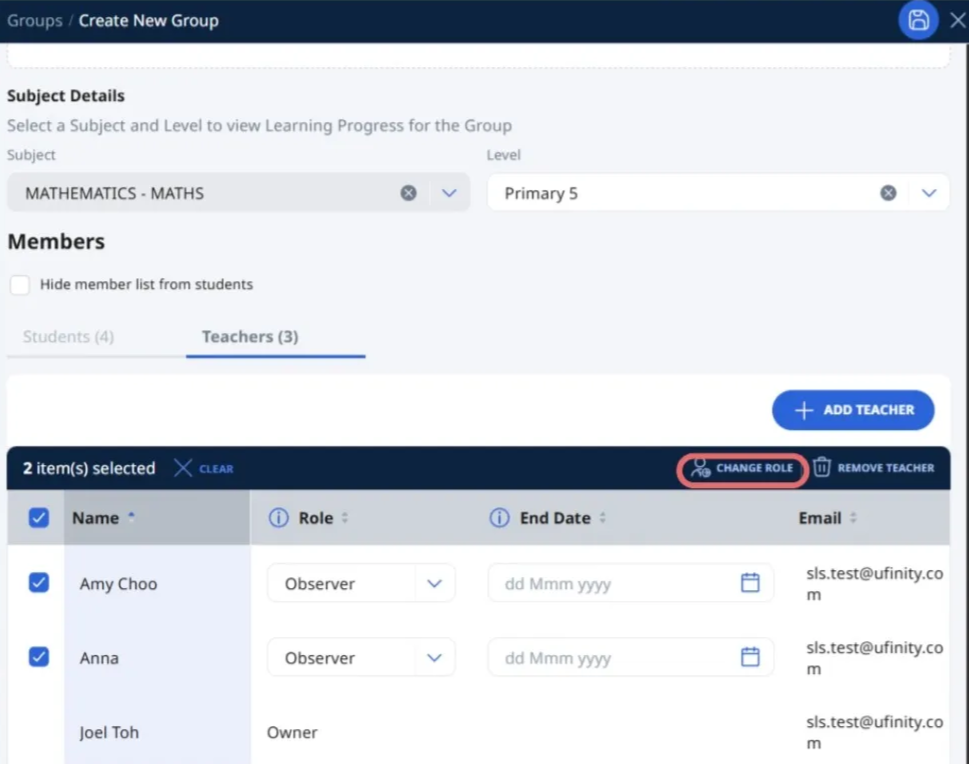
From the R4 June 2026 update, Group Owners can update the roles of multiple teachers at the same time from the Group Admin page.
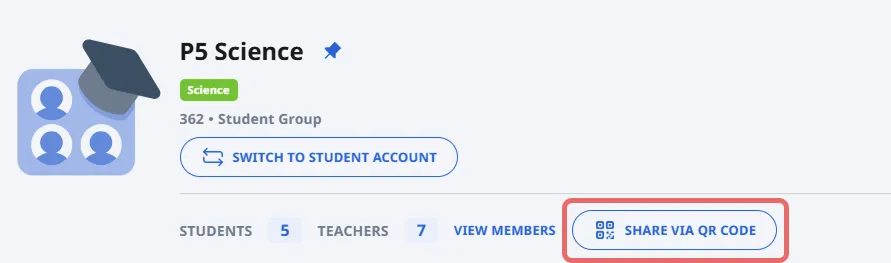
Click Share via QR Code to generate QR code with SLS branding for your students to scan and join the group.
a. If users cannot join the group with the QR code, go to the group Admin Tab, click on Edit Details. Under Access Settings, tick Allow requests to join with Group URL.
Edit Group Details
On the Group page, select the relevant Group Card.
Click the Admin Tab, followed by View & Edit.
In the Edit Details subpage, you can change the Name, enter a brief description of your Group, add a group image, change the Group type or Expiry Academic Year and add teachers and students. If it is a Group created within SLS, you can also select a Subject and Level from the respective dropdown lists.
Note: Tagging a Subject and Level to a Group will allow teachers and students to view the Learning Progress of this Group.
Click Save to confirm your changes, followed by X.
Note: When adding a teacher to a Group, you can set an end date for their access. This allows the added teacher to remain in the group only for the specified time period. The system will automatically remove teachers with a set time limit once the end date is reached.
Create a Community
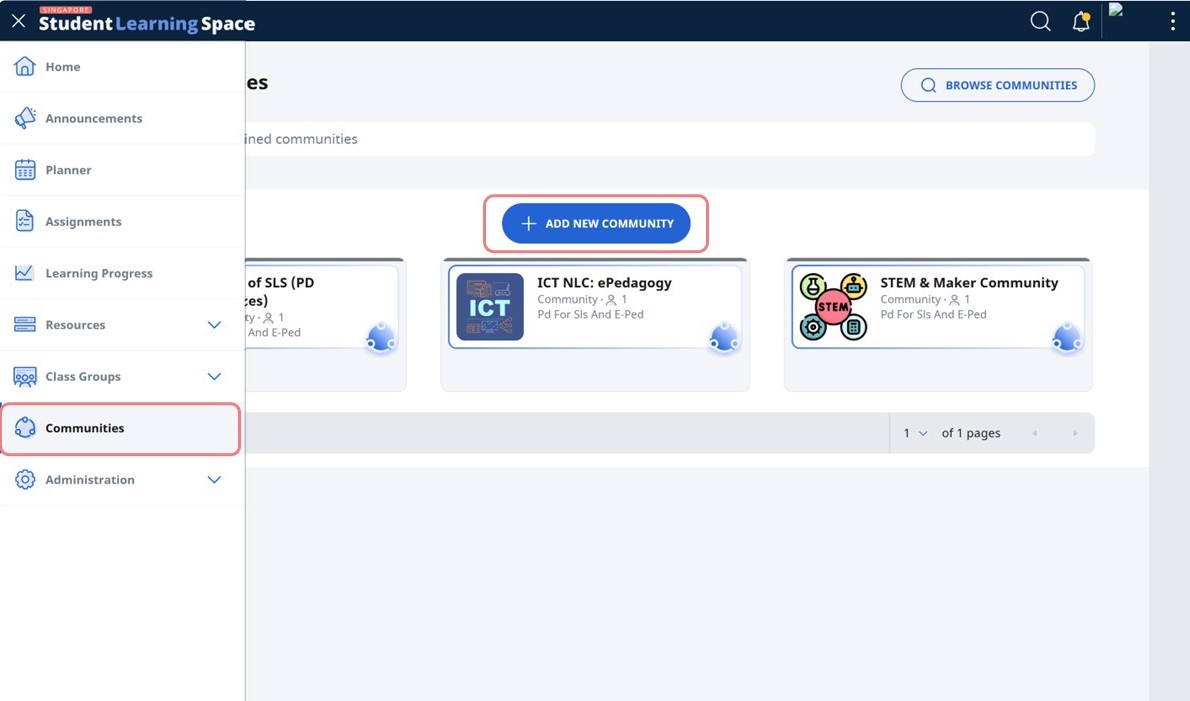
From the homepage, open the left menu and click Communities.
Click Add New Community to create a new Community. You may also browse or search for joined Communities.
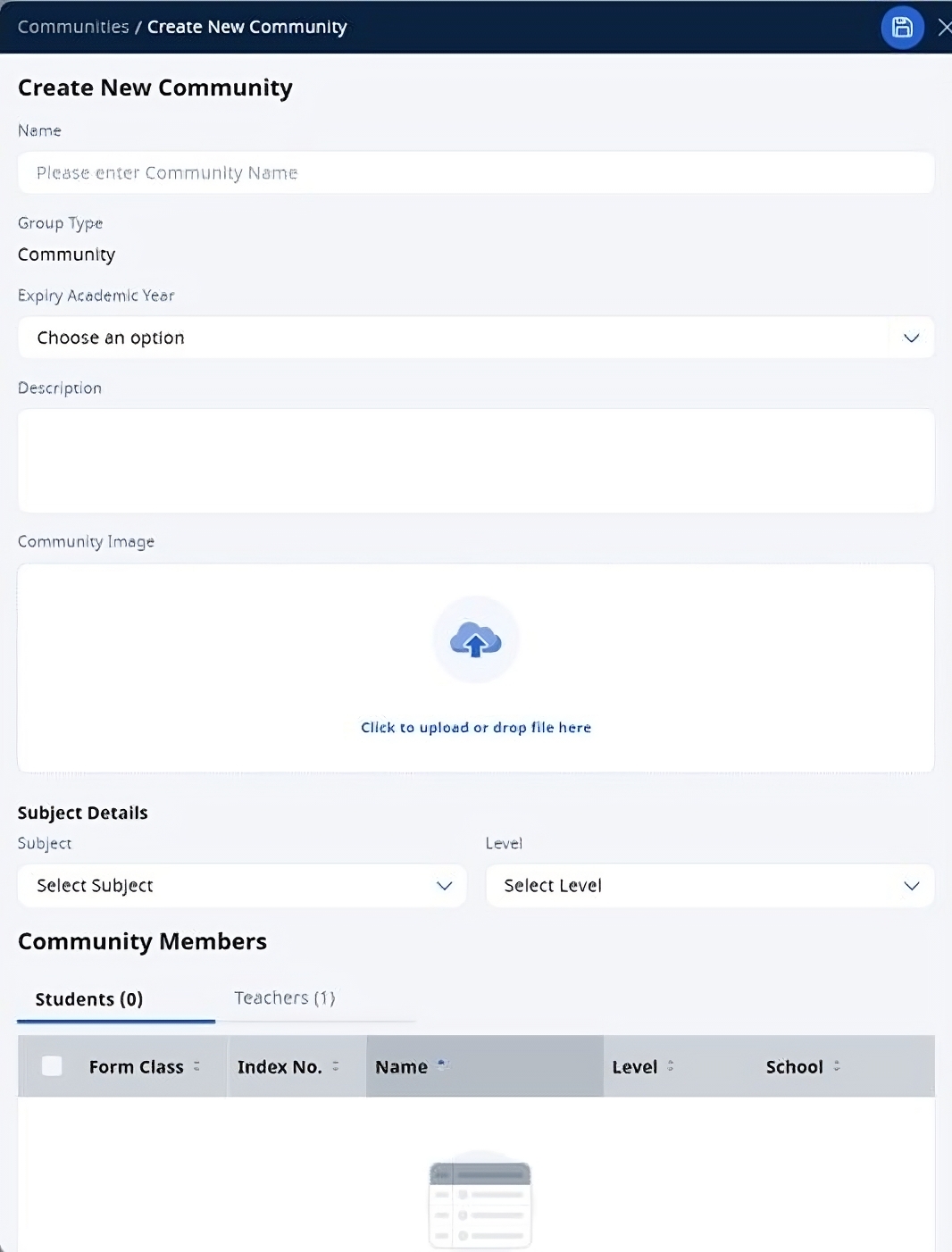
Enter the Name and Expiry Academic Year, Description (optional), Community Image (optional), Subject (optional), and Level (optional). Unlike Groups, there is no Learning Progress for Communities.
You can add teachers from your school or other schools, and they will be assigned Liaison Teacher role by default. You can change their role to Owner, Co-teacher or Observer. Click Save icon to proceed.
Note:You cannot add students into a Community.
You can invite teachers to join the Community by sharing the Community URL.
Your Community has been successfully created.
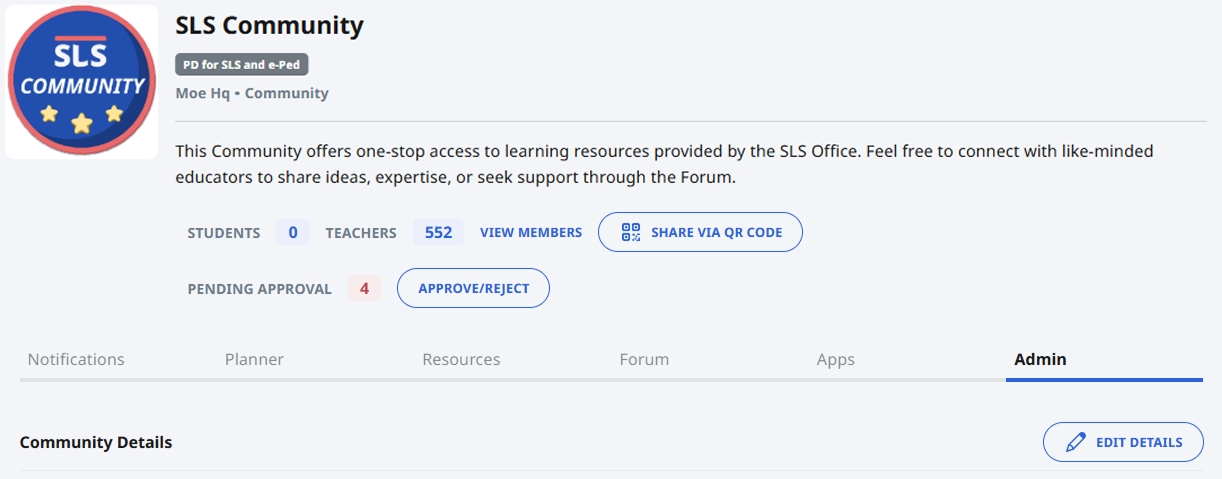
Click on Edit Details to change the Name, Expiry Academic Year, brief description of your Group, group image, or add teachers. You can also create Subgroups in a Community.
Click Share via QR Code to generate QR code with SLS branding for staff to quickly scan to join the Community.
Archive a Community
Communities created in SLS can be archived when they are no longer needed.
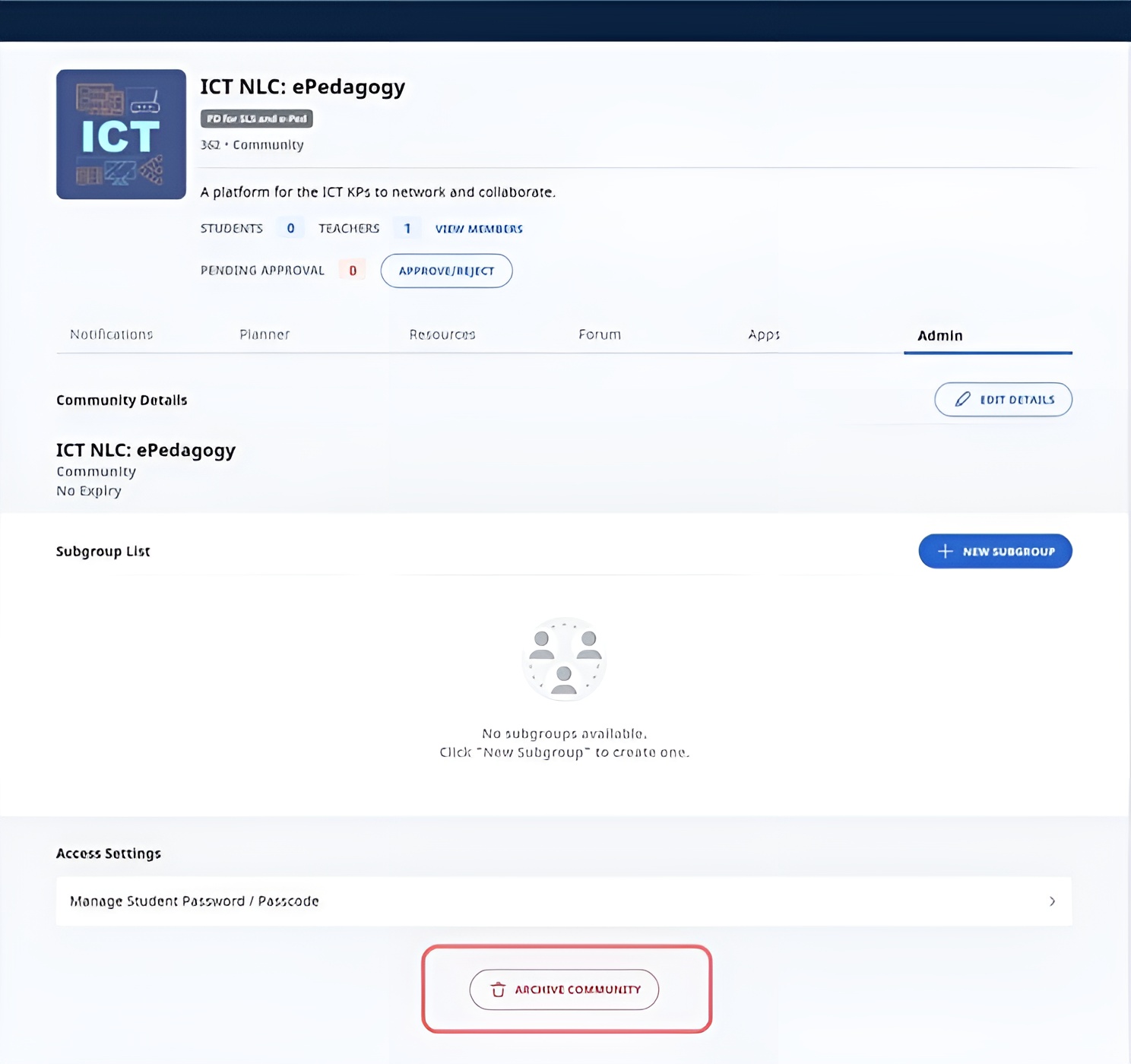
To archive a Community, enter the Community by clicking the Community card.
Under the Admin tab, click Archive Community.
Note:
The archiving of Community cannot be undone.
Users will no longer be able to access the Community.
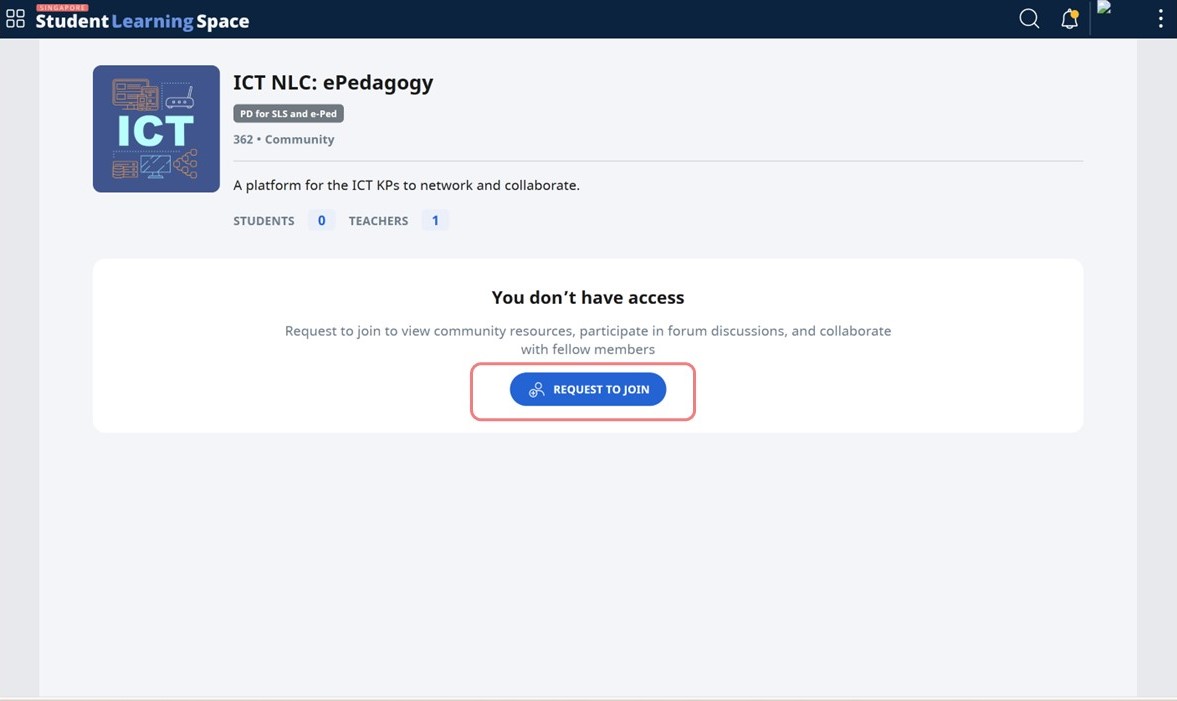
Request to Join a Community
When teachers browse for Communities or access a Community URL shared by others, they can send a request to join the Community.
Click Request to Join. Teachers will receive a notification when their request has been approved.
Approve Teachers to Join a Community
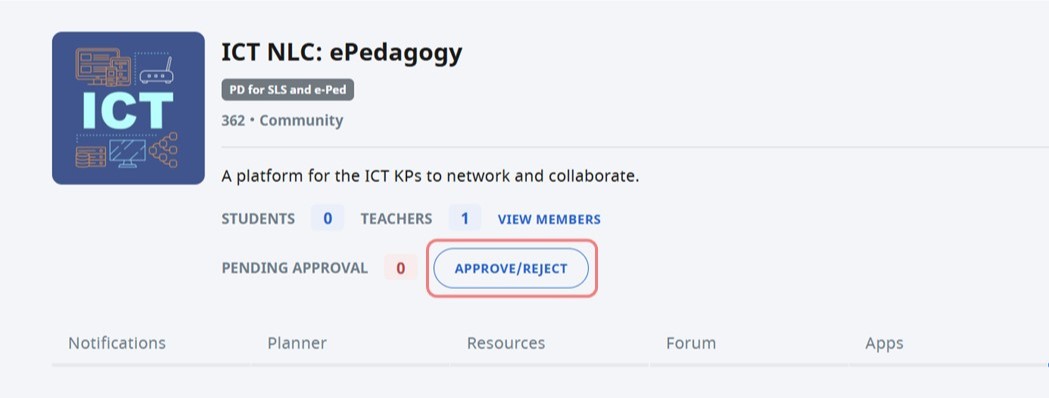
Click Approve/Reject to view the names of teachers who have requested to join.
Check the box next to the name of the teacher, then click Reject or Approve to reject or approve the requests to join the Community.
Note: Owners will also receive notifications when there are requests to join the Community.
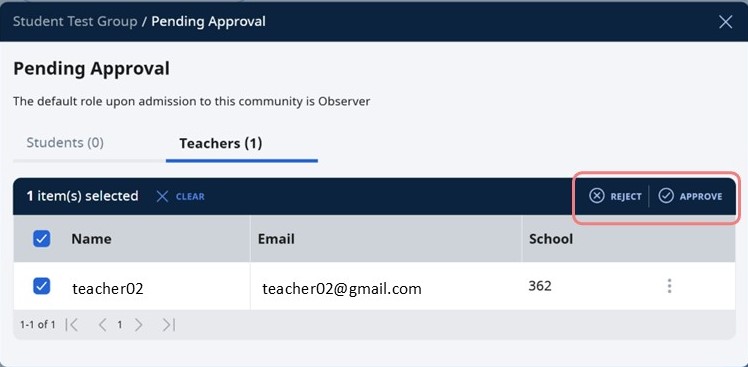
Note: Teachers will be added as an Observer by default.