

Customise SLS Homepage
Customise your SLS Homepage
-
Open the left menu and click Edit Shortcuts to customise your SLS homepage based on your teaching and learning needs.
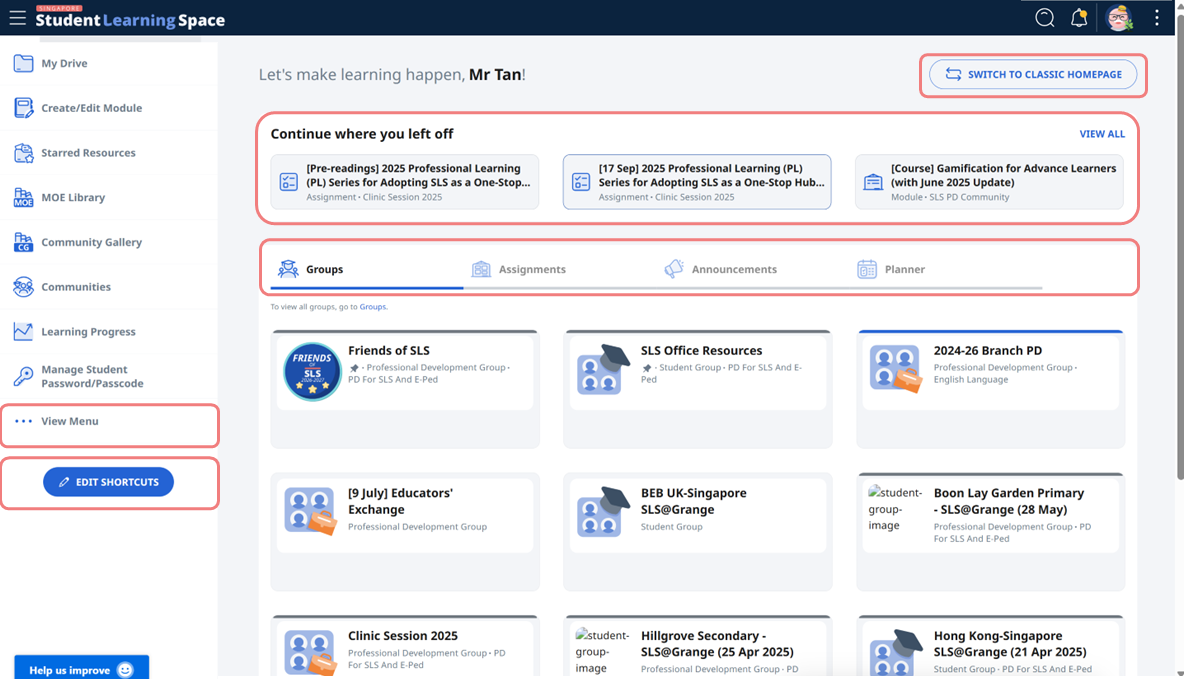
-
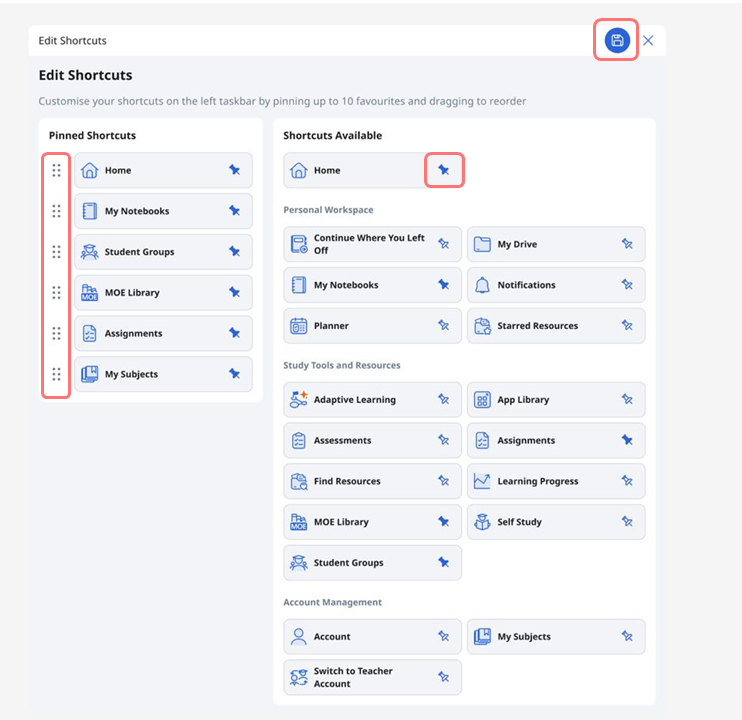
For Admins, select Admin so that you can view all available admin functions in a page. You can select up to 10 shortcuts by pinning and/or unpinning them.
-
In the Pinned Shortcuts menu, rearrange the shortcuts using drag-and-drop.
-
Click Save when done.
Navigate using Screen Reader
Press Tab to move through the interface with your keyboard. Navigation begins at the top taskbar, moving from left to right across the icons, then continues to the icons in the left menu, and finally to the main page. Press Tab again to move to the next icon.